Calculating and Plotting Mathematical Functions with a Spreadsheet - Intro Tutorial
Learn to harness spreadsheet power for plotting equations efficiently. Master quick techniques to visualize mathematical functions graphically.
Creating PivotTables and PivotCharts Dashboards with Slicers in Excel
Learn to create interactive Excel dashboards using PivotTables, PivotCharts, and Slicers. Master data visualization techniques, customize slicer appearance, and integrate timeline slicers for date-based filtering.
Excel View Tab and Ribbon in Depth
Explore Excel's View tab features like zoom, freeze panes, and Page Break Preview to enhance productivity and streamline your workflow in this comprehensive tutorial.

How to Use VLOOKUP in Google Sheets - Beginner's Tutorial
Master VLOOKUP in Google Sheets: Find and match data efficiently. Step-by-step examples cover basics to advanced techniques, including multiple criteria and error handling.

LibreOffice - A Powerful Open Source Alternative to Microsoft Office
Explore LibreOffice: a powerful, free alternative to Microsoft Office. Learn installation, features, customization, and collaborative editing in this comprehensive overview.
Excel 365 for Beginners - Navigating Workbooks and Ribbons - Lecture 5
Learn to navigate Excel 365's interface, create workbooks, and understand key elements like ribbons, tabs, and toolbars. Master the basics of Excel's structure for efficient spreadsheet management.
Excel 365 for Beginners - AutoFill and Flash Fill Techniques - Lecture 21
Explore AutoFill options and Flash Fill in Excel 365 to automate data entry, recognize patterns, and boost productivity. Learn time-saving techniques for efficient spreadsheet management.
Excel 365 for Beginners - Streamline Your Data with Correct Number Format - Part 27
Learn to enhance data readability in Excel 365 by mastering Number Formatting. Explore various formats like currency, dates, and percentages using the Number group on the Home Ribbon.
Excel 365 for Beginners - Formatting Cells, Rows, and Columns Manually - Part 28
Learn to enhance Excel worksheets by manually formatting cells, columns, and rows, exploring various options on the Home Ribbon to create visually appealing and organized data presentations.
Excel 365 for Beginners: Table Creation and Style Customization - Part 35
Learn to convert data into Excel tables, customize styles, rename tables, and efficiently format columns in this tutorial on table creation and customization in Excel 365.
Managing Rows and Columns in Excel 365 - Part 38 of 51
Learn efficient techniques for managing rows and columns in Excel 365, including auto-fitting widths and heights for large datasets, enhancing your spreadsheet organization skills.
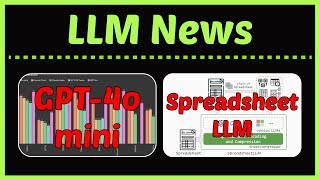
LLM News: GPT-4o Mini, Codestral Mamba, Prompt Engineering Methods, and More - January 2024 Update
Explore latest AI advancements: GPT-4o mini, Mistral Nemo, Codestral Mamba, prompt engineering techniques, long-context reasoning, efficient RAG, spreadsheet LLM, and more. Stay updated on cutting-edge machine learning developments.
The Fundamentals of DAX Contexts
Embark on an African Safari-themed adventure to master DAX contexts, exploring row and filter contexts through captivating wildlife visuals. Gain essential skills for data analysis and business intelligence.

Spreadsheets for Developers
Explore the power of spreadsheets as a programming tool, learning advanced techniques and challenging preconceptions about their capabilities in software development.

Pure Functional Programming in Excel
Discover how Excel can be used for pure functional programming, exploring its power, versatility, and potential for solving complex problems through live demonstrations and practical examples.

C++ Ecosystem - The Renaissance Edition
Explore C++ ecosystem trends, challenges in adopting new standards, and usage patterns across different domains. Gain insights into developer practices and future improvements in the C++ landscape.
Google Sheets - From Basics to Advanced Features Tutorial
Master spreadsheet essentials with hands-on practice in data entry, formulas, charts, pivot tables, and collaboration features. Transform raw data into meaningful insights using practical functions and visualization tools.

MacoCaml - Staging Composable and Compilable Macros
Explore MacoCaml, a novel approach to compile-time code generation in OCaml, combining macros with phase separation and quotation-based staging. Learn about its theoretical foundation and implementation.
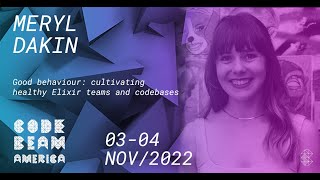
Good Behavior: Cultivating Healthy Elixir Teams and Codebases
Discover best practices for maintaining healthy Elixir codebases and teams. Learn strategies for adoption, testing, organization, and more, applicable to various stages of Elixir implementation.

Beautiful and Right - Hidden Features and Abstractions that Make Languages Work
Explore Elixir's hidden features and abstractions powering frameworks like Nerves, LiveView, and NX. Uncover how OTP behaviors and macros create elegant, reliable concurrent systems.
Top Excel Tips for Efficiency - Troubleshooting Common Errors
Master Excel error handling, data validation, and formula auditing to boost spreadsheet reliability and efficiency. Tackle common errors, protect data, and troubleshoot with confidence.