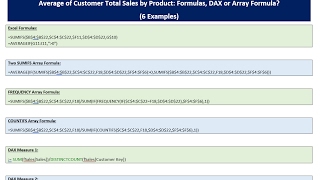
Average of Customer Total Sales by Product - Formulas, DAX or Array Formula?
Learn advanced Excel techniques for calculating average customer sales by product using formulas, array formulas, and DAX measures in Power Pivot. Compare methods and optimize performance.
Excel Spreadsheet Formulas - Old School or Dynamic Arrays?
Learn to use Excel formulas for data analysis, comparing traditional methods with dynamic arrays. Master SUMIFS, COUNTIFS, and AVERAGEIFS for creating effective summary reports.

Aging Accounts Receivable Reports on Multiple Sheets With Array Formula
Learn to create automated Aging Accounts Receivable Reports using Excel's array formulas, table features, and structured references. Master advanced functions like COUNTIFS, AGGREGATE, and INDEX for efficient data extraction and reporting.
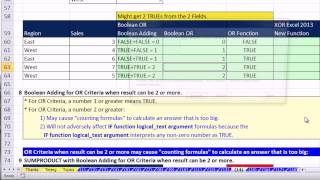
Ctrl - Shift - Enter - Excel Array Formulas - Boolean Logic, AND & OR Criteria, Convert TRUE FALSE
Aprenda a usar fórmulas de matriz avançadas no Excel, incluindo lógica booleana, critérios AND e OR, e conversão de TRUE/FALSE para análise de dados eficiente.

Excel Intermediate Functions & Features
Master advanced Excel functions like IF, VLOOKUP, IFS, and custom formatting. Learn time-saving techniques, data manipulation, and presentation skills to enhance productivity and analysis capabilities.
Logical Functions in Excel Tutorial
Learn to use Excel's logical functions like IF, IFS, COUNTIF, and SUMIF. Master simple tests, nested statements, and error checking for efficient data analysis and decision-making.
How to Create a Stunning Interactive Dashboard in Excel - Sales Excel Dashboard Crash Course
Step-by-step guide to creating an interactive sales dashboard in Excel, covering data setup, calculations, dynamic charts, and advanced features for a comprehensive and visually appealing analysis tool.

Logical Tests - Excel Formulas, Conditional Formatting, PivotTables, Power Query, and More
Master Excel's logical functions, formulas, and advanced features. Learn to create powerful data analysis tools using PivotTables, conditional formatting, and Power Query for efficient data management.
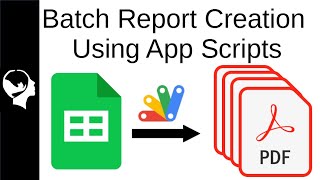
Batch Create Reports with App Scripts
Learn to automate report generation in Google Sheets using Apps Script. Create tables, graphs, and text replacements without add-ons, streamlining data processing from raw CDC EU information.
Top 10 Excel Formulas for Beginners - Essential Functions Tutorial
Master essential Excel formulas with step-by-step guidance. Learn VLOOKUP, IF statements, COUNTIF, and more. Practical examples and timestamps for easy navigation make this tutorial perfect for beginners.

The Joy of Spreadsheets
Explore the versatile world of spreadsheets, from practical applications to quirky uses. Discover the power of familiar interfaces, built-in functions, and macros in this entertaining journey through "boring" technology.

Excel for HR Professionals - Data Management and Analysis Fundamentals
Master essential Excel functions and tools specifically designed for HR tasks, from data organization and calculations to creating dynamic visualizations for workforce analytics and reporting.
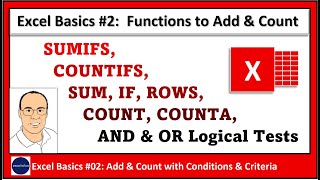
Excel Formulas for Counting and Adding: COUNT, COUNTA, ROWS, SUM, SUMIFS, COUNTIFS and IF Functions - Part 2
Master essential Excel formulas and functions for counting and adding data, including COUNT, COUNTA, SUMIFS, and advanced logical tests for analyzing business data with multiple conditions.