Microsoft Access Tutorial - Beginner to Advanced Training
Comprehensive tutorial covering Microsoft Access fundamentals to advanced techniques, including database creation, table management, relationships, macros, and multi-user considerations for efficient data handling.
ChatGPT for Cybersecurity
Explore ChatGPT's applications in cybersecurity, from pentesting and shell generation to blue team strategies. Learn to leverage AI for enhanced security practices and automation.

Google Sheets Advanced Tutorial
Master advanced Google Sheets techniques: data sorting, filtering, charts, pivot tables, functions (IF, VLOOKUP, SUMIF), macros, and more. Enhance your spreadsheet skills for efficient data analysis and visualization.

Google Docs Advanced Tutorial
Master advanced Google Docs features: tables, styles, images, charts, collaboration tools, and more. Enhance your document creation skills with practical tutorials on formatting, organizing, and sharing content effectively.
VB Scripting Beginner's Basics for Catia V5
Learn VB scripting basics for CATIA V5 automation. Create macros, use control statements, loops, and operators. Develop practical skills through hands-on examples like calculator applications and prime number identification.
Lisp Tutorial
Comprehensive introduction to Lisp programming, covering syntax, functions, data structures, object-oriented concepts, and file operations. Ideal for beginners seeking a solid foundation in Lisp.
C Technical Interview Questions and Answers
This video tutorial series increases your technical programming skills and your logical ability in application development. These videos are explained using the syntax of C language but it is useful to all the programming languages.
Introduction to Excel VBA Programming
Learn Excel VBA programming essentials: macros, variables, functions, loops, and user forms. Master data manipulation and automation techniques for enhanced spreadsheet functionality.
Apache Airflow
Comprehensive tutorials on Apache Airflow covering DAGs, operators, Kubernetes Executors, Docker, AWS integration, and more. Ideal for mastering workflow automation and orchestration.

LaTeX Tutorials
Master LaTeX for stunning math documents: equations, tables, figures, theorems, and graphics. From beginner to advanced, covering thesis writing and essential packages.
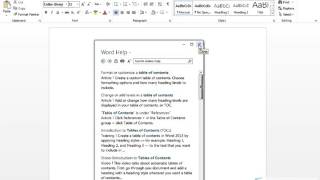
Learn Microsoft Word
Master Microsoft Word essentials: document creation, formatting, tables, images, and advanced features. Enhance productivity with practical skills for efficient word processing and document management.

Excel VBA & Macros Tutorials
Master Excel VBA and macros to automate tasks, manipulate data, and enhance spreadsheet functionality. Learn key concepts like objects, loops, and custom functions for efficient workflow.
Confluence Tutorial - Complete Course for Beginners and Intermediate Users
Learn Confluence from setup to advanced features: create spaces, pages, and content; customize layouts; integrate with Jira; and utilize templates, macros, and more for effective collaboration.
Learn Atlassian Confluence & Linchpin Intranet
Master Atlassian Confluence & Linchpin Intranet: Create, edit, and manage content, collaborate effectively, and optimize your workspace with advanced features and customization options.
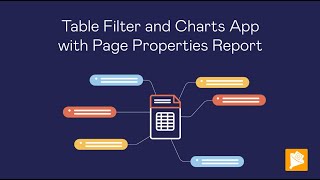
Working With Tables in Confluence
Enhance Confluence tables with filtering, aggregation, and visualization techniques. Learn to create charts, use macros, and leverage advanced features for improved data presentation.
Access Expert Tutorial
Comprehensive tutorial on advanced Microsoft Access features, covering form design, automation with macros and VBA, database security, and customization options for improved efficiency and functionality.
Introduction to Metaprogramming in Julia - JuliaCon 2021 Workshop
Comprehensive workshop on Julia metaprogramming, covering expressions, macros, and code generation. Ideal for intermediate users seeking to enhance their programming skills and create domain-specific languages.
Ten Excel Tips That Are Easy to Learn - Part 2
Learn 10 essential Excel skills including macros, named ranges, page breaks, heat maps, and pie charts to enhance your spreadsheet proficiency and productivity.

Excel 2019 VBA Expert Tutorial
Master VBA in Excel: Learn to create macros, debug code, handle errors, and automate tasks. Gain expert-level skills for efficient data analysis and process automation.

Excel 2019 VBA Full Course Tutorial
Comprehensive 7-hour tutorial on Excel 2019 VBA, covering foundational concepts to advanced techniques. Learn to automate tasks, build custom tools, and enhance Excel functionality through hands-on programming.

Excel 2019 VBA Beginner Tutorial
Learn to automate Excel tasks with VBA programming. Master macro recording, code editing, and custom function creation to enhance productivity and expand Excel capabilities.