
MS-Excel
Comprehensive Excel training covering basics to advanced features, including formulas, functions, charts, pivot tables, and keyboard shortcuts for enhanced productivity.

Google Sheets Advanced Tutorial
Master advanced Google Sheets techniques: data sorting, filtering, charts, pivot tables, functions (IF, VLOOKUP, SUMIF), macros, and more. Enhance your spreadsheet skills for efficient data analysis and visualization.

The Ultimate MS Excel Crash Course - Microsoft Excel 2016 Tutorial for Beginners
Comprehensive 6-hour tutorial covering Excel basics to advanced functions. Learn data entry, formatting, formulas, VLOOKUP, charts, and more. Includes hands-on exercises for practical skill development.
Microsoft Excel - A Teachers Guide to Creating Dynamic Gradebooks-E-Markbooks
Learn to create dynamic gradebooks in Excel with features like named ranges, VLOOKUP, XLOOKUP, and student summary pages. Perfect for teachers seeking efficient grading solutions.

The Ultimate Excel Tutorial - Beginner to Advanced
Comprehensive Excel mastery: from basic formulas to advanced techniques like VBA macros, covering data cleaning, pivot tables, and dynamic arrays for enhanced productivity.

Google Docs Advanced Tutorial
Master advanced Google Docs features: tables, styles, images, charts, collaboration tools, and more. Enhance your document creation skills with practical tutorials on formatting, organizing, and sharing content effectively.

Excel Skills
Enhance data analysis skills with time-series plots, matrix-to-vector conversion, vlookup, histograms, text data import, and correlation techniques in Excel.

Excel 2016 Tips, Tricks, Shortcuts, Functions & Formulas
Master Excel 2016 with 30 essential tips, tricks, shortcuts, functions, and formulas. Boost productivity and efficiency in data management, analysis, and visualization.

How to Use Formulas and Functions in Microsoft Excel
Learn essential Excel formulas and functions, from basic math to advanced techniques like VLOOKUP and conditional functions, enhancing your data analysis and productivity skills.
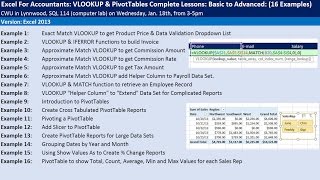
Excel for Accountants - VLOOKUP & PivotTables - Complete Lessons from Basic to Advanced
Comprehensive tutorial on VLOOKUP and PivotTables for accountants, covering basic to advanced techniques. Includes practical examples, efficiency tricks, and number formatting tips for Excel mastery.
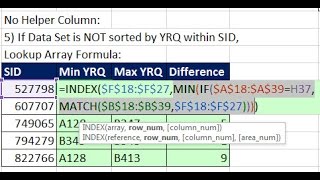
MIN & MAX Functions for Alphanumeric - Text Values Report
Learn 8 methods to find MIN and MAX alphanumeric values in Excel, including VLOOKUP, array formulas, AGGREGATE, MINIFS/MAXIFS, Power Query, and SQL, with practical examples and explanations.
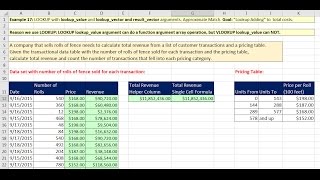
Lookup Functions and Formulas in Excel 2016 - Comprehensive Lessons with 20 Examples
Comprehensive tutorial on Excel lookup functions with 20 practical examples, covering VLOOKUP, HLOOKUP, INDEX, MATCH, and LOOKUP for data retrieval and analysis.
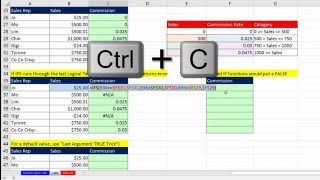
Excel 2016 IFS Functions - Compare and Contrast IF and IFS Functions
Learn to use Excel 2016's IFS function for complex conditional logic, comparing it with IF and VLOOKUP. Explore practical examples and advanced techniques for efficient data analysis and formula creation.
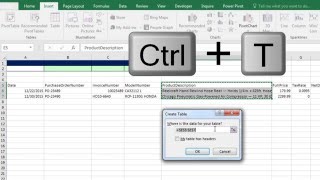
Build Database with Excel Table Feature and VLOOKUP to Get Invoice Detail
Learn to create dynamic databases in Excel using Tables, master VLOOKUP for invoice details, and explore advanced features like structured references and data validation.

Basic Excel Business Analytics - Clean & Transform Data - Formulas, Flash Fill, Power Query, Text To Columns
Aprenda técnicas avançadas para limpar e transformar dados no Excel, incluindo fórmulas, Flash Fill, Power Query e Text to Columns, preparando-os eficientemente para análise.
Data Modeling - VLOOKUP, Power Query or Power Pivot?
Learn data modeling techniques using VLOOKUP, Power Query, and Power Pivot for efficient data analysis in Excel. Explore methods for handling multiple tables and creating effective PivotTable reports.
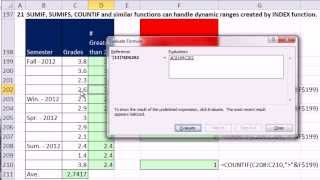
Ctrl - Shift - Enter - Excel Array Formulas - Dynamic Ranges - INDEX & OFFSET Functions
Master Excel's dynamic ranges using INDEX and OFFSET functions. Learn to create flexible formulas, charts, and data validation lists that automatically adjust as data changes, enhancing efficiency and accuracy in data analysis.

Excel for Accounting - Formulas, VLOOKUP & INDEX, PivotTables, Recorded Macros, Charts, Keyboards
Master Excel for accounting with advanced formulas, PivotTables, macros, and charts. Learn efficient techniques for data analysis, reporting, and visualization to enhance your financial workflow.
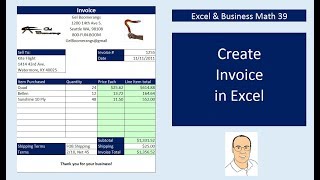
Create Excel Invoices, Data Validation Drop-Down, VLOOKUP & IF Functions
Learn to create reusable Excel invoices using advanced functions like VLOOKUP, IF, and data validation. Master invoice formatting, calculations, and automated invoice numbering for efficient business operations.

Excel Basics - PivotTable Power - Amazing PivotTable Reporting Tricks - Slicers to Show Values As
Master advanced PivotTable techniques in Excel, including slicers, custom calculations, and data analysis. Learn to create powerful reports and gain insights from complex datasets.
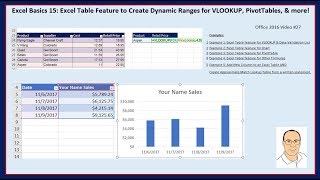
Excel Basics - Excel Table Feature & Dynamic Ranges for VLOOKUP, PivotTables, & More
Learn to leverage Excel's Table feature for dynamic ranges in VLOOKUP, PivotTables, charts, and more. Master efficient data management and analysis techniques for improved productivity.