
Sweet Sixteen, but Where Are the Tools?
Explore advanced JavaScript tools for expressions, error handling, and code optimization in this insightful talk on enhancing development workflows and productivity.
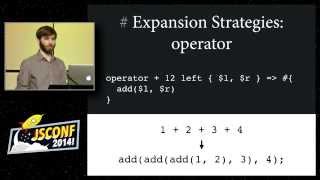
Unshackling JavaScript with Macros
Explore JavaScript macros with sweet.js, enabling language extension and early access to ES6 features. Discover the potential for custom syntax and enhanced debugging capabilities.

The Linguistic Relativity of Programming Languages
Explore how programming languages shape our thinking and problem-solving approaches, with a focus on JavaScript's unique position in the programming world.
Rust Code Prototyping Using XML
Explore Rust code prototyping with XML using rustxmlproto, covering key elements, attributes, and practical demonstrations for efficient development.

How Macros Work for Affinity Photo
Learn to create and use macros in Affinity Photo to automate tasks, enhance workflows, and save time. Includes free macro pack and step-by-step tutorial for beginners and advanced users.

Klipper Guide - Input Shaping, Pressure Advance and Macros
Comprehensive guide on Klipper firmware features: input shaping, pressure advance, and macros. Covers manual and accelerometer-based tuning methods for improved 3D printing performance.
Ultimate Guide to the FILTER Function in Excel 365
Master Excel 365's FILTER function with logic operators. Refine data filtering using OR, AND, Both/Neither, and One/Not Both criteria for precise results. Enhance spreadsheet analysis skills.
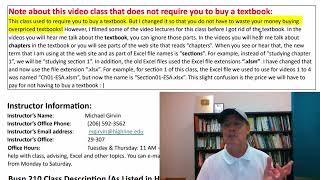
Excel Statistical Analysis - Introduction
Explore Excel's statistical analysis tools for business applications in this comprehensive introduction to Highline College's Busn 210 course.
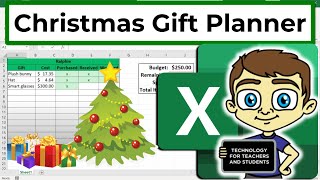
Creating a Christmas Gift Planner in Microsoft Excel
Master Excel organization by creating a practical gift planner - track recipients, budgets, and purchases efficiently while learning essential spreadsheet skills for holiday planning.
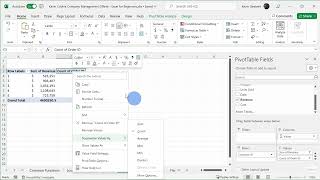
Excel Pivot Tables Tutorial - Lesson 9-1
Master pivot tables in Excel through hands-on demonstrations and practical techniques for analyzing, summarizing, and presenting complex data effectively.

Enhancing Excel Skills with ChatGPT - Excel Functions and Macros Tutorial
Master Excel functions, nested formulas, and macros using ChatGPT's AI capabilities to automate calculations, streamline data analysis, and enhance productivity through practical, step-by-step examples.
How to Create Pivot Tables from Multiple Excel Worksheets
Master the process of combining and analyzing data from multiple Excel sheets using Power Query and pivot tables to create powerful data summaries and insights.

Microsoft Excel Fundamentals - From Basics to Pivot Tables
Master essential Excel skills from basic data entry to advanced features like pivot tables, formulas, and collaborative tools for improved data analysis and spreadsheet management.

How to Insert and Use Checkboxes in Microsoft Excel
Master the art of adding interactive checkboxes in Excel, from basic insertion to advanced functionality with formulas, conditional formatting, and filters for dynamic task tracking and data management.
Creating and Customizing Pivot Charts in Excel - From Data Preparation to Advanced Filtering
Master the creation and customization of pivot charts in Excel to transform complex data into dynamic visualizations. Learn data formatting, chart manipulation, and filtering techniques for effective data analysis.

Creating Bar Charts and Column Charts in Microsoft Excel - Data Visualization Tutorial
Master the creation and customization of Excel bar charts, from basic column layouts to stacked variations, while learning essential formatting techniques and shortcuts for professional data visualization.

How to Add and Use Checkboxes in Excel - From Basic Controls to Dynamic Charts
Master the art of creating interactive Excel worksheets with checkboxes, from basic implementation to advanced features like dynamic charts, filtering, and conditional formulas.
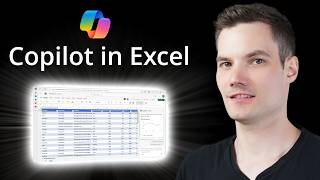
Microsoft Excel Copilot - Features, Capabilities, and Analysis
Explore how Copilot enhances Excel workflows through AI-powered data analysis, formula generation, and visualization tools, evaluating its practical benefits and limitations.

Create Dependent Drop-down Lists in Excel - Easy Method
Master the creation of dependent dropdown lists in Excel for dynamic forms, using named ranges and INDIRECT functions to build interconnected selection menus for efficient data organization.

Creating and Formatting Charts in Microsoft Excel - A Complete Tutorial
Master data visualization techniques in Excel through hands-on practice with charts, from basic line and pie charts to advanced pivot charts and sparklines, including formatting and design tips.
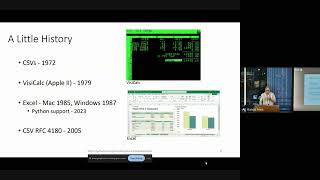
Spreadsheet Does What?! - Working with Spreadsheets in Python
Explore the intricacies of Python-based spreadsheet handling, from historical developments to common challenges and practical solutions for effective data management.