
Importing Lab Data to a Jupyter Notebook Using Pandas
Learn to import lab data into Jupyter notebooks using pandas, access and manipulate the data, and create plots with customized labels for effective data analysis and visualization.
Excel 2021 VBA Advanced Tutorial
Master advanced VBA techniques for Excel 2021, including forms, controls, and pivot tables. Learn to automate tasks, create custom tools, and enhance data analysis capabilities through hands-on programming.
Power BI - Quick Project - Data Model
Explore data modeling in Power BI: create calculated columns, measures, and visuals to transform raw data into meaningful insights and interactive reports.
Google Sheets Tutorial for Beginners - 2022 Edition
Comprehensive guide to Google Sheets basics: creating spreadsheets, importing data, formatting, sorting, using functions, filtering, data visualization, and collaboration features.
First Look- Pivot Tables in Google Data Studio
Explore data visualization with pivot tables in Google Data Studio. Learn to create multi-dimensional tables, use row and column dimensions, add filters, and enhance your dashboarding capabilities.
Beginner's Excel Tutorial - Data Science-Analysis and Beyond
Learn essential Excel skills for data analysis, including functions, lookups, formatting, and advanced features like pivot tables and macros. Gain practical knowledge for data-driven decision-making.

Macros, Global Variables, Inline Functions & Default Args
Explore macros, global variables, inline functions, and default arguments in C++. Learn key concepts with practical examples and coding tips for efficient programming.

Data Analysis with Excel
Learn to analyze data efficiently using Excel's powerful tools, including sorting, filtering, pivot tables, and data visualization techniques for improved business insights.

Microsoft Excel 2016 - Beginners Tutorial Video
Comprehensive Excel 2016 tutorial covering basics to advanced features. Learn data entry, formulas, functions, pivot tables, charts, and macros. Ideal for beginners seeking to master Excel essentials and beyond.
Excel - Visualize Your Data
Unlock Excel's data analysis power: learn XLOOKUP, Pivot Tables, Slicers, and Timelines to visualize and extract insights from large datasets.
Excel for Emerging Leaders - Use Excel to Look Like a Boss
Master Excel skills for leadership: data retrieval, validation, XLOOKUP, tables, and advanced functions. Enhance decision-making and efficiency in your professional role.

Word 2021 Full Course Tutorial
Comprehensive tutorial covering Microsoft Word 2021 features, from basics to advanced functions. Learn text formatting, document design, collaboration tools, and automation techniques for efficient word processing.
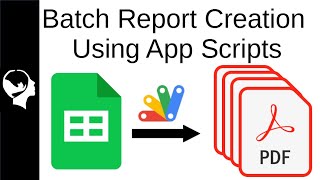
Batch Create Reports with App Scripts
Learn to automate report generation in Google Sheets using Apps Script. Create tables, graphs, and text replacements without add-ons, streamlining data processing from raw CDC EU information.

Excel 2021 for Mac Beginner Tutorial
Comprehensive guide for Mac users to master Excel 2021, covering interface navigation, data manipulation, formulas, functions, and advanced features like Pivot Tables and Macros.
Excel 2021 VBA Expert Tutorial
Master Excel 2021 VBA programming: automate tasks, create custom tools, and enhance productivity. Learn debugging techniques, error handling, and advanced features for efficient code development.

Excel 2021 Power User Full Course
Comprehensive tutorial for advanced Excel users covering powerful functions, pivot tables, data analysis techniques, and XLOOKUP. Develop skills to solve complex problems and streamline data processing efficiently.

Excel 2021 Full Course Tutorial
Comprehensive tutorial covering Excel 2021 basics to advanced features. Learn calculations, functions, data manipulation, pivot tables, macros, and automation techniques to enhance spreadsheet skills and efficiency.

Fundamentals of DAX in Power BI & Power Pivot
Comprehensive tutorial on DAX fundamentals for Power BI and Power Pivot, covering key concepts, functions, and advanced techniques to enhance data analysis and reporting skills.
Microsoft 365 Productivity Tips and Tricks Tutorial
Boost productivity with advanced Microsoft 365 features: keyboard shortcuts, templates, Outlook tools, macros, and more. Learn time-saving techniques to enhance efficiency in Excel, Word, PowerPoint, and other apps.

Google Sheets Advanced Tutorial
Master advanced Google Sheets techniques including data manipulation, complex functions, pivot tables, charts, and collaborative features to enhance your spreadsheet skills and boost productivity.

Google Sheets Full Course Tutorial
Comprehensive tutorial covering Google Sheets essentials: navigation, formulas, data manipulation, charts, pivot tables, functions, collaboration, and more. Perfect for beginners and intermediate users seeking to enhance spreadsheet skills.