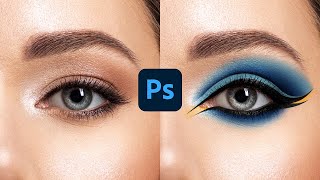
How to Apply Beautiful Eye Makeup in Photoshop
Master advanced Photoshop techniques to create stunning digital eye makeup, including liners, shadows, and highlights. Learn to use Pen Tool, Masking, and Adjustment Layers for realistic results.

Battle of A.I. Bokeh - Photoshop vs. Luminar
Comparison of AI-powered bokeh effects in Photoshop and Luminar, analyzing quality, performance, and features to help photographers choose the best tool for creating shallow depth-of-field effects.

Create Masterpieces With Stable Diffusion in Photoshop
Learn to create AI-generated masterpieces using Stable Diffusion plugins in Photoshop. Explore text-to-image, outpainting, inpainting, and ControlNet techniques to enhance your digital art skills.

Affinity Photo - Lasso Tool Explained
Comprehensive guide to Affinity Photo's Lasso Tool, covering modes, techniques, and practical applications for precise selections and photo editing.

Affinity Photo - Slideshow Design Tricks That Are Awesome
Discover 5 quick and creative techniques to design eye-catching vacation slideshows using Affinity Photo, enhancing your photos with unique effects and layouts.

Affinity Photo - 10 Mistakes to Avoid - Photography Tutorial
Discover 10 common mistakes in Affinity Photo and learn how to avoid them, covering topics from image resolution to color adjustments, sharpening techniques, and exposure settings.

Affinity Photo - Make a Planet
Learn to create a realistic planet using Affinity Photo, exploring texture manipulation, effects, and color techniques in this hands-on sci-fi inspired design tutorial.
Things About Layers - Affinity Photo
Comprehensive guide to layers in Affinity Photo, covering types, effects, masks, and advanced techniques for efficient photo editing and graphic design workflows.

Affinity Photo - Cyber Demon Tutorial
Learn to create a striking cyber demon cover design using Affinity Photo, combining neon effects, glows, and textures in this step-by-step tutorial.

Affinity Photo - Rusty Metal Font Tutorial
Create a rusty metal font effect in Affinity Photo with step-by-step guidance on textures, layers, and effects for an apocalyptic look. Perfect for designers seeking unique, grungy text styles.

Twirl Effect - Affinity Photo Tutorial
Learn advanced techniques for creating stunning twirl effects in Affinity Photo, including secret tricks to enhance colors, smooth transitions, and achieve eye-catching results for various image types.

Slice Fruit in Affinity Photo - Tutorial
Learn to digitally slice fruit and create floating effects in Affinity Photo for eye-catching ads, designs, and photo composites using simple techniques.

Creative Text Effect - Affinity Photo Beginner Tutorial - 3D Look
Learn to create a striking 3D text effect using Affinity Photo's Liquify Person tool and layer masks. Perfect for beginners seeking to enhance their graphic design skills.

Selection Tool Tricks You Need to Know - Affinity Photo Beginner Tutorial
Master essential selection techniques in Affinity Photo, from basic shapes to advanced refinements. Enhance your photo editing skills with time-saving tricks for precise and efficient selections.

Powerful Ways to Brighten Up Shadows - Affinity Photo Tutorial
Discover three powerful techniques to enhance shadow details in Affinity Photo, including custom luminance masks, blend ranges, and dodge and burn tools for precise photo editing.
Pen Tool Explained - Affinity Photo Tutorial
Master the Pen Tool in Affinity Photo: Learn to create curves, shapes, selections, gradients, and glow effects. Discover versatile applications beyond illustration and vector graphics.
Adobe Illustrator CC Tutorial - Creating a Recycling Logo
Learn to create a precise recycling logo in Adobe Illustrator CC while mastering essential tools and techniques for document setup, shape creation, layering, and precise art manipulation.

The Art of First Impressions - In Design and Life
Discover the power of clarity and mystery in design as Chip Kidd explores how first impressions shape our perceptions, using examples from iconic book covers and everyday objects.
Layer Mask - Photoshop for Beginners
Learn Layer Masks in Photoshop: from basics to advanced techniques. Master non-destructive editing, feathering, density adjustment, and more. Enhance your photo editing skills with real-world examples.

How a Handful of Tech Companies Control Billions of Minds Every Day
Tristan Harris explores how tech companies compete for our attention, impacting billions of minds daily. He calls for a design renaissance to align technology with our desired life outcomes.

Understanding Comics
Explore the magic of comics with Scott McCloud as he transforms the presentation into a vibrant, cartoon-like experience, blending childhood fascinations with imaginative futures.