
Typography & Design
Comprehensive typography and design course covering rules, techniques, and practical applications for creating dynamic compositions and effective visual communication.
Logo Design Process From 2 Professionals
Comprehensive logo design process from concept to final applications, featuring professional insights on research, branding, mockups, and identity systems for impactful visual communication.
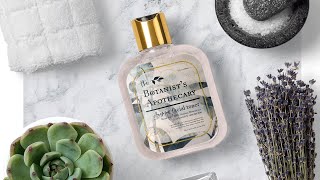
How to Create a Luxury, Natural Skincare Packaging
Learn to create a luxurious skincare packaging label in Photoshop using premium fonts and stock photos. Master techniques for realistic mockups, typography, and stylish design elements.
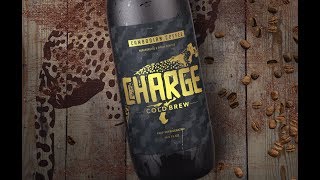
How to Design the Packaging for a Cold Brew in Photoshop
Learn to design eye-catching cold brew packaging in Photoshop using textures, illustrations, and mockups. Master techniques for creating professional labels and presenting your designs effectively.
ANYCAD - Successfully Using Non-Fusion 360 Data in Fusion 360
Learn to seamlessly integrate non-Fusion 360 CAD files into your workflow. Explore ANYCAD technology for referencing external files, handling legacy data, and collaborating across different CAD systems.
Branding and Identity Design - Creating Custom Logos and Mockups
Learn to create a brand identity with Hoodzpah Design, covering logo design, mockups, and packaging. Gain insights on design decisions, typeface creation, and overcoming creative blocks.
Logo and Packaging Refresh for Serenity by Jan - Part 2
Learn logo and packaging design techniques using Adobe Illustrator and Photoshop. Explore kerning, tracking, color selection, client presentations, varnishes, and mockups with brand identity designer Lindsay Ernst.
Designing a Vitamin Brand Identity in Adobe Illustrator - Part 2
Learn to design a vitamin brand identity with Julia Masalska, covering logo creation, pattern design, color selection, and applying designs to collateral using Adobe Illustrator, Photoshop, and Dimension.
Crash Course in Packaging Design - Part 1
Explore packaging design with Christina Jackson as she creates quirky branding for an organic snack pack, covering mood boards, logo design, illustrations, and mockups while incorporating live audience feedback.
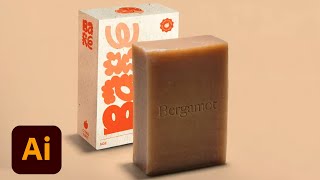
Branding and Packaging Design for Sustainable Vegan Soap - Part 2
Watch Sara Laninga create mockups and collateral for a sustainable vegan soap brand, covering design techniques, industry insights, and practical advice for aspiring designers in this Adobe Live session.

Branding and Packaging Design for Sustainable Vegan Soap - Part 1
Explore branding and packaging design for a sustainable vegan soap line with Sara Laninga. Learn about font selection, illustration integration, color combinations, and creating dieline templates in Adobe Illustrator.
Creating 3D Designs with Adobe Tools - Part 2
Learn to create playful 3D illustrations using Adobe tools. Design characters, packaging, and a store for the Wonky Toy project. Explore composition, materials, lighting, and build processes in 3D design.
Magical Packaging Design for Video Game Shop Items - Part 2
Discover magical packaging design techniques for video game shop items with VooDoo Val. Learn to create colorful, extraordinary designs using Creative Cloud tools and enhance your workflow.
Packaging Design for a Beverage Company - Part 1
Creative Director Chris Porter demonstrates branding and packaging design for a fictional beverage company, covering brand naming, color selection, illustration techniques, client communication, and industry insights.
What's New in Adobe Illustrator - Branding and Packaging Design
Explore Adobe Illustrator's latest features with Julia Vaca as she demonstrates branding and packaging techniques, focusing on 3D tools, color palettes, and logo design for small businesses.
Packaging Design ProTips - Designing for Welly Gummy Multivitamins - Part 1
Learn packaging design techniques with Tanya Kar as she creates concepts for a gummy vitamin brand using Illustrator and Photoshop, covering brand identity, colors, typography, and mockups.
Designing Logos and Packaging with Illustrator and Photoshop - Efficient Design Tutorial Part 2
Learn to design logos and packaging using Illustrator and Photoshop. Covers branding strategy, typography, mockups, custom illustrations, and color experimentation for a plant-based cake-pop company.
Designing Packaging Dielines in Illustrator - Marketing Challenge
Learn to design product packaging using Illustrator. Create dielines, set up layers, add flaps and glue tabs, and color-code folding lines in this hands-on tutorial for marketers and designers.

Getting Started in Adobe Dimension
Learn to create brand visualizations and packaging designs with Adobe Dimension. Master navigation, materials, perspectives, decals, rendering, and text in this hands-on tutorial with photographer Victoria Pavlov.
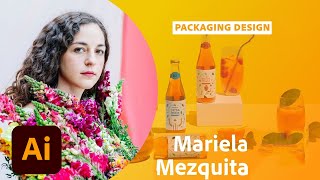
Sustainable Packaging Design in Adobe Illustrator and Photoshop - Part 1
Explore sustainable packaging design with Art Director Mariela Mezquita as she creates branding for a fictional tea company using Adobe Illustrator and Photoshop, covering color palettes, typography, illustrations, and client presentations.
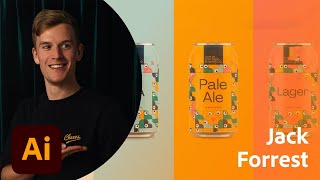
Packaging and Branding Design - Part 1
Learn branding and packaging design techniques with Jack Forrest as he creates a wine company's logo and mockups using Adobe tools, covering illustration, color spaces, typography, and client presentations.