Adobe Illustrator for Beginners
This free Adobe Illustrator course is aimed at helping beginners learn how to use Adobe Illustrator easily and quickly. You don’t need any previous knowledge of the software, and you don’t need design or illustration skills.

Photoshop for Beginners Urdu - Hindi
Hello everyone! This is my new series of Photoshop for beginners in Urdu / Hindi language. Although this is for beginners, even seasoned Photoshop users can also benefit with these videos as this is the most detailed course on Photoshop available in Urdu…

The Complete Figma UX/UI App Design Course
Learn Figma for UI/UX design: create stunning apps, websites, and blogs. Master essential tools, techniques, and design principles through hands-on projects. Ideal for beginners and professionals seeking to enhance their skills.

Sketch for Beginners
Master Sketch for UI and icon design: from interface basics to advanced features like prototyping, collaboration, and plugins. Gain practical skills for professional design projects.
Figma in 5
Level up your Figma skills with weekly rapid-fire, tip-packed deep-dives on topics like vectors, auto layout, design systems, and more. Perfect for quick learning sessions.
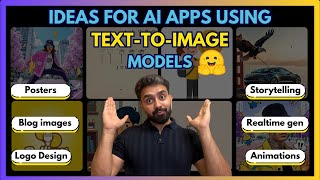
Ideas to Build with Image Generation Models
Explore innovative applications of image generation models, from AI-powered drawing tools to logo design and fashion illustrations. Gain insights into cutting-edge text-to-image technologies and their practical implementations.
Chrome DevTools & Finishing the Design Chapter
Learn to use Chrome DevTools, create HTML/CSS layouts, and work with Figma for web design. Covers note-taking, absolute positioning, and vector graphics for effective web development.

Learn Adobe Illustrator
Comprehensive introduction to Adobe Illustrator covering interface, tools, and techniques. Includes hands-on exercises and a guided project to create print-ready vector artwork from sketch to final design.
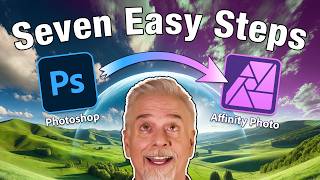
7 Design Techniques for Photoshop and Affinity Photo
Master seven essential design techniques that seamlessly work across both Photoshop and Affinity Photo, from perspective tools and auto-enhancement to smart objects and color modification.

Complete Figma Tutorial for Beginners
Learn Figma from scratch: tools, shapes, design principles, and practical projects like CV and e-book cover creation. Perfect for Hindi-speaking beginners in graphic design.
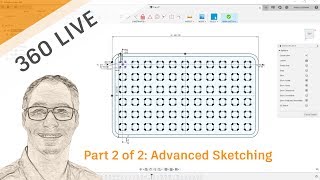
Advanced Sketching
Master advanced sketching techniques in Autodesk, covering dimensions, patterns, 3D geometry, and more. Enhance your design skills with expert tips and practical demonstrations.
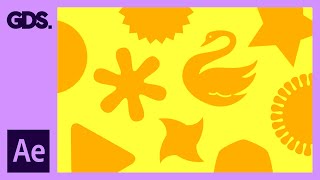
Creating Shapes in After Effects - Adobe After Effects for Beginners
Learn to create and manipulate various shapes in After Effects, including using the shape builder tool, editing simple shapes, and creating shapes from type and vectors.

Hand Lettering Tutorial for Beginners
Learn custom lettering design in Adobe Illustrator with expert guidance. Master composition, guidelines, letter forms, spacing, and vectoring techniques to create unique hand-lettered designs.
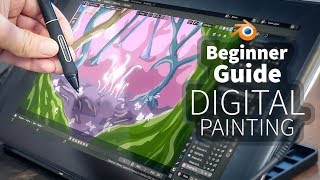
A Beginner's Guide to Digital Painting in Blender 2.8
Learn digital painting techniques in Blender 2.8 to create a fantasy forest. Master sketching, shading, and adding details like trees and mushrooms to bring your imaginative artwork to life.
Adobe Fresco Advanced Tools and Techniques - Part 2
Explore advanced Adobe Fresco tools with Kyle T. Webster, including motion tools, perspective guides, paint bucket, multicolor swatches, vector shapes, masks, and animation features.
Introduction to Adobe Fresco - Part 1
Explore Adobe Fresco's basics with Kyle T. Webster: learn interface navigation, brush types, layers, selection tools, and essential drawing techniques for digital art creation.
Building Dynamic Graphics in Adobe Illustrator - Part 1
Learn to create personalized event badges in Adobe Illustrator with Tony Harmer. Master data import, dynamic designs, and essential techniques for compelling graphics in this hands-on tutorial.
Designing Business Cards with Illustrator - Marketing Challenge
Learn to create impactful business cards using Illustrator's type tools, blending modes, and design techniques. Gain practical skills for professional card layouts and typography in this hands-on tutorial.
Creating a Modern Logo in Adobe Illustrator - Challenge Tutorial
Learn to design a sleek, modern logo using Illustrator's type tools, simple shapes, and advanced features like rotation and alignment. Perfect for aspiring graphic designers seeking to enhance their skills.
Creative Basics 101 - How to Make a Logo
Learn logo design essentials, from sketching to vectorization, with expert guidance on principles, common mistakes, and practical techniques for creating effective and visually appealing logos.
Illustrator Basics - Creative Workflow and Tools Introduction
Learn Illustrator basics with experts Nick Longo and Andrew Hochradel. Explore tools, workflows, and essential techniques for vector graphics, shape building, typography, and file management in this comprehensive tutorial.