Photoshop Smart Objects Explained Using 7 Hot Tips
Discover 7 powerful Smart Object tips in Photoshop, from scaling and filtering to nested objects, enhancing your workflow and image editing capabilities.
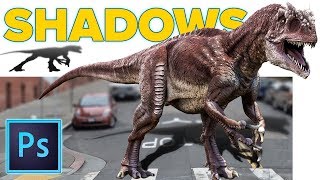
Realistic Cast Shadows in Photoshop - Composite Jurassic World Dinosaur
Learn to create realistic cast shadows in Photoshop for compositing, focusing on a Jurassic World dinosaur example. Master the four qualities of light for authentic shadow effects in image combinations.
How to Make YouTube Channel Art in Photoshop - 2018
Learn to create eye-catching YouTube channel art using Photoshop. Master template usage, image selection, background filling, color choices, and typography for professional-looking headers that fit all layouts.

Create a Magazine Layout Template in Photoshop
Learn to design a reusable magazine layout template in Photoshop, including guides, subheads, placeholder text, and image insertion techniques. Download the free template for practice.
Craziest Photoshop Questions with Matt Kloskowski
Expert Matt Kloskowski addresses challenging Photoshop topics, including fixing blurry photos, logo design, and ethical considerations, offering valuable insights for digital artists and photographers.

How to Remove Large Objects in Photoshop
Learn advanced techniques for seamlessly removing large objects from images using Content-Aware Fill, Cloning, Healing, and color correction in Photoshop. Master professional photo editing skills.
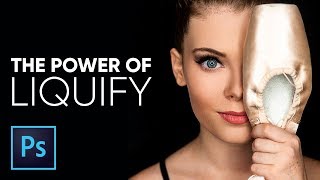
The Amazing Power of Liquify for Portrait Retouching in Photoshop
Master Photoshop's Liquify tool for portrait retouching. Learn basic and advanced techniques, including Face-Aware Liquify, through practical examples and expert tips for professional results.
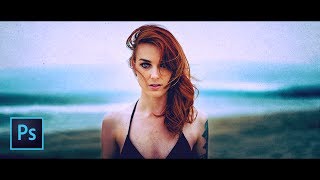
The Ultimate Guide to Cinematic Effect in Photoshop
Learn to create cinematic effects in Photoshop using fading, tinting, aspect ratios, and creative elements. Master four techniques to transform your images into stunning, film-like visuals.

The Right Way to Place Objects on Grass for Photo Manipulation in Photoshop
Learn realistic photo compositing techniques in Photoshop, focusing on placing objects on grass. Master selection refinement, clipping masks, brush manipulation, and shadow creation for seamless integration.

How to Replace Color in Photoshop CC 2017 - Adjust Color Selectively
Learn five powerful techniques for selective color adjustment in Photoshop CC 2017, from global edits to precise local changes, enhancing your ability to manipulate and replace colors effectively.
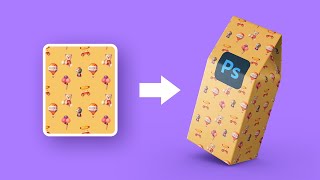
How to Create Mockups with Complex 3D Shapes - Photoshop Tutorial
Learn to create realistic mockups with complex 3D shapes in Photoshop using Perspective Warp, masking, and Smart Objects. Master techniques for wrapping patterns around objects with intricate perspectives.

Color Correction with Easy 4-Point Technique - Photoshop Tutorial
Master Photoshop's "4-Point" color correction technique for precise image enhancement. Learn to locate white, black, and gray points, plus a fourth point for automatic color fixing using Curves.
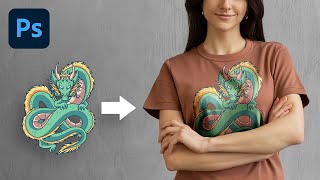
The Most Realistic Way to Place Design on T-Shirt - Photoshop Tutorial
Learn advanced Photoshop techniques to realistically place designs on t-shirts using luminosity masks and channels. Master natural-looking results, color adjustments, and depth creation for professional-quality graphics.

Unlock Amazing Stock Photos Inside Photoshop
Explore free Photoshop plugins for accessing millions of stock photos directly in-app. Learn installation, pros/cons, and real-world applications in compositing, graphic design, and color grading.

Auto-Create Hundreds of Custom Designs Using Variables in Photoshop
Learn to automate custom design creation in Photoshop using Variables. Generate multiple graphics with personalized text, images, and properties from external data sources, saving time and effort in bulk design projects.
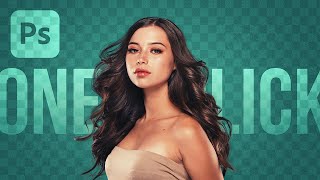
The New "Select Subject" Better Than Pen Tool?
Explore Photoshop's new "Select Subject" tool for portraits, comparing it with the Pen Tool and other selection methods through practical compositing examples and masking techniques.

Best A.I. Image Upscaler - Top 7 Software Compared
Comprehensive comparison of 7 top AI image upscaling software, evaluating their effectiveness in converting low-resolution images to high-quality, high-resolution versions.

Blend Anything on Any Surface in Photoshop
Learn to realistically blend text, graphics, or logos onto any surface in Photoshop using Blend-If, Blend Modes, Liquify, and Displacement Maps for natural-looking results.
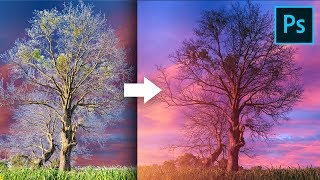
Remove Fringes Around Trees During Sky Swap - Photoshop Tutorial
Learn effective techniques to remove fringes around trees during sky replacement in Photoshop, using color matching and blending modes for seamless and professional-looking results.
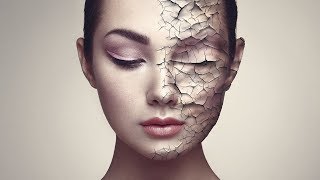
Create Realistic Cracked Skin in Photoshop
Learn to create realistic cracked skin effects using Photoshop's blend modes, Liquify tool, and smart masking techniques. Master advanced texture manipulation and adjustment layers for stunning visual results.
Photoshop on the Web - Features & Limitations
Explore Photoshop's web version: features, limitations, and comparison with Photopea. Learn about UI, tools, adjustments, and potential future updates for this browser-based image editing solution.