Mysteries of VLOOKUP Function Revealed - Amazing Examples
Comprehensive tutorial on VLOOKUP function in Excel, covering 15 examples from basic to advanced usage, including exact and approximate matches, dynamic tables, and error handling.
Power BI M Code for Moving Annual Total - Custom Function Power Query Custom Column
Learn to create custom functions in Power BI for calculating Moving Annual Totals using M code. Master advanced data transformation techniques and optimize performance with table buffering.
Power Query Complete M Code Introduction - Values, Let, Lookup, Functions, Parameters, More
Comprehensive introduction to M Code in Power Query, covering values, expressions, functions, and advanced techniques for efficient data manipulation and analysis.
Power Query Group By Feature and Table.Group Function - Examples
Learn Power Query's Group By feature with five practical examples, including calculating totals, standard deviation, joining names, and ranking sales.
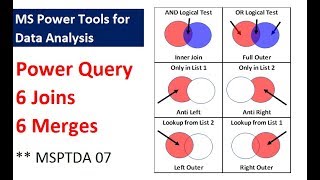
Power Query - 6 Types of Joins, 6 Types of Merges - 9 Examples
Explore Power Query's 6 types of joins and merges through 9 practical examples, enhancing your data analysis skills in Excel with step-by-step guidance.
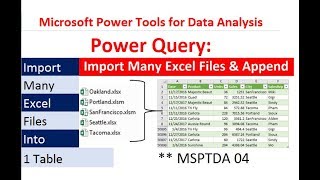
Power Query - Import Multiple Excel Files and Combine into Proper Data Set
Learn to import and combine multiple Excel files using Power Query, create a unified dataset, and build dynamic PivotTable reports with automated updates when new files are added.
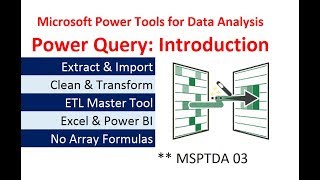
Power Query Introduction - Importing & Transformation Data in Excel & Power BI Desktop
Comprehensive introduction to Power Query for data importing, cleaning, and transformation in Excel and Power BI Desktop, with practical examples and hands-on exercises.
Data Analysis Business Intelligence Terms - Microsoft Power Tools for Data Analysis Class
Comprehensive overview of data analysis and business intelligence concepts, including data types, models, and database structures for effective data management and analysis.
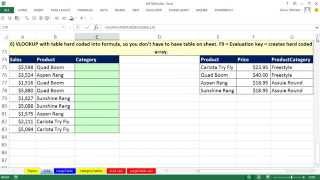
IF or VLOOKUP Function for Assigning Categories with Excel Formula - 8 Examples
Learn advanced Excel techniques for assigning categories using IF and VLOOKUP functions. Master data organization, formula creation, and efficient lookup methods for various scenarios.

Aging Accounts Receivable Reports on Multiple Sheets With Array Formula
Learn to create automated Aging Accounts Receivable Reports using Excel's array formulas, table features, and structured references. Master advanced functions like COUNTIFS, AGGREGATE, and INDEX for efficient data extraction and reporting.
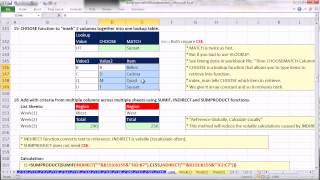
Ctrl - Shift - Enter- Excel Array Formulas - 26 Amazing Array Formulas
Discover 26 powerful Excel array formulas for advanced data analysis, including unique value summation, conditional ranking, and complex lookups. Enhance your spreadsheet skills and efficiency.
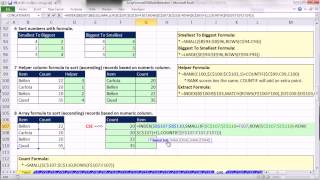
Ctrl - Shift - Enter- Excel Array Formulas - Extract Unique Lists & Sorting Formulas
Learn advanced Excel techniques for extracting unique lists, sorting data, and creating efficient array formulas to solve complex data analysis problems and enhance spreadsheet functionality.
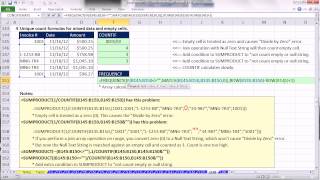
Ctrl - Shift - Enter- Excel Array Formulas - Unique Count Formulas- FREQUENCY or COUNTIF Function?
Explore advanced Excel array formulas for unique counting, including FREQUENCY and COUNTIF functions, handling mixed data, empty cells, and wildcards. Learn efficient techniques for data analysis.
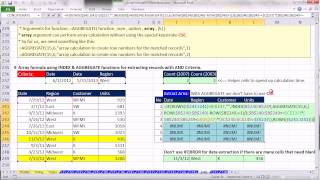
Ctrl - Shift - Enter- Excel Array Formulas - Formulas to Extract Records With Criteria
Master advanced Excel array formulas for efficient data extraction, including AND/OR criteria, INDEX, SMALL, and AGGREGATE functions. Optimize spreadsheet performance with practical examples and timing comparisons.
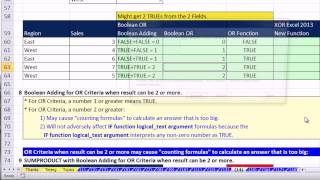
Ctrl - Shift - Enter - Excel Array Formulas - Boolean Logic, AND & OR Criteria, Convert TRUE FALSE
Aprenda a usar fórmulas de matriz avançadas no Excel, incluindo lógica booleana, critérios AND e OR, e conversão de TRUE/FALSE para análise de dados eficiente.
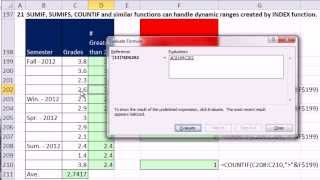
Ctrl - Shift - Enter - Excel Array Formulas - Dynamic Ranges - INDEX & OFFSET Functions
Master Excel's dynamic ranges using INDEX and OFFSET functions. Learn to create flexible formulas, charts, and data validation lists that automatically adjust as data changes, enhancing efficiency and accuracy in data analysis.
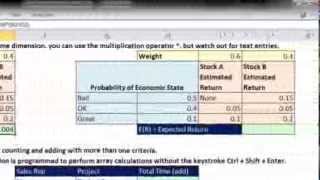
Ctrl + Shift + Enter - Excel Array Formulas - SUMPRODUCT Function - Including Timing
Comprehensive guide to SUMPRODUCT function in Excel, covering 21 examples with array formulas, timing comparisons, and efficient calculation techniques for data analysis and problem-solving.
Ctrl - Shift - Enter - Excel Array Formulas - Review Formula Basics
Comprehensive tutorial on Excel array formulas, covering formula basics, advanced functions, and practical applications for efficient data analysis and problem-solving.

Excel for Accounting - Formulas, VLOOKUP & INDEX, PivotTables, Recorded Macros, Charts, Keyboards
Master Excel for accounting with advanced formulas, PivotTables, macros, and charts. Learn efficient techniques for data analysis, reporting, and visualization to enhance your financial workflow.
SUMIFS Function - Adding with Criteria and SUMIF Function
Master Excel's SUMIFS and SUMIF functions with 36 practical examples, covering various criteria, operators, and advanced techniques for efficient data analysis and reporting.
CHOOSE Function - Beginner to Advanced Examples
Master Excel's CHOOSE function with 12 practical examples, from basic text selection to advanced array manipulation for powerful data analysis and formula creation.