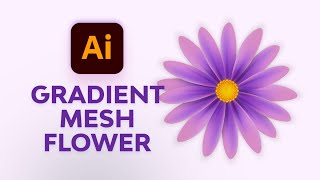
Create Simple Flowers With Gradient Mesh in Adobe Illustrator
Learn to create beautiful, realistic flowers using Adobe Illustrator's Gradient Mesh tool. Master petal formation, shading techniques, and leaf creation for stunning floral designs.
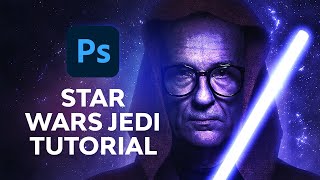
How to Create Your Own Jedi Avatar in Photoshop
Learn to transform photos into Star Wars-inspired Jedi avatars using Photoshop. Master techniques for subject selection, background creation, and adding iconic elements like lightsabers for a personalized galactic look.
3D Product Box Design Tutorial - Part 1
Create a realistic 3D product box using Photoshop's 3D tools. Learn essential techniques for modeling, texturing, and rendering to achieve professional-looking results.
Skyline Tutorial - Creating Urban Landscapes in 3D
Create a stunning city skyline illustration using Adobe Illustrator's shape tools, gradients, and effects for eye-catching vector graphics.
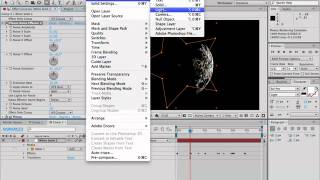
Plexus Text Tutorial in After Effects
Create dynamic, animated text effects using Plexus in After Effects. Learn techniques for generating particle-based typography with fluid motion and intricate connections.
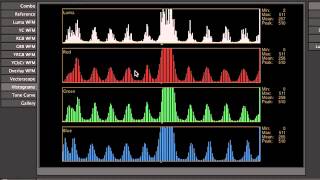
Introduction to Color Correction
Learn essential techniques for enhancing and balancing colors in digital images, improving visual appeal and professional quality in your photo editing workflow.

Color Theory for Beginners
Learn color theory basics, including the color wheel, harmonies, RGB vs CMYK, and creating effective palettes for branding. Master essential design skills to create visually appealing and impactful work.
How to Create the Naruto Logo in Adobe Illustrator
Learn to create iconic Naruto logos and symbols in Adobe Illustrator, including the original logo, Shippuden logo, Konohagakure headband, and Akatsuki cloud using shapes, strokes, and effects.
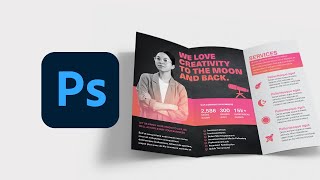
How to Make a Tri-Fold Brochure Template in Photoshop
Learn to create a professional tri-fold brochure template in Photoshop for creative agencies or small businesses. Customize colors and images to adapt the design for various purposes.

Generative Fill Magic: Creating an Invisible Person Effect in Photoshop
Learn to create an invisible person effect using Photoshop's Generative Fill, selection tools, and painting techniques. Explore advanced features like the pen tool and patterns.

Spin Anything in Photoshop with This Simple Hack
Learn a simple technique to create realistic spinning effects for any object in Photoshop, enhancing your photo manipulation skills and adding dynamic motion to your designs.
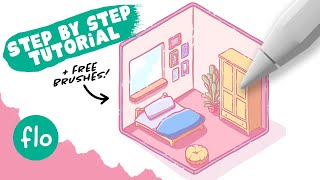
Drawing a Cute Isometric Room in Procreate - Tutorial and Free Brushes
Step-by-step tutorial for creating a cute isometric room in Procreate, covering grid setup, basic structure, depth, brushes, line art, coloring, and shading. Includes free brushes and beginner-friendly instructions.
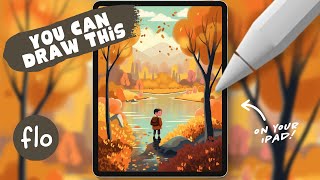
Drawing a Fall Landscape with a Boy in Procreate - Step-by-Step Tutorial
Step-by-step tutorial for creating a fall landscape with a boy character in Procreate. Learn to draw clouds, mountains, trees, water reflections, and add character details using simple techniques.

Creating a Split Water Effect in Photoshop - Book Cover Design Tutorial
Learn to create a stunning split water effect in Photoshop, perfect for book covers. Master techniques for blending above and below water elements, and create a reusable smart object template for future projects.

The Ultimate Guide to Photoshop Adjustment Presets
Unlock the power of Photoshop 2024's updated Adjustment Presets. Learn to create custom presets, understand limitations, and craft unique looks like Autumn, Urban Blue, and Schindler's List.
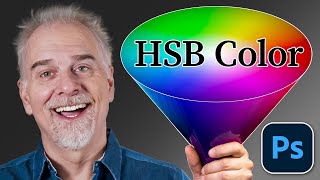
Understanding Color: A Comprehensive Exploration of HSB (Hue, Saturation, Brightness)
Explore Hue, Saturation, and Brightness (HSB) to master color theory. Learn color relationships, complementary colors, and perceptual variations through practical examples and visual aids.
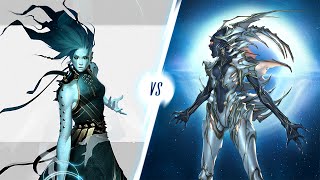
Character Design Challenge: Hardy Fowler vs. Christophe Young
Competitive character design challenge showcasing two artists' creative processes, from initial sketches to final reveal, with detailed insights into various artistic techniques and storytelling elements.

Graphic Design Analysis of Dune: Movie Titles, Posters, and Book Covers
Designers analyze the evolution of Dune's visual identity across films and book covers, exploring typography, composition, and artistic choices that shaped its iconic graphic design.
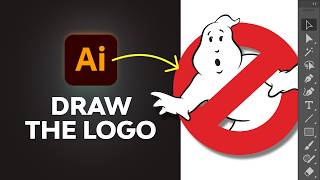
How to Draw the Ghostbusters Logo in Adobe Illustrator
Step-by-step guide to recreate the iconic Ghostbusters logo in Adobe Illustrator, covering essential tools and techniques, including a ghostly glow effect for the final touch.

How to Create a Spiral Engraving in Photoshop
Learn to create a unique spiral engraving effect in Photoshop using illustrator-generated spirals, Hard Mix blend mode, gradient maps, and paper textures for a realistic vintage look.
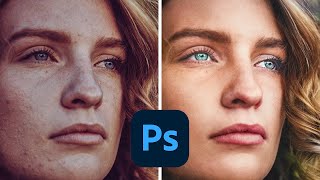
How to Make Colors Pop in Photoshop
Learn advanced Photoshop techniques to enhance colors, adjust skin tones, and create vibrant images. Master tools like Curves, Selective Color, and Neural Filters for stunning photo edits.