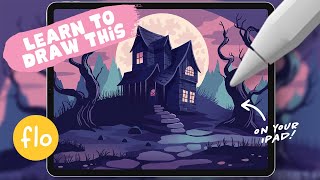
Drawing a Haunted House in Procreate - Step-by-Step Halloween Tutorial
Step-by-step tutorial for creating a spooky haunted house illustration in Procreate, covering basics like perspective grids, texturing, and detailing to achieve a Halloween-themed digital artwork.
Drawing Lesson Three: Vertical Thinking - A Johannesburg Biography
Explore Kentridge's unique perspective on art, knowledge, and Johannesburg's history through his innovative "Drawing Lessons" lecture, blending graphic design with philosophical insights.

Learn the Fundamentals of Graphic Design with Envato Tuts+
Explore graphic design fundamentals, from principles and elements to composition, color theory, typography, and visual hierarchy. Gain practical insights into design styles and psychology.
Adobe MAX Sneaks - Future Technologies Preview
Explore Adobe Research's potential future technologies in this sneak peek, showcasing innovative projects that could revolutionize creative workflows and digital experiences.
Create Your Own Gothic Card Deck Design
Design a unique Gothic-inspired card deck using custom brushes and elements in this hands-on tutorial for creating visually striking playing cards.
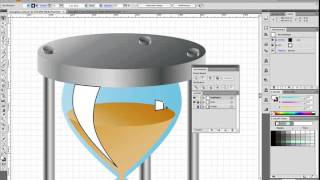
How to Create an Hourglass Icon in About an Hour
Learn to design an hourglass icon using basic shapes, gradients, and vector textures in Adobe Illustrator. Perfect for beginners, this tutorial avoids complex tools like the Pen Tool.
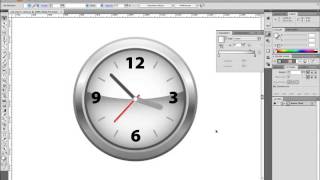
How to Create an Alarm Clock Icon
Learn to design a sleek alarm clock icon using simple shapes and gradients in Adobe Illustrator. Perfect for beginners looking to enhance their vector illustration skills.
Tron Game Development Tutorial - Part 1
Learn to create stunning visual effects inspired by the iconic Tron franchise using Adobe After Effects. Master techniques for glowing lines, energy pulses, and futuristic interfaces.
Serpentine Tutorial - Part 1
Learn to create intricate serpentine patterns in Adobe Illustrator, mastering techniques for complex geometric designs and optical illusions.
Serpentine Tutorial - Part 2
Learn advanced techniques for creating intricate serpentine patterns in digital design, building on foundational skills to enhance your artistic repertoire.
Time Warped Logo Tutorial
Create a distorted, time-warped logo effect using Adobe Illustrator's powerful tools and techniques in this step-by-step tutorial.
Fireball Tutorial - Creating Dynamic Visual Effects in Motion Graphics
Create a blazing fireball effect using digital art techniques. Learn to manipulate color, light, and texture for stunning visual impact.
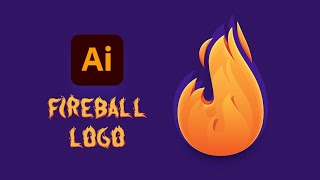
How to Make a Fire Logo Design
Learn to create a detailed fireball logo in Adobe Illustrator, from initial setup to final stylization. Master flame shapes, 3D effects, brushes, and text integration for eye-catching designs.
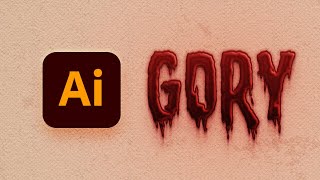
How to Create a Dripping Blood Text Effect in Adobe Illustrator
Learn to create a spooky dripping blood text effect in Adobe Illustrator using fonts, the Appearance panel, and textures. Perfect for horror-themed designs and Halloween projects.
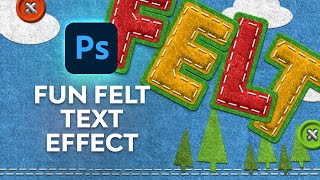
How to Create a Fun Felt Photoshop Text Effect
Learn to create a stitched felt text effect in Photoshop, covering background creation, text styling, stitch brush application, color customization, and button design for unique visual projects.
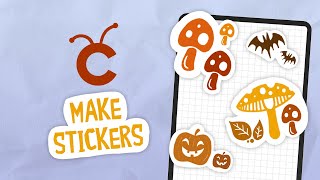
Make Stickers With Procreate & Cricut
Learn to create custom stickers using Procreate and Cricut. Master design techniques, prepare Cricut-compatible sheets, and use print-then-cut features to bring your unique sticker ideas to life.
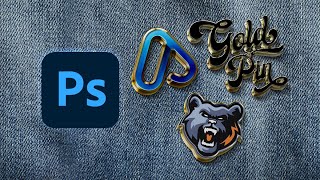
How to Make an Enamel Pin Mockup
Learn to create realistic enamel pin mockups in Photoshop using smart objects, layer styles, and drop shadows. Master techniques for glossy 3D effects and professional-looking designs.
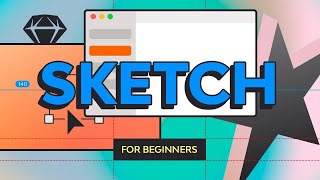
Sketch for Beginners
Learn Sketch basics for UI design: interface, layers, shapes, text, images, vectors, symbols, and exporting. Master essential tools and techniques for creating websites, apps, and icons.

How to Make a Moroccan Pattern in Illustrator
Learn to create and apply intricate Moroccan patterns in Adobe Illustrator, from constructing the base structure to coloring and saving as a reusable swatch for various design projects.
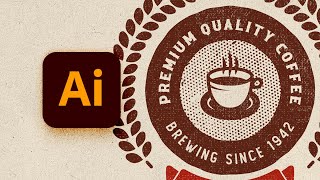
How to Design a Vintage Circular Logo in Illustrator
Learn to create a vintage circular logo in Illustrator using vector shapes, pattern brushes, textures, and text. Master techniques for designing retro-style graphics with professional results.
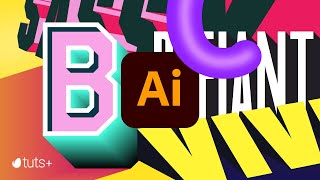
Mastering 3D Text in Adobe Illustrator
Learn to create striking 3D typography in Adobe Illustrator with eight different text effects. Gain skills to design bold, engaging visuals that stand out in your graphic design projects.