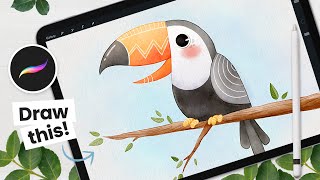
How to Draw a Watercolor Toucan - Procreate Tutorial
Step-by-step tutorial for creating a charming watercolor toucan illustration using Procreate on iPad. Learn digital art techniques, color selection, and finishing touches to bring your artwork to life.
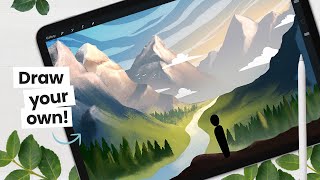
Let's Paint a Valley Background
Learn to paint a valley background with mountains and decorative elements. Covers sketching, coloring, and detailing techniques for creating captivating digital landscapes in Procreate.
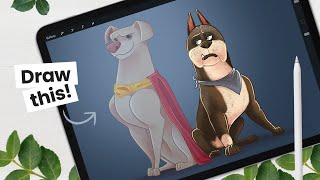
How to Draw Ace From The League of Super-Pets - Character Breakdown
Learn to draw Ace from DC's Super-Pets movie with step-by-step instructions. Master sketching, shading, and digital art techniques using Procreate on iPad Pro, applicable to various drawing tools.
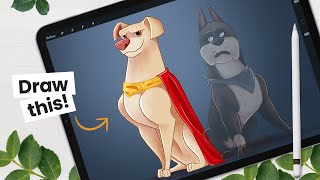
How to Draw Krypto from The League of Super-Pets - Character Breakdown
Learn to draw Krypto from DC's League of Super-Pets with step-by-step instructions. Master sketching, shading, and digital art techniques using Procreate on iPad Pro, applicable to various drawing tools.
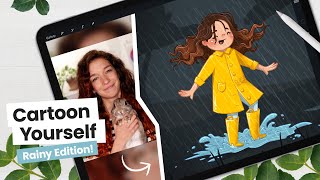
How to Cartoon Yourself, Rainy Day Edition - Intermediate Digital Art Tutorial
Learn to create a cartoon self-portrait in a rainy scene using digital art techniques. Master sketching, line art, coloring, and shading while exploring Procreate tools for an engaging illustration workflow.
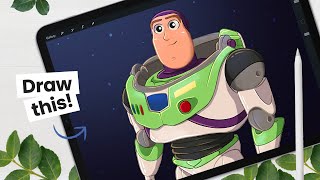
How to Draw Buzz Lightyear - Character Breakdown
Step-by-step guide to drawing Buzz Lightyear, covering character breakdown, sketching, line art, coloring, and shading techniques using Procreate on iPad Pro. Includes digital art tips and tricks.
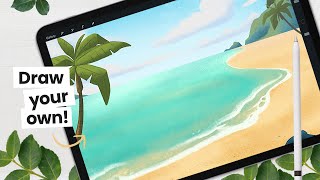
Let's Paint a Beach Background - Digital Art Tutorial
Step-by-step tutorial for creating a digital beach background, covering sketching, coloring, adding details, and enhancing the overall look. Includes tips for drawing environments and decorative elements.
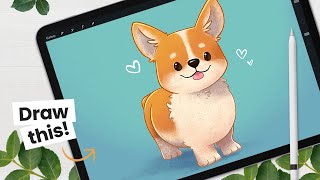
How to Draw a Corgi - Cute Illustration Tutorial
Step-by-step tutorial for drawing a cute corgi illustration in Procreate, covering sketching, line art, coloring, and shading techniques. Includes digital art workflow tips and Procreate tricks.
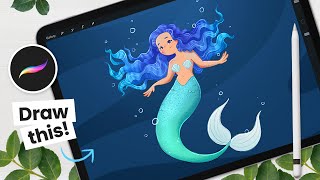
How to Draw a Mermaid - Mermay Illustration Tutorial
Learn to draw a mermaid using Procreate with step-by-step guidance on sketching, line art, coloring, and shading. Master digital art techniques like clipping masks and blending modes for stunning illustrations.
Hands On with Adobe’s New Groundbreaking AI, Part 2
Explore Adobe Firefly's prompt parameters to enhance AI-generated images. Learn about iterations, style, guidance, avoidance, and face-fixing tags for improved results in this hands-on tutorial.
Hands On with Adobe’s New Groundbreaking AI
Explore Adobe Firefly's groundbreaking AI image generator, featuring unique type effects and custom text-to-image capabilities. Learn to create vivid, one-of-a-kind designs using presets and custom prompts.

Creating Bubble Type or Balloon Text Inflation Simulations in Cinema 4D
Learn to create realistic bubble text inflation simulations in Cinema 4D using Balloon Cloth Simulation. Master techniques for rounded 3D text, wrinkle art direction, and animation control.
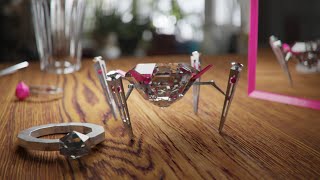
Art Prompt Challenge - Creating a Luxurious Robot
Learn to model, texture, light, and render a luxurious diamond-shaped robot in Blender. Follow along as the artist designs, animates, and creates a detailed scene, exploring creative constraints and advanced rendering techniques.
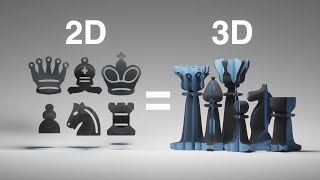
Modeling a Chess Set That Works in 2D and 3D
Learn to create a unique chess set that functions in both 2D and 3D using Blender. Explore boolean modifiers, forced perspective, and innovative design techniques to merge two chess designs seamlessly.
Animating Individual Letters in Blender - Live Questions
Discover techniques for animating individual letters in Blender, from text separation to rotation animation. Learn to add life, color, and texture for visually appealing results.
Animating Arrays and Shapes in Eevee
Learn to animate arrays and shapes in Blender's Eevee renderer. Explore modeling, lighting, camera work, and rigid body simulations in this comprehensive tutorial stream.

The Secret to Creating a Realistic Mockup - Photoshop Tutorial
Learn advanced Photoshop techniques to create realistic bottle mockups, including warping, blending modes, and adding reflections. Master the art of wrapping designs around objects and enhancing them with professional finishes.

How to Create Shadows from Scratch in Photoshop
Learn to create realistic shadows in Photoshop using layer techniques, opacity, and blur filters. Master shadow hardness, intensity, and natural gradients for professional-looking results.

A.I. Does High-End Skin Retouching with 1-Click - Photoshop Plugin Review
Explore an AI-powered Photoshop plugin for automatic high-end skin retouching. Learn its features, compare with manual techniques and other tools, and decide if it's right for your workflow.
The Best Way to Apply Precise Colors in Photoshop
Master precise color application in Photoshop using HSB values, blend modes, and color masking. Learn two techniques to accurately match brand colors or client guidelines for various design projects.
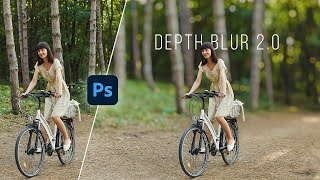
Photoshop's New Depth Blur
Exploring Photoshop 2022's new "Depth Blur" feature, comparing it with Luminar's Portrait Bokeh AI, and evaluating its performance, quality, and usability for creating background blur effects in images.