
How to Improve Your Composites in Photoshop Tutorial
Learn advanced Photoshop techniques to enhance composites, including color grading, depth creation, and subject focus. Improve your digital art skills with practical tips for realistic image manipulation.

How to Mask with Adobe Camera Raw 2022 - Photoshop Tutorial
Learn advanced masking techniques in Adobe Camera Raw 14, including subject selection, color range masking, and gradient tools. Enhance your photo editing skills with practical examples and expert tips.

How to Select a Person in Photoshop Tutorial 2022
Learn advanced techniques for selecting people in Photoshop, including smart selections, hand-drawn methods, and channel-based approaches. Master essential skills for compositing, manipulation, and retouching.
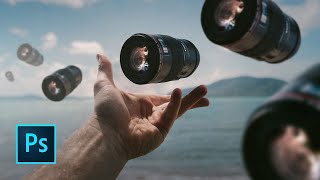
How to Rotate and Scale in Photoshop
Learn essential Photoshop techniques for rotating and scaling images and layers. Master the Free Transform tool and discover tips for both beginners and experienced users.

How to Use Generative Fill in Photoshop
Learn to use Photoshop's new Generative Fill AI tool for removing objects, replacing elements, and creating compositions. Explore practical applications and compare AI-generated results with artist creations.
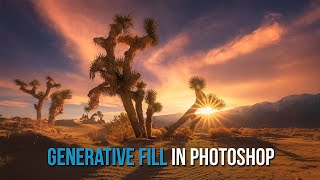
Photoshop's Amazing New AI Generative Fill
Explore Photoshop's revolutionary Generative Fill feature for adding, removing, or altering content with AI. Learn practical tips and techniques to enhance your photo editing workflow.
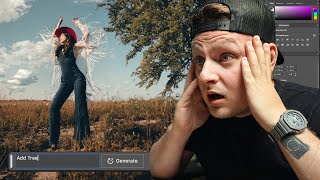
AI Generative Fill on Portraits - Adobe Photoshop Beta
Explore Adobe Photoshop Beta's AI Generative Fill feature for portraits, showcasing its capabilities and potential impact on photo editing workflows.

Embrace the Future - Discover Photoshop Beta's Groundbreaking Generative Fill Feature
Explore PHOTOSHOP Beta's revolutionary Generative Fill feature, a mind-blowing AI-powered tool that transforms image editing with unprecedented ease and creativity.
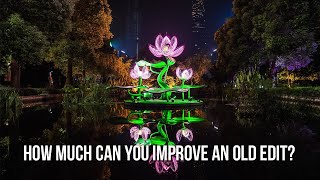
Improving Old Edits
Enhance old edits by blending exposures, cleaning artifacts, reducing haze, and refining details. Learn techniques to improve highlights, colors, and overall image quality.

Photoshop Generative Fill - Epic Uses, Superfast
Discover 20 innovative uses of Photoshop's Generative Fill, from expanding images and removing distractions to creating impossible scenarios, in this comprehensive guide to AI-powered photo editing.
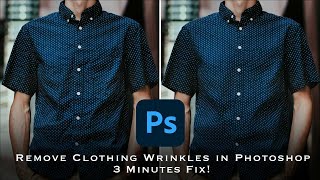
How to Remove Wrinkles from Clothes in Photoshop - Frequency Separation Tutorial
Master frequency separation in Photoshop to remove clothing wrinkles. Learn layer setup, settings, and techniques for seamless retouching. Gain in-depth understanding and practical skills for professional-looking results.

How to Use Canva for Beginners
Learn to create stunning designs with Canva's user-friendly interface. Master templates, layouts, image editing, text customization, and element manipulation for eye-catching visuals.
How to Crop and Save for Web Using Photoshop
Master Photoshop techniques for cropping, resizing, and optimizing web images without quality loss. Enhance your design skills for social media and online content creation.
Introduction to Photoshop for Beginners - Basics on How to Use Photoshop
Learn Photoshop basics: tools, layers, effects, and essential techniques for image editing. Ideal for beginners seeking to master this powerful design software.
Creating a Watermark for Web-Sharpen Panel - TK Friday Tutorial
Learn to create a custom watermark compatible with TK8 Web-Sharpen Panel, use free Adobe Stock Icons, and discover additional web-sharpening techniques to enhance your image editing skills.
Duplicate Layers to Enhance Effects in Photoshop - TK8 Tutorial
Enhance photo effects by duplicating layers in Photoshop. Learn techniques to strengthen and refine your edits using TK8 plugin for more impactful images.
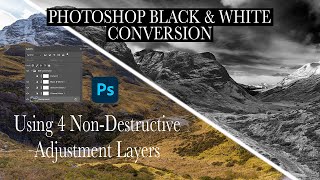
Dramatic Black and White Conversion in Photoshop Using Non-Destructive Adjustment Layers
Learn to create dramatic black and white images using non-destructive Photoshop adjustment layers. Master techniques for selective color adjustments, channel mixing, and curves to enhance tonal contrast and depth.
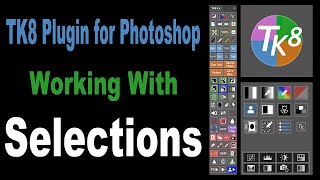
TK8 Plugin for Photoshop: Working with Selections
Learn to create and refine selections in Photoshop using the TK8 plugin. Master techniques for enhancing specific areas of your images with precision and efficiency.

Working with Black and White Using TK7 GO Panel
Explore black and white image editing using TK7 GO and COMBO/CX panels. Learn techniques for enhancing contrast, adjusting highlights, and creating a captivating monochrome result.
TK7 Combo/CX Panels - Painting with Contrast
Mastering contrast techniques using TK7 COMBO/CX panels for enhanced photo editing. Learn to paint contrast, clouds, and gradients for striking images.
Enhancing Images with TK7 GO Panel - Recovering Light and Saturation
Enhance images using TK7 Go Panel to recover light and saturation with luminosity and zone masks. Learn techniques for improving photo quality and visual appeal.