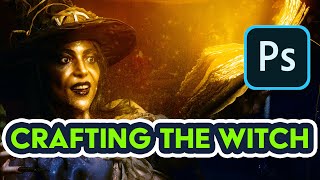
Creating a Halloween Witch Composition in Photoshop
Create a spooky Halloween witch composition using advanced Photoshop techniques for retouching, compositing, and blending digital artwork from photos.

How to Use Pixlr X - Easy Graphic Design
Learn to edit photos and create graphics with Pixlr X, a free online tool. Master essential features like layers, text, shapes, retouching, and background removal for stunning visual content.

Photoshop Retouching for Beginners
Master Photoshop retouching techniques for skin, hair, and makeup. Learn frequency separation, dodging and burning, color editing, and background enhancement to perfect your photos.
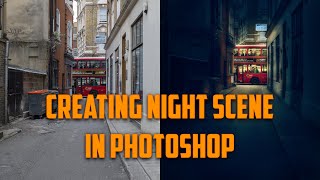
Changing Photos from Day to Night - Making a Dark City Street in Adobe Photoshop CC
Learn to transform daytime street photos into captivating nighttime scenes using Adobe Photoshop CC. Master techniques for adding focal points, adjusting lighting, and creating atmospheric effects to enhance urban photography.
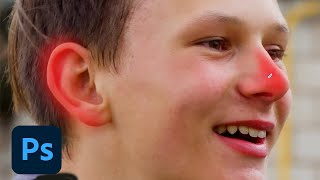
Photoshop Daily Creative Challenge - Photo Polishing
Learn photo polishing techniques using content-aware tools and adjustment layers in Photoshop. Master spot healing, smart objects, camera raw settings, masking, and more to enhance your images.

The Lady in Black - Watch Me Prompt Live in Midjourney
Explore "Layered Multiprompts" technique in Midjourney AI art creation. Learn to build complex images step-by-step, from base layer to final touches, enhancing creativity and control.
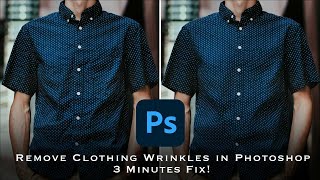
How to Remove Wrinkles from Clothes in Photoshop - Frequency Separation Tutorial
Master frequency separation in Photoshop to remove clothing wrinkles. Learn layer setup, settings, and techniques for seamless retouching. Gain in-depth understanding and practical skills for professional-looking results.
Mastering Lightroom and ACR Masking 2.0 - New Features and Techniques
Explore Adobe's Masking 2.0 update for Lightroom and ACR, learning new tools and techniques to enhance your RAW processing skills in this comprehensive tutorial.
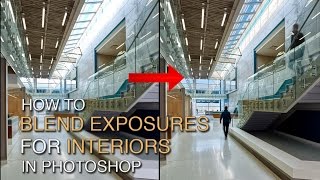
How to Blend Exposures for Interiors in Photoshop Using Luminosity Masks
Learn advanced Photoshop techniques for blending interior and exterior exposures using luminosity masks. Master BlendIf masking and painting through luminosity selections to achieve stunning results in architectural photography.
Restoring Sunset Colors with Luminosity Masks in Photoshop
Enhance dull sunset photos using luminosity masks in Photoshop. Learn techniques to add vibrant colors, control intensity, and create natural-looking results for stunning sky transformations.
Exploring the Adjustment Brush in Photoshop Beta
Discover new features of the Adjustment Brush in Photoshop Beta. Learn useful tips and updates to enhance your photo editing skills in this concise, informative tutorial.

ChatGPT vs. Photoshop - Controlling Edits in AI-Guided Photo Manipulation
Explore AI-guided Photoshop edits: ChatGPT vs. manual techniques. Compare step-by-step instructions, retouching fixes, and photo-to-painting transformations. Discover the balance between AI assistance and creative control.

Easy Shadow Removal Technique in Photoshop
Discover a simple Photoshop technique to remove complex shadows, even out skin, and fix color in shadow areas using Blend If, Curves, and filters for professional-looking results.
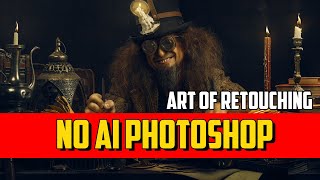
How to Retouch and Remove Objects in Photoshop Without AI - Part 1
Mastering traditional Photoshop techniques for object removal and retouching, comparing effectiveness with AI methods. Enhance your photo editing skills and achieve professional results.
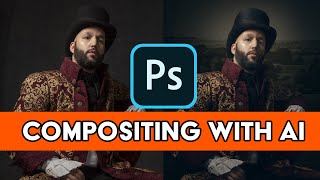
Adobe AI for Retouching and Compositing in Photoshop - Firefly AI 3 Tips and Tricks
Optimize retouching and compositing workflows in Photoshop using Firefly AI 3. Learn time-saving techniques to enhance productivity and achieve professional results efficiently.
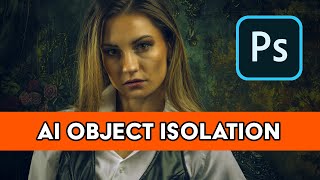
Pro-Level Retouching with AI Background Replacement Using Photoshop's Firefly 3
Master professional object isolation, retouching, and AI background replacement in Photoshop. Learn to transform basic photos into stunning visuals using cutting-edge tools and techniques.

How to Remove Large Objects in Photoshop
Learn advanced techniques for seamlessly removing large objects from images using Content-Aware Fill, Cloning, Healing, and color correction in Photoshop. Master professional photo editing skills.