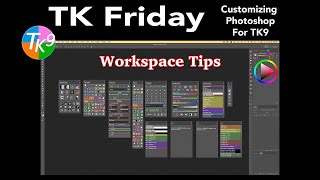
Customizing Photoshop for TK9 Plugin - Workspace Tips
Optimize Photoshop workspace for TK9 plugin with expert tips. Learn efficient setup, customization, and workflow enhancements to maximize your photo editing experience.

Perfect Skin Tones in Photoshop - Color Palette Technique
Master the art of achieving perfect skin tones in Photoshop using color palettes, sampling, and Curves. Learn techniques for evening out skin tones and preparing images for retouching.

Cartoon Animator from A-Z - Setting the Scene - Day 1
Learn Cartoon Animator 4 basics: UI, scene setup, prop importing/editing, animation, and adding music/sound effects. Hands-on demo covers background creation, custom props, and simple animations.

Create Easy Drag and Drop Mockup in Photoshop
Master easy drag & drop mockup creation in Photoshop. Learn to design realistic templates for t-shirts, mugs, and more using smart objects, blend modes, advanced masking, and layer styles.
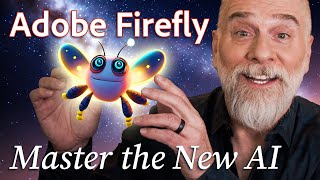
Hands On with Adobe’s New Groundbreaking AI, Part 2
Explore Adobe Firefly's prompt parameters to enhance AI-generated images. Learn about iterations, style, guidance, avoidance, and face-fixing tags for improved results in this hands-on tutorial.

The Secret to Creating a Realistic Mockup - Photoshop Tutorial
Learn advanced Photoshop techniques to create realistic bottle mockups, including warping, blending modes, and adding reflections. Master the art of wrapping designs around objects and enhancing them with professional finishes.

A.I. Does High-End Skin Retouching with 1-Click - Photoshop Plugin Review
Explore an AI-powered Photoshop plugin for automatic high-end skin retouching. Learn its features, compare with manual techniques and other tools, and decide if it's right for your workflow.
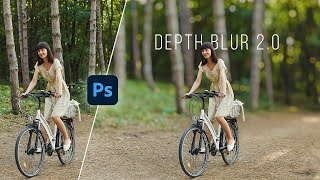
Photoshop's New Depth Blur
Exploring Photoshop 2022's new "Depth Blur" feature, comparing it with Luminar's Portrait Bokeh AI, and evaluating its performance, quality, and usability for creating background blur effects in images.

Photoshop's New Sky Replacement Update
Explore Photoshop's updated Sky Replacement feature, learn to create custom sky presets, and discover tips for better sky matching. Compare with Luminar AI and gain insights on reflections and potential improvements.

How to Replace a Sky in Photoshop
Master sky replacement in Photoshop with expert techniques for selecting, blending, and matching new skies. Learn to enhance images realistically by considering lighting, focus, and color harmony.
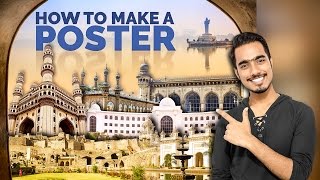
How to Make a Poster or Collage in Photoshop
Master the art of creating impactful posters and collages in Photoshop, from planning and resource gathering to assembly and final touches. Perfect for projects, advertisements, and campaigns.

Create High-End Black and White Images Using Multiple Hue-Saturation Layers in Photoshop
Master advanced black and white image creation in Photoshop using multiple Hue/Saturation layers. Learn to target specific colors, control luminosity, and add effects for highly customizable, professional results.

Convert Raster to Vector in Illustrator
Learn to convert raster graphics to vector in Adobe Illustrator using Image Trace. Explore techniques for filled color images and sketches, understand vector advantages, and master file format considerations.

The Smartest Mask Generator for Photoshop
Explore Lumenzia, an advanced Photoshop tool for luminosity masking. Learn essential features, techniques for landscapes, portraits, and custom effects to enhance your photo editing skills.
Essential Design Tips for Photoshop
Learn 10 essential Photoshop tips to enhance your workflow, including non-destructive editing, smart objects, custom brushes, and layer optimization. Improve your design skills and efficiency.
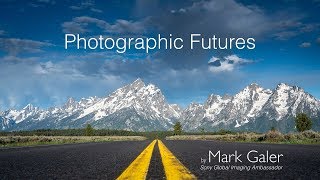
Photographic Futures - Technological Developments in Digital Imaging
Explore technological advancements in photography, from film to digital, and their impact on image-making. Gain insights into sensor technology, mirrorless cameras, and modern imaging techniques.

High Impact Special Grunge Effect in Photoshop CC
Create a high-impact grunge effect in Photoshop CC using advanced techniques like smart objects, filters, and adjustments for striking visual results.
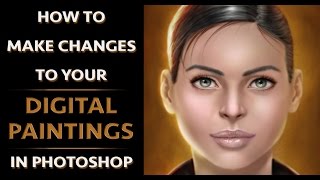
How to Make Changes to Your Digital Paintings in Photoshop
Efficient techniques for editing digital paintings in Photoshop, including transform tool, liquify, pen and path tool, and effective layer management to enhance your artwork.
After Effects 2021 Tutorial - Rotoscoping and Content Aware Fill
Learn advanced video editing techniques: rotoscoping, content-aware fill, and Roto Brush tool. Master cutting, merging, and blending video content for professional-level effects in After Effects.

Color Wheel Magic - Transforming Images with Photoshop and Color Theory
Learn to transform images using color theory and Photoshop. Master color wheel concepts, harmonies, and adjustment tools to enhance visual appeal and create stunning designs.

How to Use Depth Maps in Photoshop Tutorial
Learn to enhance image depth using Photoshop's Blur Depth neural filter, Lens blur filter, and depth maps. Apply techniques to real projects, adding atmospheric depth and making subjects stand out.