
Remove ALL Distractions in One Click - New Photoshop Feature
Explore the groundbreaking Remove Tool in Photoshop Beta, capable of automatically eliminating distractions like people, power lines, wires, and cables with a single click. Test this feature across various images, from simple scenarios to complex challen…
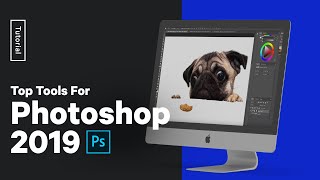
Adobe Photoshop 2019 - Top 5 Tools and Tutorial
Learn top 5 Photoshop tools with hands-on exercises. Master content-aware features, selection tools, layer filters, frame tool, and artboards for efficient design workflows.

Remove Distractions for Photos - Remove the Background from a Photo
Learn techniques to remove distractions and backgrounds from photos, enhancing image quality and focus. Master tools like Content-Aware Fill, Quick Selection, and Pen Tool for professional-level photo editing.

Adobe Photoshop 2025 - New Features and Updates Overview
Discover the latest Photoshop 2025 features including enhanced Remove Tool, Generative Workspace, and Substance 3D Viewer for improved photo editing and creative workflows.
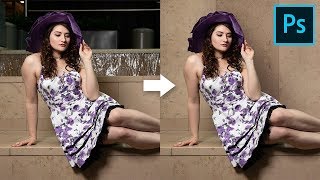
How to Cover Distracting Background in Photoshop
Learn to extend walls and cover distracting background elements using Content-Aware, Manual Selections, Cloning, and Curves in Photoshop. Create clean, natural-looking results with realistic shadows.
Designing Movie Posters in Photoshop - Part 2
Learn advanced Photoshop techniques for creating unique movie posters, including background removal, custom brush design, and integrating multiple images into a cohesive design. Real-time feedback incorporated.
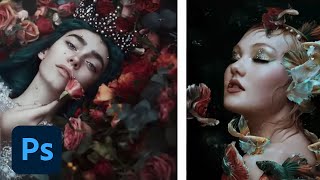
Editorial and Fantasy Photo Editing with Bella Kotak - Part 2
Explore advanced photo editing techniques with Bella Kotak, focusing on compositing, retouching, and color toning for editorial fantasy pieces using Adobe tools.

Fantasy Photo Compositing in Photoshop - Part 1
Learn advanced Photoshop techniques for fantasy photo compositing with photographer Renee Robyn. Master skin retouching, textures, lighting effects, and background creation to transform ordinary photos into magical worlds.
Must-Know New Features in Adobe Photoshop CC 2019
Explore new features in Photoshop CC 2019, including Content-Aware Fill, Frame Tool, and Symmetry Tool. Learn modern interface updates and productivity enhancements for efficient digital image editing.
Photoshop Power Tips for Creatives - Adobe MAX 2021
Discover powerful Photoshop techniques for creative projects, including masking, content-aware fill, puppet warp, motion effects, sky replacement, and color correction. Enhance your digital editing skills with expert tips.

Content-Aware Fill in After Effects - Demonstration and Tutorial
Peter McKinnon and Andrew Kramer explore Content-Aware Fill in After Effects, showcasing its power through creative demonstrations and discussing its potential impact on video editing workflows.
360° Photo Editing Workflow - Affinity Photo Tutorial for Virtual Tour Pros
Learn advanced 360° photo editing techniques using Affinity Photo, including RAW development, tripod removal, and seamless editing. Master professional virtual tour creation with various cameras and third-party plugins.
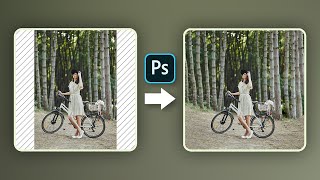
Hate Cropping? - Ways to Expand Photos in Photoshop
Learn three effective techniques to expand photos in Photoshop without cropping, including Content-Aware Fill, Content-Aware Scale, and Mirroring. Perfect for adapting images to various aspect ratios seamlessly.
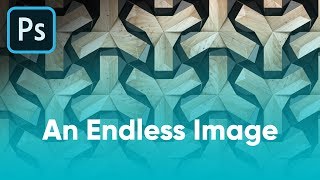
Ways to Convert an Image to Seamless Pattern - Photoshop Tutorial
Learn three effective techniques to transform images into seamless patterns using Photoshop, including inversion, content-aware fill, and precise cropping for professional-looking results.
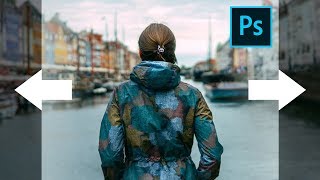
Stretch Complex Images with Buildings or Trees - Photoshop Tutorial
Learn techniques to stretch complex images with buildings or trees using Content-Aware Fill and additional tricks in Photoshop, with three examples covering various scenarios.
Adobe Photoshop's New Generative Fill AI Feature - Tutorial and Demonstration
Explore Photoshop's revolutionary Generative Fill feature, an AI-powered tool that enhances image editing capabilities beyond traditional Content-Aware Fill, transforming your workflow and creative possibilities.
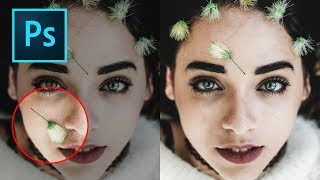
How to Remove Objects in Photoshop Using Content-Aware Fill
Master the updated Content-Aware Fill tool in Photoshop 2019 to seamlessly remove unwanted elements from images. Learn comprehensive settings, toggles, and buttons for optimal results.

After Effects 2021 Tutorial - Rotoscoping and Content Aware Fill
Learn advanced video editing techniques: rotoscoping, content-aware fill, and Roto Brush tool. Master cutting, merging, and blending video content for professional-level effects in After Effects.
Duplicate Layers to Enhance Effects in Photoshop - TK8 Tutorial
Enhance photo effects by duplicating layers in Photoshop. Learn techniques to strengthen and refine your edits using TK8 plugin for more impactful images.

Grand Canyon Photo Editing Tutorial - Topaz, Luminar 4, and Photoshop
Learn advanced photo editing techniques for stunning Grand Canyon images using Topaz, Luminar 4, and Photoshop. Enhance colors, remove distractions, and create breathtaking landscapes with expert guidance.
Topaz Studio 2 and Photoshop Tutorial - Creating a Winter Cabin Digital Painting
Transform a winter cabin photo using Topaz Studio 2 and Photoshop. Learn color correction, filters, vignettes, and digital painting techniques to create a stunning winter scene.