TK7 Combo/CX Panel - Discovering Triple Play Actions
Explore the Triple Play Actions in TK7 Combo/CX Panel for enhancing brightness, contrast, and detail in your photos. Learn powerful techniques to elevate your image editing skills.
Topaz Mask AI Tips for Quick and Excellent Results
Discover tips for achieving quick and excellent results with Topaz Mask AI Photoshop plug-in. Learn techniques for refining selections, fixing edges, and optimizing your workflow.
Flower Photography Editing: Enhancing Depth of Field with Topaz Mask AI and Photoshop
Learn to enhance flower photography with advanced editing techniques, isolating subjects and creating stunning shallow depth of field effects beyond camera capabilities.

Grand Canyon Photo Editing Tutorial - Topaz, Luminar 4, and Photoshop
Learn advanced photo editing techniques for stunning Grand Canyon images using Topaz, Luminar 4, and Photoshop. Enhance colors, remove distractions, and create breathtaking landscapes with expert guidance.
TOPAZ MASK AI and Photoshop: Bleeding Hearts Full Edit Tutorial
Enhance bleeding heart photos using Topaz Mask AI and Photoshop techniques. Learn sharpening, masking, compositing, and painting for stunning floral edits.
Photoshop Plug-ins Workflow Tutorial - Luminar 4 and Topaz Studio 2
Enhance your photo editing skills with Luminar 4 and Topaz Studio 2 plug-ins for Photoshop. Learn advanced techniques for light removal, texturing, and AI-powered enhancements in this comprehensive tutorial.
Topaz Studio 2 and Photoshop Tutorial - Creating a Winter Cabin Digital Painting
Transform a winter cabin photo using Topaz Studio 2 and Photoshop. Learn color correction, filters, vignettes, and digital painting techniques to create a stunning winter scene.
Flower Photography Workflow Tutorial - Lightroom, Photoshop, and Topaz Studio 2
Learn to enhance flower photos with a dreamy, ethereal look using Lightroom, Photoshop, and Topaz Studio 2. Master techniques for soft backgrounds, noise reduction, and sharpening in macro photography.

Dodging and Burning Techniques in Topaz Studio 2 and Photoshop
Learn effective dodging and burning techniques in Photoshop and Topaz Studio 2 to enhance landscape images and make them stand out. Discover similar methods in both applications for improved photo editing skills.
FilmPack 5 by DXO - Black and White Film Conversion
Learn to convert color images to stunning black and white using FilmPack 5 by DXO. Explore key features, presets, grain, toning, and effects for professional-quality film emulation in Photoshop.
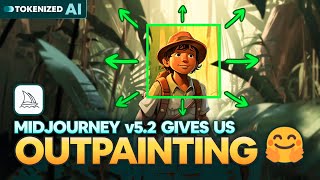
Midjourney v5.2 Just Dropped Outpainting
Explore Midjourney v5.2's groundbreaking features: enhanced aesthetics, high variation mode, prompt shortening, and zoom-out capabilities. Unleash your creativity with these powerful AI image generation tools.

Whispered Shadows
Learn to create a cinematic movie trailer using AI tools like Midjourney and Runway. Explore music selection, storytelling, image generation, video editing, and fine-tuning techniques for impressive results.

The Good, the Bad & the Ugly of Midjourney Inpainting
Explore Midjourney's new "Vary (Region)" feature: its strengths in object manipulation and facial adjustments, limitations in character replacement, and potential for creative image editing.
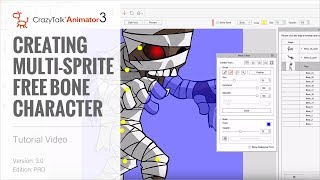
CrazyTalk Animator 3 Tutorial - Creating Multi-Sprite Free Bone Characters
Learn to create animated characters from single images using CrazyTalk Animator 3. Master sprite separation, masking, layer adjustment, and basic animation techniques for unique character designs.
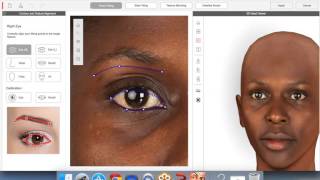
CrazyTalk 8 - Quickly Create a 3D Head from One Image - March 10th, 2016
Learn to create realistic 3D heads from single images using CrazyTalk 8. Master face fitting techniques, texture blending, and calibration for lifelike digital characters. Ideal for animators and digital artists.
Outsmarting Generative Fill, One Tiny Step at a Time
Discover a foolproof technique to enhance Photoshop's Generative Fill resolution. Learn to work in 1MP blocks, create seamless patterns, and maximize AI-generated image quality.

The A.I. Cheater’s Approach to Flawless Photography
Discover AI-powered techniques in Photoshop to transform flawed photos into flawless masterpieces. Learn to remove unwanted elements, enhance resolution, and master selection tools for stunning results.

Photoshop for Beginners - Mastering Selections
Learn essential Photoshop selection techniques, from basic tools to advanced methods. Master creating, modifying, and saving selections for precise image editing and compositing.

Master Brush Tool in Photoshop - From Fundamentals to Advanced Techniques - Lesson 12
Comprehensive guide to mastering Photoshop's Brush Tool, covering properties, techniques, and advanced features. Includes practical tips, creative applications, and a hands-on project using watercolor brushes.

Turn Anything to Gold - Hunger Games Songbirds and Snakes Poster Tutorial
Learn to create a stunning gold effect in Photoshop and recreate The Hunger Games character poster. Master healing tools, fabric graphics, liquify, and curve adjustments in this hands-on tutorial.
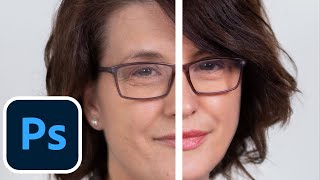
Photoshop Photo Retouching Tutorial with Skin Smoothing
Learn professional photo retouching techniques in Photoshop, including skin smoothing, blemish removal, structural alterations, virtual makeup, and color enhancement for stunning, natural-looking results.