
Photo Manipulation for Beginners
Learn the essential techniques of photo manipulation, such as how to blend in Photoshop, how to make a mask, how to cut out an image, how to select hair, sky replacement, how to create Photoshop custom brushes, and more!
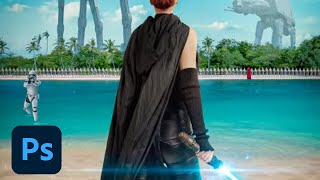
Creating a Sci-Fi Movie Poster in Photoshop - Professional Techniques
Learn to create a professional Sci-Fi movie poster in Photoshop using Adobe Stock images, advanced compositing techniques, and industry-standard design practices with expert guidance from Jesús Ramirez.

Recreate The Flash Running Lightning in Photoshop - Copycat
Learn to recreate The Flash's running lightning effect using Photoshop and After Effects. Master background removal, blurring techniques, and three methods for creating and compositing realistic lightning.
Photoshop Compositing Tools and Techniques
Discover advanced Photoshop compositing techniques with Julieanne Kost. Learn to select subjects, unify elements, and create impactful imagery using the latest tools and proven methods.
Topaz Mask AI Tutorial: Replacing Backgrounds
Learn to replace image backgrounds using Topaz Mask AI. This tutorial demonstrates the software's standalone and plugin capabilities, offering step-by-step guidance for seamless background swapping.
Creating a Touching Story Scene in Photoshop
Learn to craft an emotive story scene using photo manipulation and color adjustment techniques in Photoshop, enhancing your digital art skills and creative storytelling abilities.
Image Compositing with Topaz Mask AI - Working with Different Aspect Ratios
Learn advanced image compositing techniques using Topaz Mask AI, focusing on blending images with different aspect ratios for realistic and visually striking results.

How to Create an Animal-Human Hybrid Portrait in Photoshop
Learn to seamlessly blend animal and human features in Photoshop, mastering selection, masks, paths, channels, blending, color matching, and sharpening for stunning hybrid portraits.
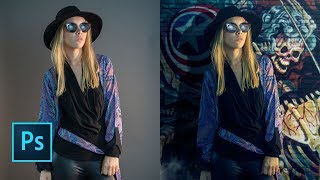
How to Replace a Background in Photoshop 2019
Learn to quickly replace backgrounds in Photoshop using the "Select Subject" tool, and integrate subjects seamlessly with new backgrounds through effective layering techniques.
How to Create a Fantasy Photo Manipulation
Learn to craft captivating fantasy worlds through photo manipulation techniques, blending multiple images to create an enchanting visual narrative.
Create a Cybernetic Woman in Photoshop - Part 6
Learn advanced Photoshop techniques to transform a model photo into a stunning cybernetic woman using stock images and creative digital manipulation.
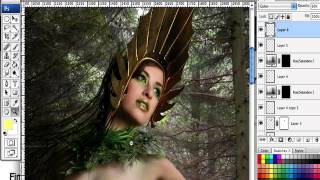
How to Create a Fantasy "Mother Nature" Scene in Photoshop
Create a captivating fantasy scene using Photoshop techniques, combining images and brushes to bring "Mother Nature" to life in a visually stunning composition.

Photo Manipulation Basics in Adobe Photoshop
Master essential photo manipulation techniques in Adobe Photoshop, from image extraction and blending to color matching and advanced compositing. Learn to create professional-quality manipulations with expert guidance.
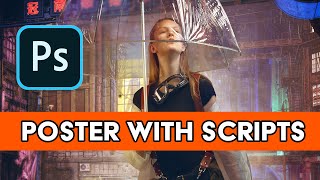
Creating Posters in Photoshop Using Scripts
Streamline poster creation in Photoshop using scripts. Learn efficient workflows, find resources for templates and fonts, and discover time-saving techniques for professional-looking designs.
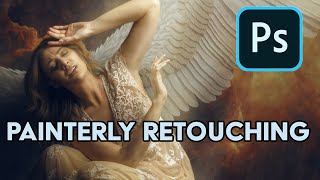
Painterly Retouching in Photoshop with FireFly AI 3
Crea una escena de ángel caído en Photoshop utilizando fotografía digital y tecnología de IA para manipular componentes. Aprende técnicas de retoque pictórico avanzadas.

Create a Sci-Fi Movie Poster in Photoshop Tutorial
Design a captivating sci-fi movie poster using Photoshop's Generate Image feature and advanced compositing techniques. Learn to craft a visually stunning "Atlas"-style poster with battlemechs and atmospheric effects.
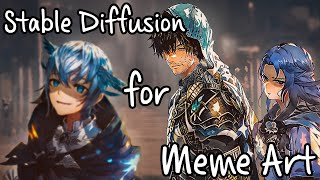
Using Stable Diffusion and DreamBooth to Create Meme Art
Learn to create meme art using Stable Diffusion and DreamBooth, focusing on Final Fantasy XIV characters. Explore techniques for character generation, image masking, and composition to produce unique digital artwork.
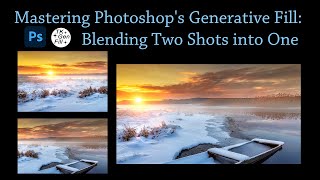
Mastering Photoshop's Generative Fill - Blending Two Shots into One
Learn to seamlessly blend two images using Photoshop's Generative Fill and TK Gen Fill Panel. Discover advanced compositing techniques to create stunning, realistic photo combinations.
High-Resolution Advanced Inpainting with ComfyUI - SDXL and IP-Adapter Integration
Explore advanced high-resolution inpainting techniques in ComfyUI, including SDXL integration, IP-Adapter usage, and workflow optimization for enhanced image editing and generation.
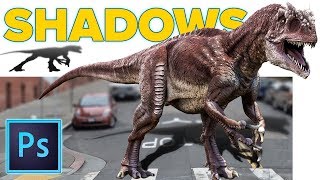
Realistic Cast Shadows in Photoshop - Composite Jurassic World Dinosaur
Learn to create realistic cast shadows in Photoshop for compositing, focusing on a Jurassic World dinosaur example. Master the four qualities of light for authentic shadow effects in image combinations.