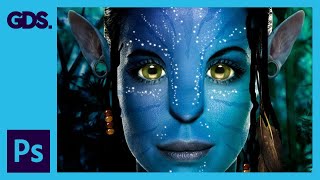
Epic Avatar Photoshop Tutorial
Learn to create stunning Avatar-style portraits using Photoshop techniques. Master skin retouching, facial features enhancement, pattern application, and special effects for eye-catching results.

How to Use Pixlr X - Easy Graphic Design
Learn to edit photos and create graphics with Pixlr X, a free online tool. Master essential features like layers, text, shapes, retouching, and background removal for stunning visual content.

3D Compositing in Photoshop and Dimension Masterclass
Explore 3D modeling in Photoshop and Dimension. Learn to create, import, and render 3D content, manipulate models, materials, and lighting for stunning composites and matched 2D-3D images.

24 Hidden Photoshop Tricks for Professionals
Discover 24 hidden Photoshop features to enhance efficiency in retouching, compositing, digital art, and graphic design. Learn time-saving tricks for color grading, perspective adjustments, and advanced editing techniques.
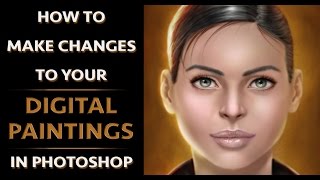
How to Make Changes to Your Digital Paintings in Photoshop
Efficient techniques for editing digital paintings in Photoshop, including transform tool, liquify, pen and path tool, and effective layer management to enhance your artwork.

Turn Anything to Gold - Hunger Games Songbirds and Snakes Poster Tutorial
Learn to create a stunning gold effect in Photoshop and recreate The Hunger Games character poster. Master healing tools, fabric graphics, liquify, and curve adjustments in this hands-on tutorial.
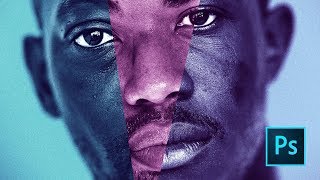
Moonlight Movie Poster Photoshop Tutorial
Learn to recreate the Moonlight movie poster using advanced Photoshop techniques like gradient maps, liquify tool, and blur gallery. Master compositing skills applicable to various design projects.

Removing Complex Objects in Photoshop - Advanced Techniques
Master advanced Photoshop techniques to remove complex objects like fences, combining Content-Aware Fill, Generative Fill, and Remove Tool for high-quality results in photo editing.

Expert Reacts to Photoshop Hacks - Analysis and Improvements
Expert analyzes and critiques popular Photoshop techniques from TikTok, offering insights and alternative approaches to enhance digital image editing skills.
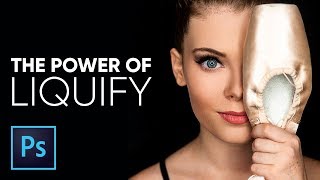
The Amazing Power of Liquify for Portrait Retouching in Photoshop
Master Photoshop's Liquify tool for portrait retouching. Learn basic and advanced techniques, including Face-Aware Liquify, through practical examples and expert tips for professional results.

Blend Anything on Any Surface in Photoshop
Learn to realistically blend text, graphics, or logos onto any surface in Photoshop using Blend-If, Blend Modes, Liquify, and Displacement Maps for natural-looking results.
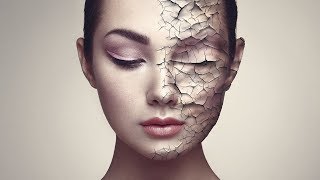
Create Realistic Cracked Skin in Photoshop
Learn to create realistic cracked skin effects using Photoshop's blend modes, Liquify tool, and smart masking techniques. Master advanced texture manipulation and adjustment layers for stunning visual results.
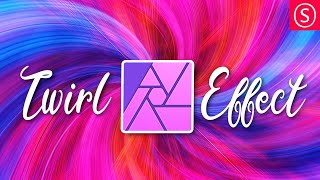
Twirl Effect - Affinity Photo Tutorial
Learn advanced techniques for creating stunning twirl effects in Affinity Photo, including secret tricks to enhance colors, smooth transitions, and achieve eye-catching results for various image types.
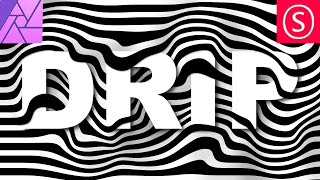
Creative Text Effect - Affinity Photo Beginner Tutorial - 3D Look
Learn to create a striking 3D text effect using Affinity Photo's Liquify Person tool and layer masks. Perfect for beginners seeking to enhance their graphic design skills.