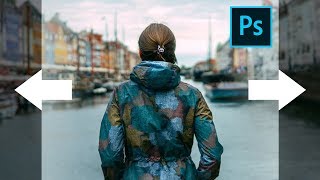
Stretch Complex Images with Buildings or Trees - Photoshop Tutorial
Learn techniques to stretch complex images with buildings or trees using Content-Aware Fill and additional tricks in Photoshop, with three examples covering various scenarios.

Secret Steps to Nail Instagram Quality - Photoshop Tutorial
Learn 6 crucial steps to enhance Instagram photos using Photoshop, covering color accuracy, sharpness, and compression techniques for standout images that maintain quality after upload.
Child Layers Explained - Affinity Photo Tutorial
Comprehensive tutorial on child layers in Affinity Photo, covering basics, practical applications, masking techniques, and troubleshooting common issues like glow effects.

Easy Frame Tricks - Affinity Photo Tutorial
Discover 5 easy techniques for creating stunning frames in Affinity Photo, from pixel layer borders to colorful image masks and layer effect outlines.

How to Create an Action Comic Scene with Scott Serkland
Learn to create dynamic action comic scenes in Photoshop and Illustrator with Scott Serkland. Master techniques for character design, perspective, and composition to bring your comic art to life.
How to Use Overlays to Create Realistic Lighting with Denise Love
Learn to enhance photos with realistic lighting using overlays. Discover techniques for sharpening, adding textures, and creating stunning lighting effects to elevate your photography and digital art.
Krita - Creating a Vector Image - Beginner Level
Learn to create vector images in Krita 4.4.3, covering basic tools and techniques. Perfect for beginners, this tutorial guides you through shape creation, editing, and exporting your first vector artwork.
How to Use Negative Prompts in Midjourney - Tutorial
Learn to use negative prompts in Midjourney AI to remove unwanted elements, refine image outputs, and create more precise scenes. Explore techniques, limitations, and practical examples for better AI-generated art.
Adobe Photoshop's New Generative Fill AI Feature - Tutorial and Demonstration
Explore Photoshop's revolutionary Generative Fill feature, an AI-powered tool that enhances image editing capabilities beyond traditional Content-Aware Fill, transforming your workflow and creative possibilities.

The Lady in Black - Watch Me Prompt Live in Midjourney
Explore "Layered Multiprompts" technique in Midjourney AI art creation. Learn to build complex images step-by-step, from base layer to final touches, enhancing creativity and control.
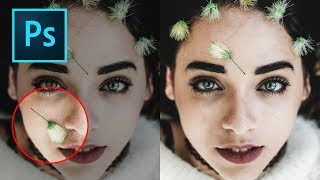
How to Remove Objects in Photoshop Using Content-Aware Fill
Master the updated Content-Aware Fill tool in Photoshop 2019 to seamlessly remove unwanted elements from images. Learn comprehensive settings, toggles, and buttons for optimal results.
Topaz Mask AI Tutorial: Replacing Backgrounds
Learn to replace image backgrounds using Topaz Mask AI. This tutorial demonstrates the software's standalone and plugin capabilities, offering step-by-step guidance for seamless background swapping.
TK8 Dodge and Burn Workshop - Photoshop Techniques with Downloadable PDF Notes
Comprehensive workshop on dodging and burning techniques using TK8 plugin for Photoshop, with downloadable PDF notes for reference. Explores various methods to enhance image quality and contrast.
The Art of Color Grading - TK Friday Tutorial
Explore color grading techniques for enhancing images using TK8 plugin. Practice on provided stock photos to develop your artistic eye and create stunning visual effects.
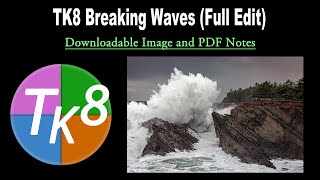
TK Friday: Breaking Waves Image Full Edit - Downloadable Resources Included
Comprehensive tutorial on editing a breaking waves image using TK8 plugin for Photoshop. Includes downloadable materials and step-by-step guidance for enhancing coastal photography.
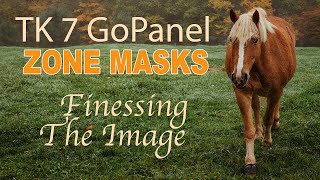
TK7 GO Panel - Zone Masks for Image Finessing
Explore subtle image adjustments using Zone Masks in TK7 GO PANEL. Learn techniques to enhance your photos with precision and finesse for impactful improvements.
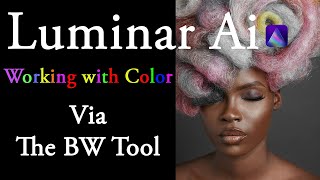
Working with Color via the Black and White Tool in Luminar AI
Explore creative color adjustments and solve color issues using LUMINAR AI's Black and White Tool in this tutorial, featuring practical examples with free stock images.

LUMINAR AI Color Harmony Tool - Deep Dive
Explore LUMINAR AI's Color Harmony Tool for enhancing photo colors. Learn techniques to create visually appealing images with balanced and harmonious color palettes.
Creating a Touching Story Scene in Photoshop
Learn to craft an emotive story scene using photo manipulation and color adjustment techniques in Photoshop, enhancing your digital art skills and creative storytelling abilities.
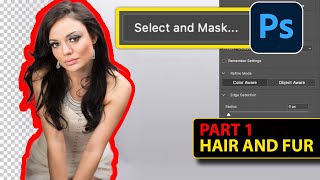
Newest Way to Cut Out People in Photoshop 2024 - Hair and Fur Masterclass Part 1
Master Photoshop's Select and Mask tool for perfect hair and fur cutouts. Learn viewing modes, refinement techniques, and advanced tips to achieve flawless edges in complex selections.

24 Hidden Photoshop Tricks for Professionals
Discover 24 hidden Photoshop features to enhance efficiency in retouching, compositing, digital art, and graphic design. Learn time-saving tricks for color grading, perspective adjustments, and advanced editing techniques.