OSX Wallpaper Creation Tutorial - Part 2
Create a stunning OSX-inspired wallpaper using advanced Photoshop techniques. Learn to blend textures, add depth, and achieve a professional finish in this intermediate-level tutorial.
Sunset Photography Tutorial
Learn techniques to capture stunning sunset photographs, from composition to camera settings, enhancing your landscape photography skills.
Light Streak Text Reveal Tutorial
Learn to create dynamic light streak text reveal effects in After Effects, enhancing your motion graphics skills and adding visual impact to your projects.
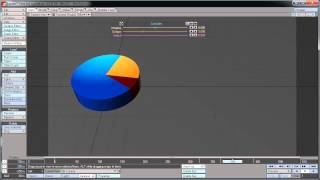
Creating a Dynamic Pie Chart Effect Using Lightwave 3D and Adobe After Effects
Learn to craft dynamic pie chart animations by combining Lightwave 3D's modeling capabilities with After Effects' motion graphics tools for visually compelling data presentations.
Coffee Cup 3D Modeling Tutorial - Part 1
Learn to create a realistic 3D coffee cup using Photoshop and After Effects. Master painting techniques, camera work, and special effects to bring your design to life.
Create a Camera Lens Icon in Photoshop
Learn to design a detailed camera lens icon using Photoshop techniques, enhancing your icon creation skills and digital artistry.
Emulating Depth of Field in Photoshop
Learn to enhance visual impact in photos by mastering selective focus techniques and creating depth of field effects using Photoshop's powerful tools.
HeartBeat Animation Tutorial
Learn to create dynamic, pulsating animations using HeartBeat in After Effects. Master techniques for adding rhythm and life to your motion graphics projects.
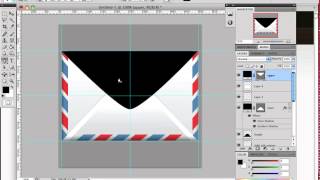
How to Create an Envelope Icon in Photoshop
Learn to craft a stylish envelope icon using Photoshop's selection tools and basic Pen Tool techniques. Master useful design skills while creating a stamp embellishment.
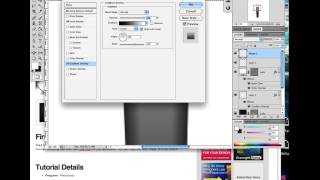
How to Create a Realistic Fountain Pen in Photoshop
Learn to design a realistic calligraphy pen using Photoshop's Pen Tool and Layer Styles. Master lighting and reflection techniques to create stunning, professional-looking icons.
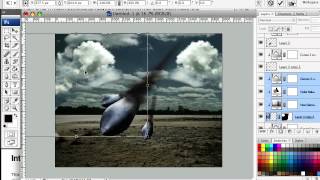
How to Create a Surreal Scene of Flying Bombs on Fire
Learn to craft a surreal digital scene with flaming bombs raining from the sky using Photoshop techniques suitable for beginners and advanced users alike.
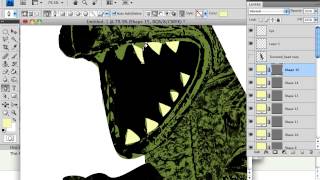
How to Create Contemporary Style Illustrations Without Drawing Skills
Learn to create trendy illustrations using Photoshop, imagination, and basic skills. Discover techniques to develop your unique style without advanced drawing abilities.
How to Create Super-Malleable Effects with Colorful Lines in Photoshop
Learn to craft versatile, eye-catching colorful line effects in Photoshop and incorporate them into stunning illustrations. Master techniques for creating adaptable designs that enhance various projects.
Create a Semi-Photo-Realistic Knife in Photoshop
Learn to illustrate a semi-photo-realistic knife using Photoshop's vector tools, layer styles, textures, and effects in this hands-on tutorial for digital artists and designers.

Spirograph Tutorial - Creating Geometric Patterns with Digital Tools
Create beautiful geometric patterns using the classic Spirograph toy in Adobe Illustrator. Learn techniques for precision, color, and unique designs.
How to Create a Steampunk Style Illustration in Photoshop
Learn to blend elements from different sources into a cohesive Steampunk illustration, mastering light, shadows, and image grading techniques in Photoshop.
Create an Out of Bounds Fantasy Illustration
Learn to craft a surreal fantasy scene where reality blends with art. Master techniques for water effects, absorption, and color manipulation to bring your imaginative concepts to life in digital illustrations.
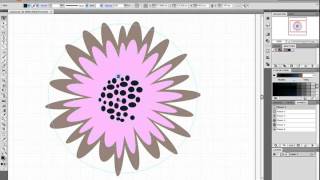
How to Make a Foolproof Flowery Wallpaper Pattern in Illustrator
Create a foolproof flowery wallpaper pattern in Illustrator using tessellation techniques. Learn step-by-step guide creation, flower placement, tile design, and edge refinement for seamless patterns.
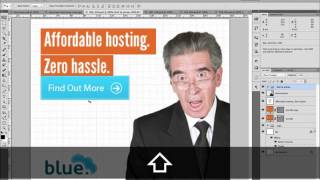
Design a Smart Series of Banner Ads in Photoshop
Learn to create effective ad banner sets for web hosting, covering basic elements and design techniques in Photoshop.
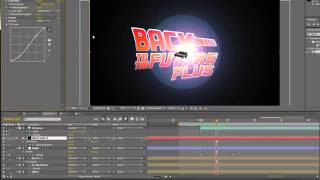
Back to the Future Title Tutorial - Part 2
Create a retro-inspired title sequence inspired by the iconic "Back to the Future" films using Adobe After Effects.
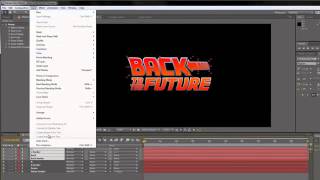
Back to the Future Title Tutorial - Part 1
Create a retro-inspired title sequence reminiscent of the iconic "Back to the Future" film using modern design techniques.