Lightroom, Photoshop, and Topaz Labs Workflow Tutorial
Learn efficient photo editing workflow using Lightroom, Photoshop, and Topaz Labs tools for noise reduction, sharpening, and masking to enhance your images.

Topaz Labs Tutorial: iPhone and Camera Phone Workflow - JPEG to RAW Conversion and Editing
Enhance iPhone photos to RAW quality using Topaz Labs software. Learn to sharpen, edit, and save high-quality images from camera phone shots with this step-by-step workflow tutorial.
Luminar 4 Tutorial - Creative Edits and Topaz Mask AI - Episode 6
Learn advanced creative editing techniques in Luminar 4, including a bonus tutorial on Topaz Mask AI. Enhance your photo editing skills with professional tools and achieve stunning results.
Lightroom, Photoshop, and Topaz Studio 2 - Full Edit Floral Image Tutorial
Learn advanced photo editing techniques for floral images using Lightroom, Photoshop, and Topaz Studio 2 in this comprehensive tutorial.
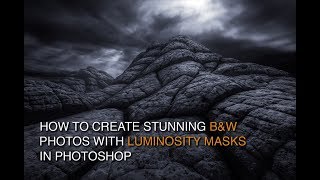
How to Edit Black and White Images with Luminosity Masks
Master black and white image editing with luminosity masks in Photoshop. Learn dodging, burning, contrast enhancement, and toning techniques to create stunning, mood-rich photographs.
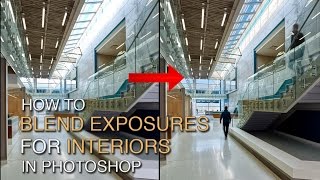
How to Blend Exposures for Interiors in Photoshop Using Luminosity Masks
Learn advanced Photoshop techniques for blending interior and exterior exposures using luminosity masks. Master BlendIf masking and painting through luminosity selections to achieve stunning results in architectural photography.
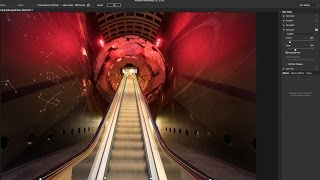
Using Path Blur Filter in Photoshop to Create Dynamic Photos
Learn to create dynamic motion effects in photos using Photoshop's Path Blur filter. Master techniques for realistic movement, exposure blending, and artifact removal to enhance your visual storytelling.

Restoring Sunset Colors with Luminosity Masks in Photoshop
Enhance dull sunset photos using luminosity masks in Photoshop. Learn techniques to add vibrant colors, control intensity, and create natural-looking results for stunning sky transformations.
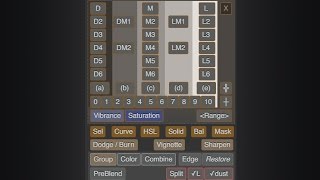
Lumenzia - Luminosity Masking Panel for Photoshop
Simplify luminosity masking in Photoshop with Lumenzia panel. Create custom masks, select zones visually, and achieve professional results effortlessly. Includes tools for vignettes and sharpening.
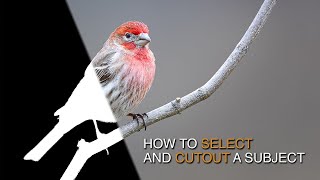
How to Select and Cut Out Subjects Using Lumenzia
Learn advanced techniques for selecting and cutting out subjects, enhancing details, and guiding viewer focus using Lumenzia's luminosity masking tools in Photoshop.
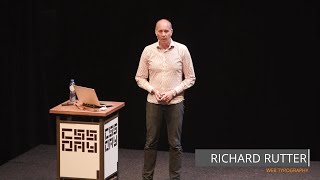
Web Typography - Golden Rules for Effective Design
Explore web typography principles, from paragraph styling to variable fonts, to create beautiful, effective responsive designs that enhance reader experience.
Performance and Web Typography - Balancing Beauty and Speed
Explore the intersection of beautiful web typography and performance, learning OpenType features, optimization techniques, and trade-offs for creating visually appealing and efficient websites.
The State of WebFonts - Current and Future Technologies
Explore the latest advancements and future trends in web typography with insights from a leading expert in the field.

Clock Strikes Twelve- Case Study with Max Niblock
Explore the creation of an award-winning portfolio site with Max Niblock. Learn about design inspiration, overcoming challenges, and effective collaboration in digital design.
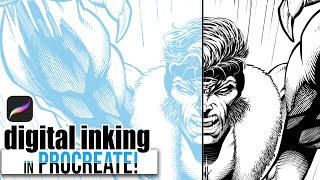
Digital Inking and Cross-Hatching in Procreate - 90s Comic Style Rendering Tutorial
Learn 90's comic-style rendering and cross-hatching techniques using Procreate on iPad Pro. Master digital line art and enhance your comic illustration skills with professional tips and tricks.

Easy 2D Image to 3D Render Workflow Using Open Source Software
Learn to transform 2D images into high-quality 3D renders using open-source software. Master vector conversion, lighting, texturing, and rendering techniques for efficient 3D scene creation.
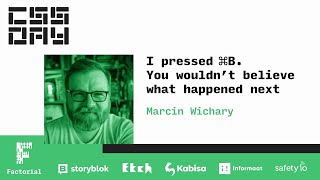
The Surprising Complexity of Keyboard Shortcuts and Typography - Command B in Figma
Explore the surprising complexity behind Figma's ⌘B shortcut, delving into the rich histories of keyboard shortcuts and typography, and unraveling the intricacies of digital design tools.

Escaping the sRGB Prison - Advanced Color Theory for Web Design
Explore the limitations of sRGB color space in web design and learn about advanced color concepts like Lab and OKLab, preparing for future CSS color implementations and expanded creative possibilities.
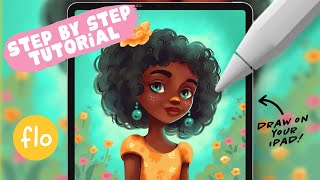
Drawing a Sunny Girl Character in Procreate - Step-by-Step Tutorial
Step-by-step tutorial for creating a sunny girl character in Procreate, covering sketching, coloring, shading, and detailing. Ideal for beginners learning digital art techniques on iPad.

Drawing a Cat with a Pumpkin in Procreate - Halloween Tutorial
Step-by-step guide to create a charming Halloween-themed digital illustration of a cat with a pumpkin using Procreate on iPad, perfect for beginners looking to enhance their digital art skills.

How to Use Figma: UI Design Tutorial for Beginners
Hands-on tutorial for UI design in Figma, covering essential features and techniques to create stunning app interfaces. Perfect for beginners and experienced designers looking to explore this powerful tool.