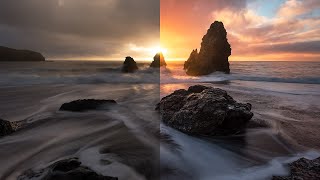
Color Grading in Lightroom and Adobe Camera Raw - New Features Tutorial
Explore advanced color grading techniques in Lightroom and ACR, including midtone control, luminosity adjustments, and blending options for enhanced photo editing.
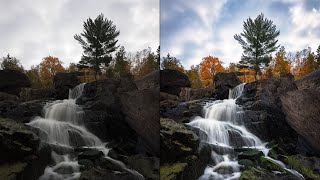
How to Get Great Fall Color with Luminosity Masks
Enhance fall photos using Photoshop and luminosity masks to restore vibrant colors and mood. Learn techniques to transform flat, muddy images into stunning autumn scenes.
NIK Collection 4 - Silver Efex Pro 3 Tutorial: Black and White Conversion
Comprehensive tutorial on NIK SILVER EFEX PRO 3 for black and white photo conversion. Explores presets, demonstrates updated Control Points for precise targeted adjustments, and showcases the software's capabilities.
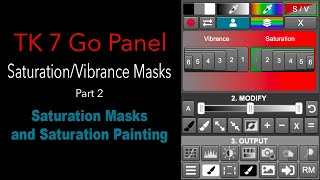
Saturation and Vibrance Masks for Color Balance - TK7 Go Panel Tutorial Part 2
Explore Saturation and Vibrance masks to enhance color balance in your images using the TK7 Go Panel. Learn quick and easy techniques for improved photo editing.
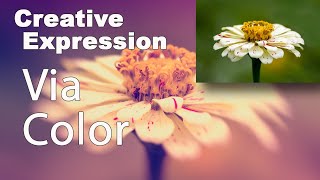
Creative Expression via Color Using NIK Collection Color Efex Pro 4
Explore creative artistic expression through color using the NIK Collection's Color Efex Pro 4. Learn techniques to enhance and transform your digital photography with powerful color editing tools.

Getting Started in Photoshop 2023: The Toolbar - Lesson 2
Explore Photoshop's toolbar, learning tool functions and shortcuts. Master essential features like Move, Select, Brush, and Shape tools for efficient digital design and photo editing.

Creating a Sci-Fi Composite with Generative Fill in Photoshop
Learn to create a sci-fi composite using Photoshop's Generative Fill, silhouette brushes, and advanced techniques for glows and Saturn rings. Master digital art skills for stunning alien landscapes.

Controlling Generative Fill in Photoshop - Watercolor Tutorial
Learn to create watercolor paintings from photos using Photoshop's Generative Fill, exploring intensity control and the quickmask tool for stunning digital art transformations.

How to Create a 3D Letter Effect in Photoshop
Learn to recreate the 3D lettering effect from the Sharper movie poster using Photoshop tools like transform, distort, blur gallery, masking, and gradient map for coloring.

Barbie Movie Poster Photoshop Tutorial
Learn to recreate Barbie movie character posters using Photoshop. Master selections, gradients, fibers, and noise techniques while creating eye-catching designs quickly and efficiently.

Family Marvel Poster Compositing Tutorial
Learn to create a personalized Marvel-inspired family poster using Photoshop, from theme selection and photoshoot to compositing techniques and adding Easter eggs.

How to Use the Hard Mix Blending Mode in Photoshop
Explore the powerful Hard Mix blending mode in Photoshop to create custom starburst halftone effects. Learn advanced blending techniques and texture manipulation for unique designs.

Opacity vs Fill in Photoshop - Demystifying Differences and Effects
Explore the nuanced differences between Opacity and Fill in Photoshop, focusing on their unique effects with specific blending modes. Learn to create impossible visual effects by leveraging these distinctions.

How to Create an Animal-Human Hybrid Portrait in Photoshop
Learn to seamlessly blend animal and human features in Photoshop, mastering selection, masks, paths, channels, blending, color matching, and sharpening for stunning hybrid portraits.

Putting Your Face in a Classical Painting Using Photoshop
Learn to seamlessly integrate your portrait into classical paintings using Photoshop techniques. Master the art of digital time travel by blending modern photos with historical artworks for stunning, realistic results.

How to Use "Blend If" in Photoshop - Recreating the "OLD" Movie Poster
Learn to recreate the "OLD" movie poster using Photoshop's "Blend If" feature, along with techniques for curves, color, gradients, and masks to achieve professional-level design results.

Photoshop Texture Tutorial - Recreating the Cherry Movie Poster
Learn to recreate the Cherry movie poster using Photoshop techniques like cropping, transform, curves, guides, masks, and gradient maps. Enhance your design skills with professional texture application.

Adding Lightning Effects with Photoshop and Optics
Learn to enhance scenes with realistic lightning effects using Optics filters and integrate them seamlessly into Photoshop composites. Master advanced techniques for creating dramatic, cinematic imagery.

Maleficent-Inspired Composite Tutorial - Photoshop and Optics by Boris FX
Learn to create a Maleficent-inspired composite using Photoshop and Optics plugin. Master compositing techniques, atmosphere addition, depth enhancement, and color grading in this comprehensive tutorial.

Harry Potter Patronus Effect in Photoshop - Tutorial
Learn to create a magical Harry Potter-inspired Patronus effect in Photoshop using advanced techniques for compositing, color grading, lighting, and lettering. Master atmospheric effects to enhance your digital art skills.

Dispersion Effect Tutorial in Photoshop
Learn to create a stunning dispersion effect in Photoshop, transforming images into particle clouds. Master techniques for background removal, liquify filters, custom brushes, and color grading to enhance your digital art skills.