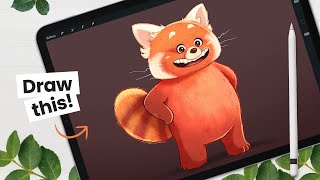
How to Draw the Red Panda from Turning Red - Character Breakdown
Learn to draw the red panda from "Turning Red" with step-by-step instructions. Master sketching, shading, and digital art techniques using Procreate on iPad Pro. Ideal for character design enthusiasts and aspiring animators.
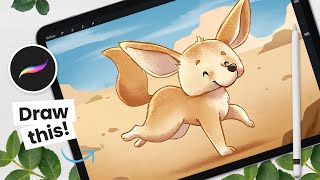
How to Draw a Cute Fennec - From Sketching to Shading - Procreate Tutorial
Step-by-step Procreate tutorial for drawing a cute fennec fox, covering sketching, coloring, outlining, shading, and background creation. Includes digital art tips and character design strategies.

How to Draw Your Fantasy Animal - From Sketching to Shading
Learn to create a fantasy animal in Procreate with step-by-step guidance on sketching, shading, and digital art techniques. Master clipping masks, blending modes, and texturing for a unique, stylized creature.
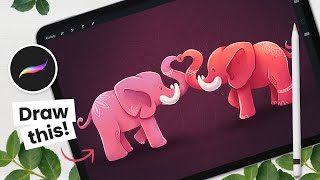
How to Draw Love Elephants Using Symmetry - Procreate Tutorial
Learn to draw adorable love elephants using Procreate's symmetry tool. Master sketching, shading, and digital art techniques while creating a charming Valentine's Day illustration with step-by-step guidance.

How to Draw a Cute Raccoon - Digital Art Tutorial
Step-by-step digital art tutorial for drawing a cute raccoon, covering sketching, outlining, coloring, and shading techniques. Includes Procreate tips and tricks for creating charming animal illustrations.
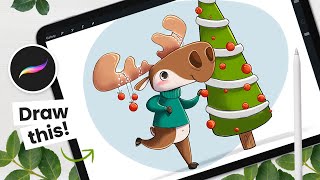
How to Draw a Cute Holiday Moose - Procreate Tutorial
Learn to create a charming holiday moose illustration using Procreate on iPad. This step-by-step tutorial covers sketching, coloring, detailing, and shading techniques for digital artists of all levels.
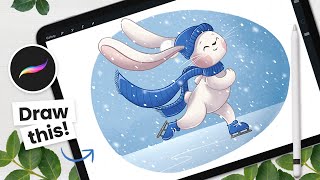
How to Draw a Cute Winter Bunny - Procreate Tutorial - Draw With Me
Learn to create a charming winter bunny illustration using Procreate on iPad. This step-by-step tutorial covers sketching, coloring, and shading techniques for digital artists of all levels.
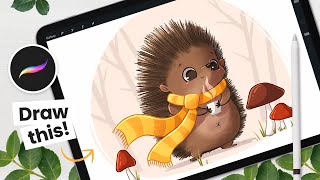
How to Draw a Cute Hedgehog - Procreate Tutorial
Learn to draw a charming autumn hedgehog using Procreate on iPad. This step-by-step tutorial covers sketching, coloring, detailing, shading, and background painting techniques for digital artists of all levels.
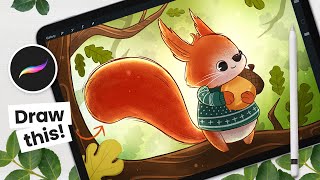
How to Draw a Squirrel - Procreate Illustration Tutorial - Draw With Me
Aprenda a ilustrar um esquilo fofo de outono no iPad usando Procreate neste tutorial passo a passo. Técnicas de esboço, coloração, fundo, detalhes e sombreamento são abordadas com instruções em áudio.
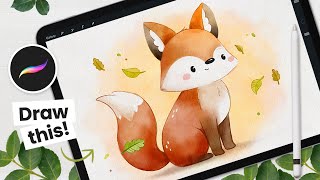
How to Draw a Watercolor Fox - Procreate Tutorial
Learn to create a charming watercolor fox illustration in Procreate with step-by-step guidance on sketching, coloring, detailing, and background painting techniques for digital artists.
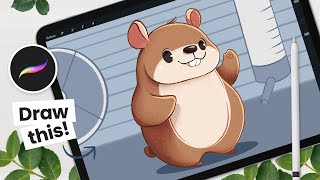
How to Draw a Cute Hamster - Procreate Tutorial
Learn to draw an adorable hamster using Procreate in this step-by-step tutorial. Master sketching, coloring, detailing, shading, and creating a background for your cute digital illustration.
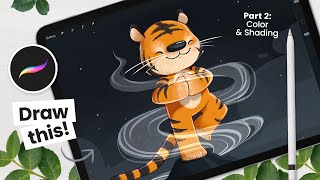
How to Draw a Zen Tiger - Part 2: Colors, Shading & Background
Learn digital art techniques for coloring, shading, and adding background to a tiger illustration. Master Procreate tools and create stunning artwork with step-by-step guidance from an experienced artist.
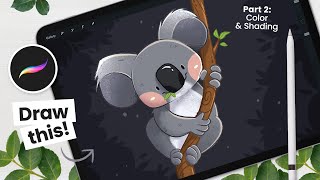
How to Draw a Cute Koala - Part 2: Colors & Shading
Learn to color and shade a cute koala drawing in Procreate with step-by-step instructions. Master digital art techniques for adding depth, texture, and charm to your illustrations.
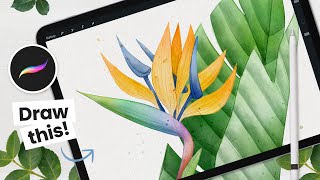
How to Draw - Watercolor Strelitzia - Bird of Paradise - Procreate Tutorial
Learn to create stunning digital watercolor art of a Bird of Paradise flower using Procreate. Master sketching, coloring, and adding realistic watercolor effects to produce elegant illustrations for various purposes.
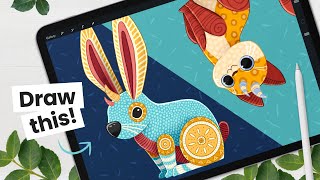
Draw Your Own Alebrije - Art Tutorial - Learn About Color Palettes & Masks
Create colorful Mexican-inspired creatures with step-by-step instructions. Learn sketching, color palettes, shading, outlining, and pattern techniques to bring your unique Alebrije to life in digital art.
Marshall Creates Dynamic Countdown Graphics with Ecamm
Learn to create engaging countdown graphics for live streams using Ecamm. Covers logo enhancement, background selection, Canva design, scene creation, music addition, and timer font tips for professional-looking countdowns.

Marshall Creates Live Video Podcast Branding with Ecamm
Graphic designer Marshall Fox demonstrates live creation of logos, overlays, and scenes for video podcasts using Ecamm, offering insights and tips for professional-looking digital content.

Creating Show Intro Videos with Ecamm Live
Learn to create dynamic show intro videos using Ecamm Live plugins. Graphic designer Marshall Fox demonstrates techniques for professional-looking livestream and recording intros, focusing on logo enhancement and plugin utilization.

Amazon Live Graphics and Overlays - Creating Custom Visuals for Livestreams
Learn to create engaging custom graphics and overlays for Amazon Live streams using Ecamm. Explore hexagons, lower thirds, text overlays, crop overlays, and more to enhance viewer engagement and professionalism.

Animated Overlays with Ecamm
Learn to create engaging animated overlays for livestreams using plugins and techniques. Enhance your digital presence with professional-looking graphics and boost audience engagement.

Video Editing Hacks with Ecamm
Discover video editing hacks and tips from Marshall Fox, including candid shots, plug-ins, green screen techniques, and auto-focus correction for creating professional-looking content.