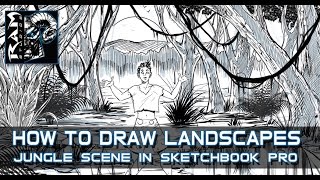
How to Draw Landscapes - Jungle Scene - Using Sketchbook Pro 7
Learn to create a jungle landscape for comic book illustrations using Sketchbook Pro 7. Explore textures, variations, and fundamental sketching techniques applicable to any drawing method.
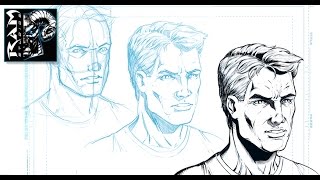
How to Draw a Character - Male Face Angled - Using Sketchbook Pro 7
Learn techniques for drawing a male character's angled face using Sketchbook Pro 7. Discover refinement processes and time management tips for creating comic book and storyboard artwork.
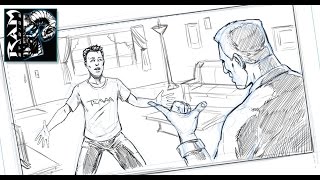
How to Draw Comics - The Quick Read - Manga Studio - Tutorial
Learn to create effective comic sketches using the "Quick Read" technique. Master fundamental sketching, composition, and avoid over-detailing for stronger illustrations using Manga Studio 5 EX.
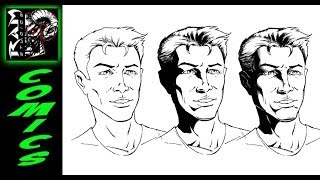
How to Shade Comic Book Art - Tutorial in Sketchbook Pro
Learn techniques for creating shadow shapes and adding detailed shading to comic book illustrations using Sketchbook Pro, demonstrated on a character's face by artist Robert Marzullo.
Creating a Comic Book Page with Midjourney, Comic Life 3, and Photoshop
Learn to craft a comic book page using AI-generated imagery, specialized software, and professional editing tools in this hands-on creative workshop.
Creating Consistent Characters for Comics with Midjourney Version 4
Learn to design consistent characters for comics and graphic novels using personal photos in Midjourney v4, enhancing your visual storytelling skills.
Grease Pencil - Mastering Brush Settings in Blender
Explore Grease Pencil brush settings in Blender, learn troubleshooting techniques, and discover how to customize brushes for optimal results in this informative livestream.
Importing SVG as a Grease Pencil Object in Blender
Learn to import and manipulate SVG files as Grease Pencil objects in Blender, exploring vector file workflows, curve editing techniques, and essential tips for effective integration.
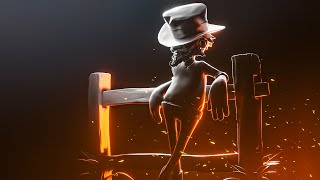
Lighting with Blender 2.8 and Eevee - Recreating Expert Lighting Techniques
Learn to recreate striking lighting in Blender 2.8 using Eevee. Master lamp-only rendering, volumetric fog accents, and procedural sparks through expert analysis and imitation of impressive lighting styles.
Texture Painting Stylized Characters in Blender - Week 4
Learn techniques for adding color and texture to 3D characters in Blender, including hand-painting, map baking, photo-sourcing, and exploring vertex colors and UV textures.

Android Development for Beginners - Drawing Buttons with Inkscape
Learn to create custom Android buttons using Inkscape, covering essential techniques for designing attractive and functional user interfaces.
Inkscape Filter Editor Tutorial - Part 6
Explore Inkscape's Filter Editor, covering primitives like Gaussian Blur, Blend, Turbulence, and Lighting effects to enhance your vector graphics skills.
After Effects 2021 Tutorial - Rotoscoping and Content Aware Fill
Learn advanced video editing techniques: rotoscoping, content-aware fill, and Roto Brush tool. Master cutting, merging, and blending video content for professional-level effects in After Effects.
Inkscape Tiled Clone Tool Tutorial - Part 5
Learn to create complex patterns, flowers, and spirals using Inkscape's Tiled Clone Tool. Master cloning, symmetry, scaling, rotation, and more in this comprehensive tutorial.
Inkscape Video Tutorial 4 - Bezier Tool, Node Tool, and Path Effects
Learn to master Bezier and Node tools, explore Inkscape Path Effects, and solve common errors. Gain practical skills with hands-on examples for various effects like Pattern Along Path, Gears, and Spiro Spline.
Inkscape Video Tutorial - Part 3: Advanced Tools and Color Management
Learn advanced Inkscape techniques: Pathfinder tools, color models, blur effects, gradients, and more. Master essential design skills for creating stunning vector graphics and illustrations.
Inkscape Video Tutorial - Part 2: Advanced Tools and Techniques
Learn advanced Inkscape techniques including keyboard shortcuts, document properties, object selection tricks, guides, rulers, alignment, transformation, and creating rows and columns.

Inkscape Tutorial - Introduction and Basic Tools
Comprehensive introduction to Inkscape's interface, tools, and basic functions for creating vector graphics and designs, with shortcuts and practical tips.
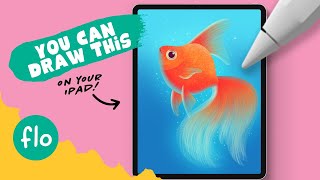
You Can Draw This Goldfish in Procreate
Step-by-step tutorial for beginners to draw a goldfish in Procreate, featuring free brushes and digital painting techniques. Learn texturing, layer blending, and more.
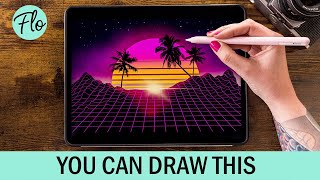
Retrowave Landscape in Procreate
Step-by-step tutorial for creating a retrowave landscape in Procreate, featuring free brushes and beginner-friendly techniques. Learn digital drawing skills while crafting a vibrant, nostalgic illustration.
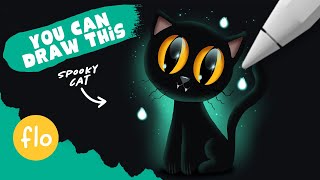
You Can Draw This Cat in Procreate
Learn to draw a black cat step-by-step in Procreate with easy-to-follow techniques. Includes layer blending, clipping masks, and a free brush to enhance your digital art skills.