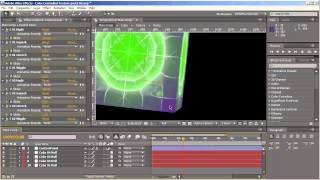
Color Controlled Tutorial - Creating Dynamic Cube Animations
Learn advanced techniques for creating dynamic, colorful animations in After Effects, including expressions, squashing, bounce effects, and adding visual elements like lights and shadows.
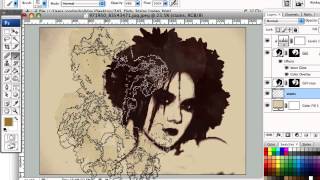
Creating Dirty Stains Design in Photoshop - Grunge Effects Tutorial
Learn to create eye-catching grunge designs using stain-based techniques in Photoshop. Transform photos with filters, brushes, and textures for unique monochromatic effects in this hands-on tutorial.
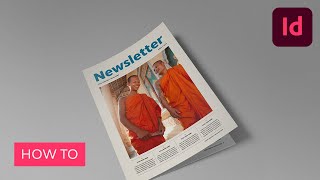
Create a Monthly Newsletter Template in Adobe InDesign
Learn to design a professional, easily editable monthly newsletter template in Adobe InDesign using grids, master pages, layers, color swatches, and paragraph styles for consistent, clean layouts.

Flyer Design in Photoshop - Create Music Festival and Art Deco Party Invitations
Learn to create stunning party flyers using Photoshop tools, stock items, and 3D assets. Master flyer sizes, organization, and design two eye-catching examples: a music festival flyer and an Art Deco invitation.

Anyone Can Draw This Iris in Procreate
Step-by-step tutorial for beginners to draw a realistic iris using Procreate on iPad. Learn techniques like feathering, smudging, layer masks, and perspective blur with free brushes.
Creating a 2D Snowflake Pattern in Blender 2.4 - CGC Classic
Learn to create and render a 2D snowflake pattern using Blender 2.48 in this archived tutorial. Gain skills in 2D design and rendering techniques while following along with provided source files.
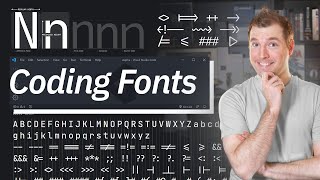
Programming Fonts Developers Should Use for Coding
Explore top programming fonts like Fira Code, Hack, and JetBrains Mono. Learn their unique features and benefits to enhance your coding experience and productivity.
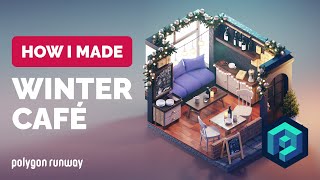
Winter Café Illustration in Blender 3.3 - 3D Modeling Process - Polygon Runway
Learn to create a cozy winter-themed café illustration using Blender 3.3. This tutorial guides you through the 3D modeling process for an isometric room design with festive elements.
Adobe Photoshop's New Generative Fill AI Feature - Tutorial and Demonstration
Explore Photoshop's revolutionary Generative Fill feature, an AI-powered tool that enhances image editing capabilities beyond traditional Content-Aware Fill, transforming your workflow and creative possibilities.

The Lady in Black - Watch Me Prompt Live in Midjourney
Explore "Layered Multiprompts" technique in Midjourney AI art creation. Learn to build complex images step-by-step, from base layer to final touches, enhancing creativity and control.
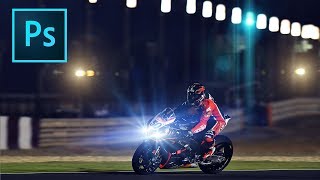
How to Add Lens Flares in Photoshop
Learn to enhance photos with realistic lens flares in Photoshop, adding depth and atmosphere to your images. Master techniques for creating stunning visual effects in digital photography.
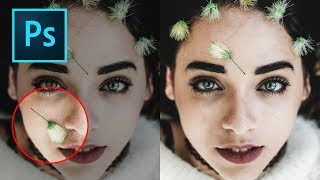
How to Remove Objects in Photoshop Using Content-Aware Fill
Master the updated Content-Aware Fill tool in Photoshop 2019 to seamlessly remove unwanted elements from images. Learn comprehensive settings, toggles, and buttons for optimal results.
Photoshop Shortcuts - The 30 Most Useful Ones to Get You Started
Learn 30 essential Photoshop shortcuts for efficient workflow, including tool selection, layer manipulation, color filling, and canvas navigation. Master these time-saving techniques to enhance your design skills.
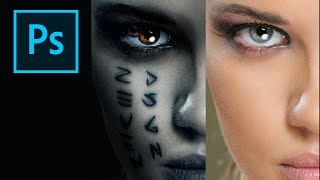
How to Create the Mummy Poster in Photoshop
Learn to recreate the iconic Mummy movie poster using Photoshop techniques. Master digital art skills and enhance your graphic design abilities in this step-by-step tutorial.
Topaz Mask AI Tutorial: Replacing Backgrounds
Learn to replace image backgrounds using Topaz Mask AI. This tutorial demonstrates the software's standalone and plugin capabilities, offering step-by-step guidance for seamless background swapping.
TK8 Dodge and Burn Workshop - Photoshop Techniques with Downloadable PDF Notes
Comprehensive workshop on dodging and burning techniques using TK8 plugin for Photoshop, with downloadable PDF notes for reference. Explores various methods to enhance image quality and contrast.
The Art of Color Grading - TK Friday Tutorial
Explore color grading techniques for enhancing images using TK8 plugin. Practice on provided stock photos to develop your artistic eye and create stunning visual effects.
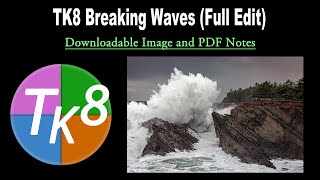
TK Friday: Breaking Waves Image Full Edit - Downloadable Resources Included
Comprehensive tutorial on editing a breaking waves image using TK8 plugin for Photoshop. Includes downloadable materials and step-by-step guidance for enhancing coastal photography.
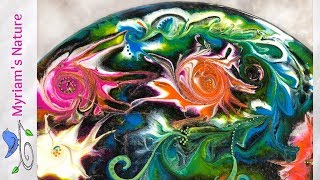
Resin Art - Using Acrylic Paint to Color Your Resin
Learn to color resin with acrylic paint, a budget-friendly alternative offering diverse color options. This tutorial demonstrates techniques using ARTEZA Premium Acrylic Paints for vibrant and economical resin art creations.
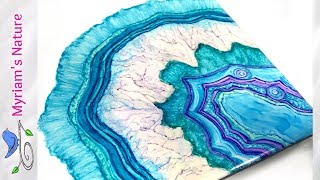
Alcohol Ink - Let’s Paint a Geode - Step-by-Step Tutorial - Kielty Layering Solution
Learn to paint a stunning geode using alcohol inks and layering solution. Master techniques for creating texture, depth, and vibrant colors in this step-by-step tutorial for beginners and experienced artists alike.
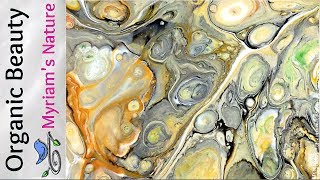
Stunning Earthtone Cells - Dimethicone & Fluid Acrylic Painting
Learn to create mesmerizing earthtone cells in fluid acrylic paintings using dimethicone. Discover techniques for achieving seashell-like effects and calming color combinations in this detailed tutorial.