How to Understand DPI and PPI Correctly - Easy Beginners Tutorial - Worst Myths Cleared Up
Clear up common misconceptions about DPI and PPI in digital imaging. Learn how resolution, pixel size, and print quality relate, and get practical tips for setting optimal DPI/PPI for various uses.
Background Removal - Topaz Mask AI vs Affinity Photo Selection Brush vs Remove.bg
Comparative analysis of background removal tools: Topaz Mask AI, Affinity Photo Selection Brush, and Remove.bg, evaluating their effectiveness and results for various image editing needs.

Stable Diffusion 1.5 - Install, Comparison, Guide - Everything You Need to Know
Comprehensive guide on installing, comparing, and using Stable Diffusion 1.5, including inpainting features and performance comparisons with version 1.4.
Ubuntu Studio on Pentium Gold PC
Explore Ubuntu Studio's installation, features, and video editing capabilities on a Pentium Gold PC, showcasing its bundled applications for content creation and multimedia production.
Designing a Metroidvania Game With AI - Stable Diffusion Walkthrough
Explore AI-powered game design using Stable Diffusion to create stunning Metroidvania-style visuals, from concept sketches to detailed environments and atmospheric effects.
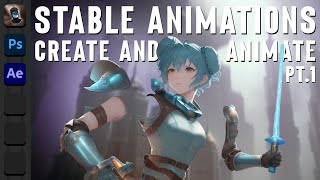
Anime Character Design and Animation with Stable Diffusion, Photoshop, and After Effects - Part 1
Learn to design and animate anime characters using Stable Diffusion, Photoshop, and After Effects. Master character generation, refinement, background creation, and layer separation techniques.
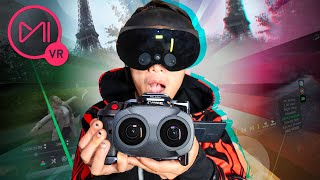
Calibrate Stereoscopic 3D VR180 with Canon Dual Fisheye, Meta Quest Pro and Mistika VR for Beginners
Learn to calibrate stereoscopic 3D VR180 using Canon Dual Fisheye lens, Meta Quest Pro, and Mistika VR. Master image circle calibration, color settings, stereo 3D adjustments, and VR180 rendering for professional results.
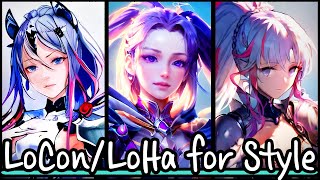
Stable Diffusion- LyCORIS for Style - LoRA Part 2
Explore advanced techniques in Stable Diffusion, focusing on LyCORIS for style transfer. Learn about LoCon and LoHa, analyze grid results, and optimize hyperparameters for improved AI-generated art.
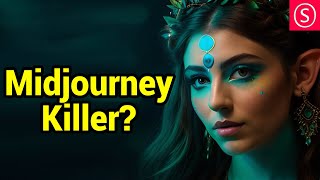
Offset Noise for Stable Diffusion - Model, LORA and Embeddings
Explore Offset Noise in Stable Diffusion to create dramatic lighting and high dynamic range in AI-generated images. Learn about Illuminati Diffusion v1.1 model and epi_noiseoffset LORA for enhanced artistic results.

Getting Started with Variable Fonts on the Web
Explore variable fonts for web typography: learn about their features, implementation, and advantages. Discover resources, conversion techniques, and practical usage tips for enhanced design flexibility.

Layouts with CSS Grid
Explore advanced CSS Grid techniques for creating dynamic layouts, including sticky positioning and typography-based designs. Hands-on examples and CodePen challenges included.

Self-Hosting Fonts Explained - Including Google Fonts - @font-face Tutorial
Learn to self-host fonts, including Google fonts, using @font-face. Convert font files, add them to your project, and set up CSS rules for seamless integration and improved performance.
Supercharge Your CSS with Open Props
Explore Open Props to enhance CSS with pre-built custom properties. Learn setup, customization, typography, and responsive design for efficient styling and improved workflow.
Turn Any Image Into an Automated Masterpiece
Explore Photoshop's Style Transfer Neural Filter to transform images using AI. Learn presets, custom styles, and blending techniques for unique artistic results.
Is AI Better at Content Aware Fill Than Photoshop?
Explore AI-powered image extension with Dall·E's Outpainting, comparing it to Photoshop's Content-Aware Fill. Learn techniques for expanding photos and creating new details using cutting-edge AI technology.
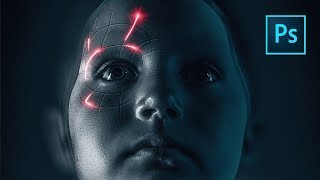
Perfect Movie Poster Tutorial
Learn advanced Photoshop techniques to recreate a movie poster, covering tools like frequency separation, gradient maps, and Camera RAW filter. Enhance your photo editing and design skills through practical application.
Texture Magic: Creating Artistic Effects with Generative Fill in Photoshop Beta
Explore Photoshop Beta's Generative Fill to create stunning artistic textures. Learn step-by-step techniques for enhancing your artwork with AI-powered effects, suitable for all skill levels.
ComfyUI Master Tutorial - Stable Diffusion XL - Install on PC, Google Colab and RunPod
Comprehensive guide on installing and using ComfyUI with SDXL on various platforms. Learn advanced Stable Diffusion techniques, including inpainting, LoRAs, and workflow optimization.
Ultimate Dreambooth Guide for AI Art Creation
Comprehensive guide to creating AI art with Dreambooth and Stable Diffusion, covering photo preparation, Google Colab method, local installation, troubleshooting, and image generation techniques.
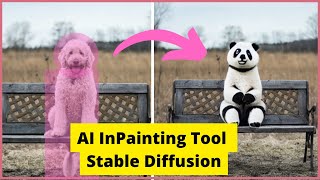
Replace ANYTHING with Stable Diffusion AI InPainting Tool Using Gradio
Learn to create an AI in-painting tool using Hugging Face Gradio and Diffusers, enabling you to replace any element in an image with Stable Diffusion technology.
Palette Definitions for Amstrad CPC and CPC+ - Lesson P13
Explore CPC and CPC+ color palettes, learn to enable CPC+ features, and convert RGB definitions for compatibility across both systems in this graphics programming lesson.