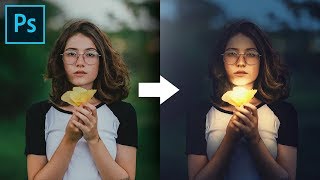
Shape the Light with Creative Color Grading in Photoshop
Master creative color grading in Photoshop to transform light and atmosphere. Learn curves, masks, and blend modes to enhance drama and create stunning visual effects in your images.
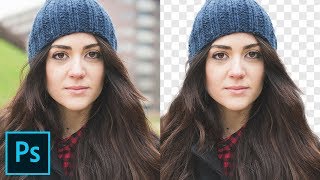
Cut Out Hair with Very Busy Background in Photoshop
Advanced hair masking technique for complex backgrounds using custom brushes and painting methods to achieve natural-looking results in Photoshop.
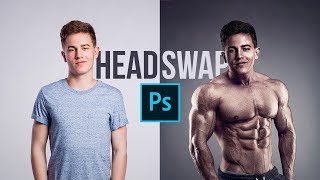
Make the Perfect Head Swap in Photoshop
Master head swapping in Photoshop with techniques for perfect placement, brightness matching, color adjustment, and lighting refinement. Learn to seamlessly blend faces onto new bodies for realistic results.

Talking Design with Dave Clayton
Renowned designer Dave Clayton discusses graphic design, fonts, software, and creative insights in this engaging interview at Photoshop World Conference in Orlando.
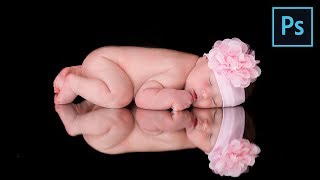
How to Retouch Newborn Photos in Photoshop
Learn comprehensive newborn photo retouching in Photoshop: from Camera Raw adjustments to skin softening, color correction, and advanced sharpening techniques for stunning results.
Complete Guide to Clone Stamp Tool in Photoshop
Comprehensive tutorial on Photoshop's Clone Stamp Tool, covering basics to advanced techniques. Learn to remove distractions, tattoos, and facial hair while mastering blend modes and the Clone Source panel.
Photoshop Masterclass - Creating a Beautiful Surreal Scene Using Blending Modes
Learn to create surreal scenes in Photoshop using blending modes, adjustment layers, and distortion tools. Master professional techniques to bring your imagination to life with expert guidance from Jesús Ramirez.
Logo Design in Illustrator for iPad with Alice Thorpe
Learn to create compelling logos on-the-go using Illustrator for iPad. Master inspiration gathering, drafting, evaluation, refinement, and client presentation techniques for professional logo design.
How to Animate a Landscape Painting in Adobe After Effects
Learn to bring digital paintings to life in Adobe After Effects. Master techniques for animating grass, sunlight, particles, clouds, and creating seamless loops, enhancing your digital art skills.
How to Create Animated Slideshow Transitions in After Effects
Learn to create dynamic slideshow transitions in After Effects, from scratch and using templates. Master keyframes, shapes, and colors to enhance your presentations and videos.
Urban Jungle - Creating Animated Sequences in After Effects - Part 1
Explore urban animation techniques, from importing sequences to creating shelter positions, in this comprehensive tutorial on crafting dynamic city scenes.
Create Awesome Animations in Adobe XD
Learn to create engaging animations in Adobe XD, from fade effects to scrolling cards, enhancing your UI/UX design skills and bringing your projects to life.
Creating a Dynamic Pie Chart Effect Using Lightwave 3D and Adobe After Effects - Day 1
Learn to create dynamic pie charts using Lightwave 3D and After Effects. Master modeling, slicing, radial arrays, morph maps, lighting, UI design, and expressions for interactive data visualization.
Retro VHS Logo Animation Tutorial in After Effects
Create a retro VHS-style logo animation using After Effects, Illustrator, and audio effects for an authentic vintage look and feel.
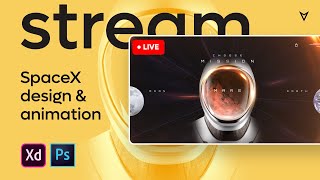
Adobe XD Design and Animation Tutorial - SpaceX Redesign Challenge
Learn to redesign and animate the SpaceX website using Adobe XD. Master techniques for sliders, star effects, zoom transitions, and more in this comprehensive design tutorial.
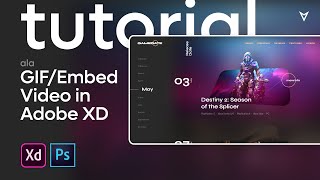
Animation Tutorial - How to Insert Gif / Video in Adobe XD
Learn advanced Adobe XD animation techniques, including inserting GIFs/videos, creating parallax effects, and designing interactive prototypes for a game platform concept using auto-animate transitions.
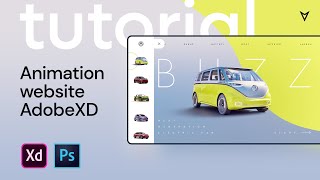
Adobe XD Animation Tutorial - Auto Animate for Website
Learn Adobe XD auto-animate techniques for website design, including menu, map, battery, and parallax animations. Create engaging project presentations with step-by-step guidance.

Photoshop Tutorial Web Design for Amazon Presentation
Learn to design an Amazon product presentation in Photoshop, covering layout, product showcasing, textures, and features for a professional e-commerce design.
How to Create the Moon Knight Titlecard in Blender - Tutorial
Learn to recreate Moon Knight's titlecard using Blender, with additional steps in Illustrator and After Effects. Covers 3D modeling, texturing, lighting, and animation techniques for motion graphics.
How to Animate a Complete Scene - Adobe Animate Tutorial
Learn to animate a complete scene in Adobe Animate, covering frame-by-frame techniques, tweening, and working with graphics. Master essential skills to create engaging animations and bring your ideas to life.

Designing a Portfolio Website with Adobe XD
Learn to design a portfolio website using Adobe XD. Explore color schemes, typography, layout, and essential elements while gaining insights into the design process and decision-making behind creating an effective online portfolio.