
Adobe Animate 2021 - Colour, Gradients and Effects - Beginners Tutorial
Learn to use color, gradients, and effects in Adobe Animate 2021. Explore color theory, palette selection, gradient creation, and applying various effects to enhance your animations.
Principles of Animation - The Complete Series
Explore 12 animation principles to enhance realism and engagement in your projects. Learn techniques for creating compelling motion graphics using Adobe tools.
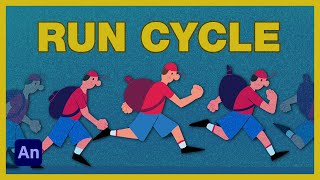
How to Animate a Run Cycle
Learn to create a basic run cycle animation using Adobe Animate, covering key poses, fluid movement, and secondary animation techniques for a polished character animation.
Intro to Adobe Animate 2021 - Beginners Complete Tutorial
Comprehensive guide to Adobe Animate 2021, covering basics to advanced techniques. Learn frame-by-frame animation, tweening, color theory, rigging, sound integration, camera work, and exporting for various platforms.
Adobe Animate 2021 - Symbols and Tweens - Beginners Tutorial
Learn to create dynamic animations using symbols and tweens in Adobe Animate 2021. Master essential techniques like movie clips, classic tweens, and frame picking for professional-looking results.
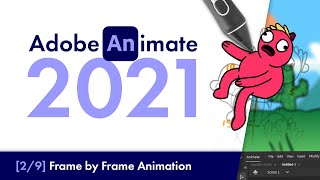
Adobe Animate 2021 - Frame by Frame Animation - Beginners Tutorial
Comprehensive tutorial on frame-by-frame animation in Adobe Animate 2021, covering character body, head, limbs, and facial animation techniques for beginners.
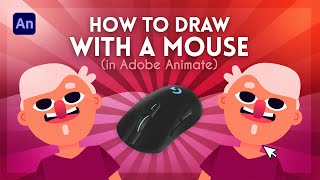
How to Draw With a Mouse in Adobe Animate
Learn effective techniques for creating artwork in Adobe Animate using a mouse, including shape building, masking, gradients, and detailing. Discover how to achieve professional results without a graphics tablet.

Learn How to Animate with Adobe Character Animator Tutorial 2022
Comprehensive tutorial on Adobe Character Animator, covering setup, lip-syncing, walk cycles, scenery, and exporting. Includes free Vambie character puppets for practice and potential Adobe CC subscription giveaway.

How to Make a 2D Vtuber Model - Part 2
Learn to rig and animate a 2D VTuber model using Adobe Character Animator. Master importing, layering, rigging, and advanced techniques for creating lifelike virtual characters.

How to Make a 2D Virtual Model
Learn to create advanced 2D cartoon vtuber avatars using Adobe Animate. Master facial rigging techniques, including eyebrows, eyes, and mouth, and export animations for use in Character Animator.
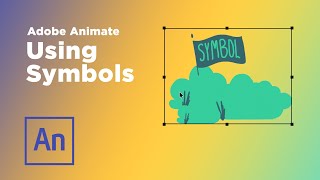
Using Symbols in Adobe Animate
Explore symbol types in Adobe Animate for efficient animation workflows. Learn to create reusable assets, loop animations, and build character rigs to streamline your production process.

Adobe Animate Course for Beginners - Complete Animation Tutorial
Comprehensive Adobe Animate tutorial covering interface, tools, animation principles, and techniques for beginners. Learn to create professional animations from start to export.
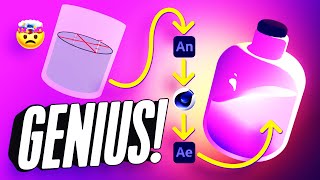
How to Add 2D Frame-by-Frame Animation to Your 3D Renders
Learn to combine 2D frame-by-frame animation with 3D renders using Adobe Animate, Cinema 4D, and After Effects to create a mesmerizing looping animation of a magical bottle.
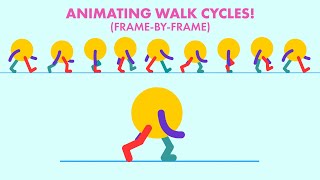
Animating a Traditional Styled Walk Cycle with Adobe Animate
Learn to create a basic walk cycle animation using Adobe Animate, covering essential poses and techniques for effective character movement.
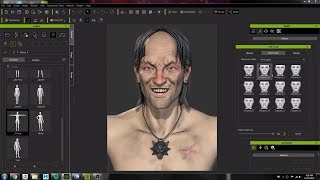
Character Creator 3 Workflow: Modeling and Animating a Witcher Character Concept
Crystal Bretz demonstrates modeling and animating a character from The Witcher series using Character Creator 3, ZBrush, and Substance Painter, showcasing the software's capabilities for 3D character creation.
ComfyUI and Animate Diff Guide - Creating AI Animations
Learn to create stunning AI animations using ComfyUI and Animate Diff Evolve. Master installation, workflows, and advanced techniques for text-to-video and video-to-video animations.

Beginner's Guide to Adobe Animate - Part 1
Learn the basics of Adobe Animate to create stunning web animations. Perfect for beginners, this tutorial walks you through the software's fundamentals, making it easy to understand and start animating.
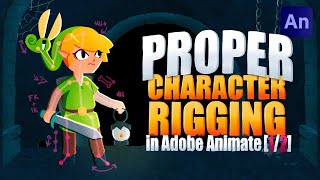
Proper Character Rigging in Adobe Animate - Part 1-2
Explore character rigging in Adobe Animate using the EDAP Toolset. Learn FK & IK workflows, symbol setup, registration points, and character building techniques for advanced animation.
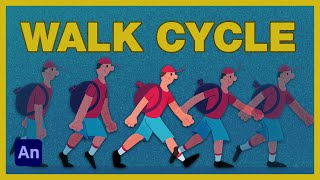
How to Animate a Walk Cycle
Learn to create a basic walk cycle animation in Adobe Animate, covering key poses, secondary animation, and finalizing techniques for a polished character animation.
How to Immediately Improve Your Animations - Animation Tutorial
Learn to enhance animations using cinematography and camera movement techniques. Discover visualization methods, explore the 180-degree rule, and apply dynamic camera work to elevate your animation projects.
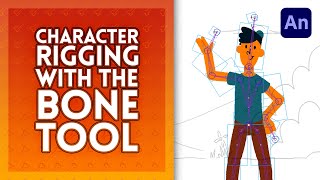
Character Rigging in Adobe Animate
Learn character rigging in Adobe Animate using the bone tool. Master techniques for realistic limb movement, joint constraints, and armature animation to bring your characters to life.