Illustration Masterclass - Vector Art in Adobe Fresco
Master vector art in Adobe Fresco: Learn to use vector brushes, shape tools, and advanced techniques for creating clean, scalable illustrations. Explore trimming, CC Libraries, and efficient workflows.
Drawing 3D Text in Procreate and Adobe Fresco
Step-by-step tutorial for creating eye-catching 3D text in Procreate and Adobe Fresco. Learn techniques like alpha lock, clipping masks, and shading to bring your digital lettering to life.
How to Create Beautiful and Realistic Watercolor Lettering in Procreate with Teela Cunningham
Learn to create stunning watercolor lettering in Procreate with expert Teela Cunningham. Master techniques for opacity, texture, and edges to achieve realistic, beautiful results in digital hand-lettering.
Adobe Fresco Advanced Tools and Techniques - Part 2
Explore advanced Adobe Fresco tools with Kyle T. Webster, including motion tools, perspective guides, paint bucket, multicolor swatches, vector shapes, masks, and animation features.
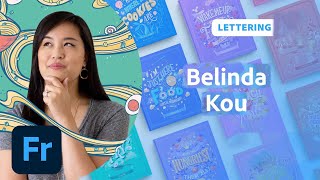
Food Lettering Animations in Adobe Fresco - Part 2
Learn digital lettering and animation techniques with artist Belinda Kou as she creates and animates food-themed quotes in Adobe Fresco, sharing professional tips and insights along the way.
Food Lettering Animations in Adobe Fresco - Part 1
Learn digital lettering and animation techniques to create custom food-themed quotes in Adobe Fresco. Gain insights on composition, sketching, refining, and adding details to bring your lettering to life.
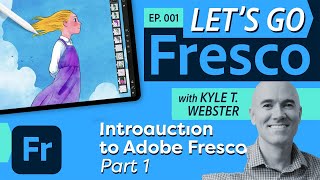
Introduction to Adobe Fresco - Part 1
Explore Adobe Fresco's basics with Kyle T. Webster: learn interface navigation, brush types, layers, selection tools, and essential drawing techniques for digital art creation.
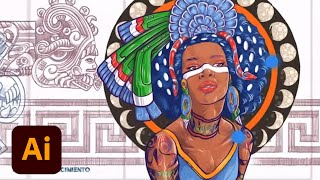
Designing a Mural Inspired by Aztec Gods and Goddesses - Part 2
Explore mural design with artist DeltaTangoMike as he creates an Aztek-inspired piece using Adobe Fresco and Illustrator. Learn sketching, coloring, and vector techniques for large-scale artwork.
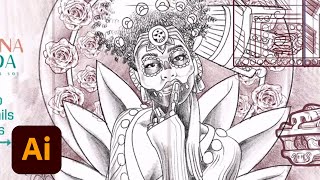
Designing a Mural Inspired by Aztec Gods and Goddesses - Part 1
Watch multidisciplinary artist DeltaTangoMike illustrate an Aztek-inspired mural using Adobe Fresco and Illustrator, covering sketching, composition, linework, coloring, and professional tips for aspiring artists.
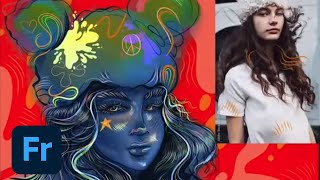
Designing Characters in Adobe Fresco - Part 1
Learn to create unique characters in Adobe Fresco with Melissa Showers. From sketches to vector and pencil techniques, explore the full creative process of character design, including colors, backgrounds, and animation tools.
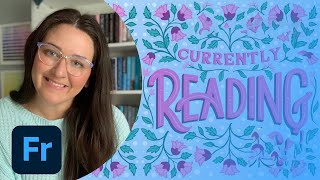
Designing a Custom Book Cover - Part 1
Designer Casey Moses demonstrates hand lettering and illustration techniques to create unique book covers using Adobe Fresco, InDesign, and Photoshop, offering insights on composition, layout, and typography for aspiring book cover designers.
Getting Started in Adobe Fresco - Advanced Techniques and Tools
Learn advanced Adobe Fresco techniques with Kyle T. Webster, covering custom brushes, blending modes, clipping masks, and more. Enhance your digital illustration skills and workflow efficiency.

Getting Started in Adobe Fresco - Part 1
Learn Adobe Fresco essentials with Kyle T. Webster: illustration techniques, brush settings, colors, layers, and pro tips for creating, exporting, and live streaming your digital artwork.
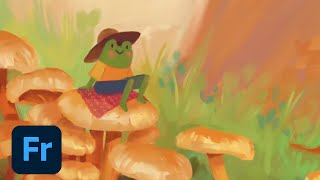
The Basics of Digital Painting in Fresco - Using Live Brushes
Explore digital painting techniques in Fresco, including live brushes for oils and watercolors, composition, and color theory. Learn to create art on iPad that mimics traditional painting methods.
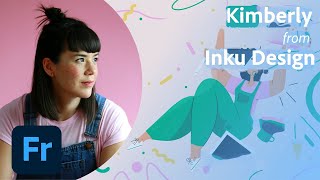
Editorial Illustrations for Magazine - Creating a Bookshop Piece with Kimberly Morris - Part 1
Explore editorial illustration with Kimberly from Inku Design as she creates a magazine piece about local bookshops, covering moodboards, color palettes, typography, sketching, shading, and texture techniques.
Digital Inking Masterclass - Techniques for Photoshop and Fresco
Learn digital inking techniques, custom brush creation, and special effects in Photoshop and Fresco. Master various styles, textures, and patterns for professional illustrations.

Mastering Adobe Fresco Watercolor Brushes - Techniques and Controls
Master Adobe Fresco's watercolor brushes, blending techniques, and advanced features to create stunning digital illustrations with realistic textures and effects.
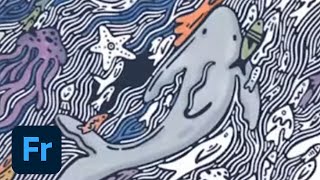
Drawing for CreateWaves in Adobe Fresco - Part 2
Watch Kelly Malka's drawing process for #CreateWaves using Adobe Fresco. Learn color selection, brush techniques, and gain insights into Kelly's inspiration and artistic journey.
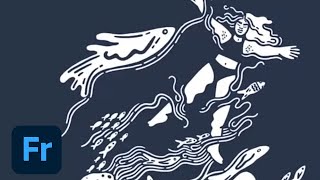
Drawing for #CreateWaves in Adobe Fresco - Part 1
Join Kelly Malka as she demonstrates digital drawing techniques in Adobe Fresco, sharing insights on her creative process, color selection, and professional journey while creating artwork for the #CreateWaves ocean awareness campaign.
Video Editing for YouTube with Adobe Premiere Pro and Fresco - Part 2
Learn advanced YouTube video editing techniques with illustrator Fabiola Lara, covering project organization, color correction, graphics creation in Fresco, audio editing, and multilingual captioning for engaging content.
Illustration Masterclass: Live Oil Painting Techniques in Adobe Fresco
Master digital oil painting techniques in Adobe Fresco with Kyle T. Webster. Learn color mixing, brush customization, and realistic texturing to elevate your digital illustrations.