Lightroom Tutorial
Comprehensive guide to organizing, editing, and sharing photos using Adobe Lightroom. Covers essential tools, techniques, and features for enhancing images and managing photo libraries effectively.
Lightroom Classic Tutorial for Beginners
Comprehensive guide to mastering Adobe Lightroom Classic, covering file organization, photo editing techniques, creative adjustments, and efficient workflows for beginners to advanced users.
Film-Cinematography Tutorials
Comprehensive tutorials on film and cinematography techniques, covering editing, color grading, special effects, and software usage for aspiring filmmakers and video creators.
Lightroom Tutorials
Comprehensive Lightroom tutorials covering advanced editing techniques, color grading, organization, and workflow optimization for photographers of all skill levels.
Lightroom CC Tutorials
Comprehensive tutorials covering Lightroom CC features, editing techniques, and workflow optimization for photographers of all levels.

Retouching Photos and GIFs for Social Media - Part 1
Learn photo and GIF retouching techniques for social media with Weekend Creative. Master Lightroom and Photoshop editing, create cohesive looks, and gain insights on running a creative business.
Earth Day 2022 Landscape Photography and Editing Tips with Francisco Siller
Comprehensive landscape photography tutorial covering shooting techniques, HDR editing in Lightroom, and advanced Photoshop enhancements. Learn composition, exposure, masking, and post-processing from Adobe expert Francisco Siller.

Photography Masterclass: Syncing Across Desktop, Cloud, and Mobile in Lightroom
Explore Lightroom syncing across desktop, cloud, and mobile platforms. Learn to manage photo collections, troubleshoot sync issues, and optimize workflow in this comprehensive masterclass.
Cinematic Photo Editing in Lightroom Classic and Photoshop - Part 1
Learn cinematic photo editing techniques in Lightroom and Photoshop with photographer Idara Ekpoh. Master color grading, dodging and burning, selective adjustments, and creative effects to elevate your images.
Organizing and Finding Your Photos Fast - Adobe Lightroom Photography Masterclass
Master efficient photo organization and retrieval in Adobe Lightroom with expert Terry White. Learn metadata, keywords, collections, facial recognition, and advanced search techniques for seamless image management.
Quick Photo Editing in Lightroom - Part 1
Master Lightroom editing techniques with expert Aaron Nace. Learn to use presets, adjustment brushes, and advanced tools for efficient photo enhancement. Ideal for photographers seeking to elevate their editing skills.
Photography Masterclass - New Features in Lightroom and Lightroom Classic - Fall 2021
Explore new Lightroom features: advanced masking tools, auto upright, metadata customization, and mobile enhancements. Enhance your photo editing skills with expert guidance.
Color Grading Techniques in Adobe Lightroom
Master color grading in Adobe Lightroom with expert techniques for creating signature styles and trendy aesthetics. Learn professional editing tools, AI masks, and subtle color adjustments to elevate your photo editing skills.

Photography Masterclass - Lightroom vs. Lightroom Classic Comparison
Explore the differences between Lightroom and Lightroom Classic with Adobe expert Terry White. Learn about cloud syncing, features, and advantages to choose the best option for your photography workflow.
Photography Masterclass - How to Edit User-Submitted Photos
Expert photographer Terry White demonstrates editing techniques on user-submitted photos, sharing his workflow and thought process to help improve your photo editing skills.
Self Portraits and Visual Storytelling - Editing Techniques in Lightroom and Photoshop - Part 1
Learn advanced self-portrait techniques and visual storytelling with photographer Idara Ekpoh. Master Lightroom Classic and Photoshop for stunning edits, including skin retouching, color grading, and creative effects.
Lightroom Workflows for Abstract Architecture Photography - Part 2
Explore advanced Lightroom techniques for abstract architecture photography with Tobi Shinobi. Learn pre-production strategies, local adjustments, curves, and pro tips to enhance your editing workflow and creative vision.

Photography Masterclass: Photoshop for Lightroom Users
Learn to enhance your photo editing skills with Photoshop techniques tailored for Lightroom users. Discover when to use Photoshop, prepare images for social media, and add text to your photos.
Photo Editing Techniques in Adobe Lightroom and Photoshop - Live Demonstration
Learn photo editing techniques with Adobe expert Terry White as he enhances user-submitted images live using Lightroom and Photoshop, demonstrating professional tips to elevate your photography skills.
Photo Editing Workflows with Weekend Creative - Part 1
Learn photo editing techniques for still-life and product photography, including Lightroom editing, Photoshop masking, remote collaboration, and scene lighting with Weekend Creative's Arabela Espinosa and Elle Mitchell.
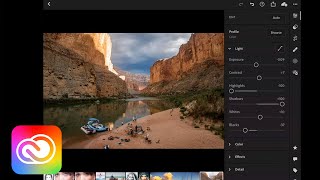
Transforming Your Photos on Mobile Devices - Adobe Creative Cloud
Discover mobile photo editing techniques using Lightroom and Photoshop on iPad. Learn to enhance composition, color, and exposure, make selective edits, and master retouching and compositing on-the-go.