
Premiere Pro Tutorial Course
Learn video editing essentials in Adobe Premiere Pro, from file organization and importing to advanced techniques like effects, audio adjustments, and exporting. Perfect for beginners seeking practical skills.

Adobe Premiere Pro Tutorial - Designed for Beginners
This video tutorial will show you how to use Adobe Premiere Pro CC. Many topics are included in this beginners video lesson on Premiere Pro. Use the timestamps below to navigate to different parts.

Learn Everything About Premiere Pro
Comprehensive Adobe Premiere Pro masterclass covering basics to advanced features. Learn editing, graphics, color, audio, effects, transitions, and exporting through hands-on exercises and real-world projects.

Adobe Premiere Pro Tutorial for Beginners - Complete Guide
Comprehensive guide to Adobe Premiere Pro for beginners, covering project creation, editing techniques, effects, audio management, color grading, and exporting. Includes time-saving tips for efficient video editing.

How to Edit Videos with Premiere Rush - Adobe Rush Tutorial
Step-by-step guide to video editing with Adobe Rush, covering project creation, interface, editing techniques, audio adjustment, color grading, and exporting across multiple devices.
Premiere Pro Advanced Tutorial
Enhance your Premiere Pro skills with advanced techniques in video editing, effects, audio, and customization. Master professional-level tools for creating polished digital video projects.
Adobe Premiere Pro CC Full Course - Basic to Advanced Step by Step
Learn Adobe Premiere Pro CC from basics to advanced techniques, including interface, tools, editing, effects, audio, text, and color manipulation in this comprehensive video series.
Film-Cinematography Tutorials
Comprehensive tutorials on film and cinematography techniques, covering editing, color grading, special effects, and software usage for aspiring filmmakers and video creators.

Premiere Pro Full Course Tutorial
Comprehensive video editing tutorial covering Premiere Pro's interface, importing, editing techniques, effects, audio, text, and exporting. Ideal for beginners and intermediate users seeking to master digital video creation.
Fast & Easy Music Video Transitions - Adobe Premiere & After Effects
Learn 5 quick and easy music video transitions using Adobe Premiere and After Effects. Master masking, scaling, and rotoscoping techniques to create dynamic, professional-looking effects for your videos.
Premiere Pro Expert Tutorial
Comprehensive tutorial covering advanced Premiere Pro techniques, including masking, keyframing, color correction, effects, text animation, and green screen, to enhance your video editing skills.

Premiere Pro Beginner Tutorial
Learn essential Premiere Pro skills: interface navigation, media import, editing techniques, effects application, and project export. Master digital video creation from start to finish.
Premiere Pro Intermediate Tutorial
Enhance your Premiere Pro skills with advanced editing techniques, effects, transitions, and audio manipulation. Learn to customize the interface and export professional-quality videos.

Premiere Pro Beginner Tutorial
Learn to edit digital videos with Adobe Premiere Pro. Master importing, organizing, editing techniques, effects, audio, text, and exporting. Ideal for beginners seeking to create professional-quality video projects.
Premiere Pro Advanced Tutorial
Master advanced Premiere Pro techniques including masking, keyframing, color correction, effects, text animation, and green screen. Enhance your video editing skills with professional tools and creative techniques.
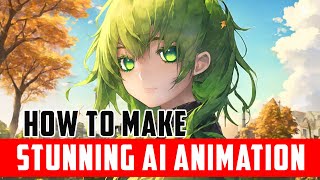
Making Stunning AI Anime Animation on Local Stable Diffusion with Deforum and Anything
Learn to create stunning AI anime animations using Stable Diffusion, Deforum, and Anything. Master local installation, configuration, and rendering techniques for unique, high-quality anime-style animations.
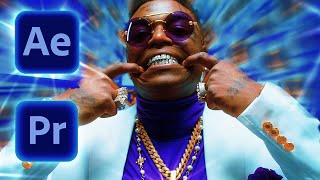
Create Smooth Music Video Transitions - Adobe Premiere & AE Tutorial
Learn to create seamless VFX transitions in Adobe Premiere and After Effects, inspired by Kodak Black's "Purple Stamp" music video. Master techniques like mask zoom, clone swivel, and frame swing for smooth, professional-looking edits.
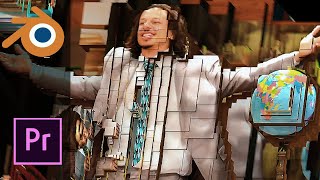
Create Mind Bending Transitions with Projection Mapping in Blender and Adobe Premiere
Learn to create mind-bending 3D projection mapping transitions using Blender and Adobe Premiere. Master camera control, scene setup, and post-production techniques for stunning visual effects.
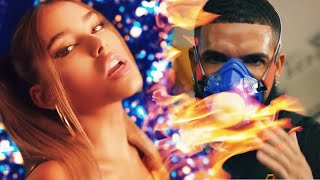
How to Make Custom Glow - Burn Transitions - Adobe Premiere - After Effects
Learn to create custom glow and burn transitions in Adobe Premiere and After Effects. Master animation paths, track mattes, and plugins to enhance your video editing skills and create professional-looking effects.

Create Smooth Motion Flow in Your Videos - After Effects + Premiere
Learn techniques for creating smooth motion flow in videos using After Effects and Premiere, including time remapping, frame blending, and syncing transitions to music for professional-looking results.
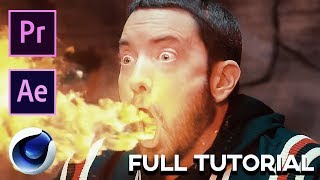
Godzilla - Full Tutorial and Breakdown - Adobe Premiere, Ae, C4D
Comprehensive tutorial on recreating VFX from Eminem's "Godzilla" music video using Adobe Premiere, After Effects, and Cinema 4D. Covers techniques like green screen, masking, tracking, and 3D modeling.