How to Use Generative Extend in Adobe Premiere Pro with Firefly
Master Adobe Premiere Pro's Generative Extend feature powered by Firefly, exploring practical applications and techniques for seamless video content extension and manipulation.

Creating Zombie Portraits with Generative AI and Photoshop
Master the art of zombie transformation using Photoshop's new Generative AI workspace and classic techniques. Create custom assets, blend textures, and add realistic undead effects for spooky character designs.

Three-Value Palette Technique for Realistic Painting
Master realistic painting techniques using a simplified three-value palette approach to accurately capture shapes, values, and create compelling artwork through an efficient black-and-white method.
Creating Dance Music Festival Posters with Topographic Textures in Adobe Illustrator
Master the art of creating stunning dance music festival posters using typography, grid layouts, and topographic textures in Adobe Illustrator. Learn professional techniques for layout, color permutations, and final file preparation.

AI Video Generation Evolution - Latest Models and Advancements
Explore the rapid evolution of AI video generation, from early attempts to advanced models like Runway Gen 3 and HeliuAI. Discover key players, groundbreaking features, and future potentials in this dynamic field.
Adobe's Journey into Building an Internal Developer Platform
Explore Adobe's journey in building an Internal Developer Platform for 5000+ developers. Gain insights on productivity measurement and learn about their CI/CD product within the IDP.
Grenade Tutorial - Baking & PBR Texturing - Substance Painter
Learn advanced PBR texturing techniques for a grenade model using Substance Painter, including baking, smart materials, and wear effects to create realistic game-ready assets.
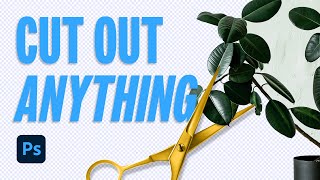
The Ultimate Guide to Cutting Out Images in Photoshop
Comprehensive tutorial on advanced Photoshop techniques for image extraction, covering various tools and methods to efficiently remove backgrounds and isolate subjects.
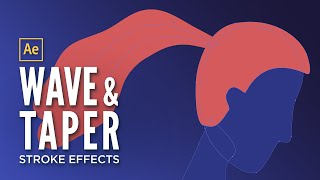
Getting Started with Wave and Taper in After Effects
Learn to create dynamic, wavy hair animations using After Effects' shape menu. Master taper and wave stroke effects to bring characters to life without plugins or frame-by-frame animation.
Intro to Expression Rigs in After Effects
Learn to create flexible rigs in After Effects using expressions. Master angle, checkbox, and slider controls to automate tasks and build dynamic animations efficiently.
Add Motion to Your Design Toolkit - Learn to Animate in After Effects
Discover the power of motion design and learn essential animation techniques in After Effects to enhance your design skills and expand career opportunities.
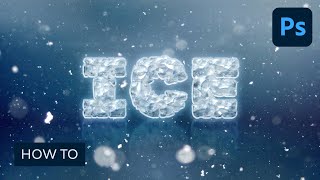
How to Create an Easy Ice Text Effect in Adobe Photoshop
Learn to create an eye-catching ice text effect in Photoshop using layer styles, shapes, and textures. Master techniques for adding depth, shine, and realistic icy details to your designs.

Use a Pattern Rope Brush to Create a Rope Text Effect in Illustrator
Learn to create a rope text effect in Illustrator using pattern brushes. Master techniques for designing rope pieces, multiplying elements, and crafting pattern brush components for unique typography.
Creative Compositing in Adobe Photoshop
Master creative compositing in Adobe Photoshop by combining 3D assets and stock images to create a post-apocalyptic robot scene. Learn composition, scale, and lighting techniques to enhance your image manipulation skills.
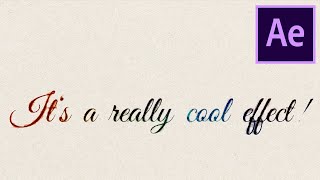
Easily Animate Handwriting in After Effects with a Template
Learn to animate handwriting in After Effects using a template. Master installation, customization, and editing techniques for creating dynamic text animations suitable for various video projects.
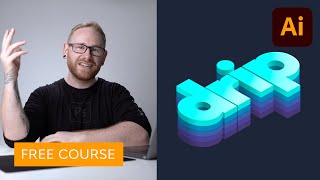
Create an Isometric Type Effect in Adobe Illustrator
Learn to create eye-catching isometric type effects in Adobe Illustrator. Master grid setup, text transformation, layering, coloring, shadow application, and freeform gradients for stunning visual impact.
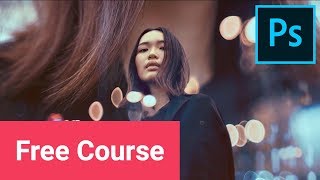
Create Double Exposure Effects in Adobe Photoshop
Master three distinct double exposure techniques in Adobe Photoshop: cityscape, duotone, and surreal-inspired concepts. Learn essential tips for creating high-quality, visually striking results in this hands-on tutorial.
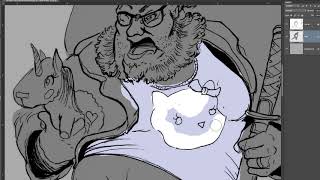
Intro to Adobe Photoshop - Digital Illustration Methods
Learn digital illustration techniques in Photoshop, from importing line art to finalizing comic-style coloring. Master tools like magic wand and hue shifting, and explore light, shadow, and detail brushes for professional results.
Intro to Photoshop for Beginners - The Basics
Learn Photoshop basics for digital drawing and painting. Explore interface, tools, layers, selections, and color techniques to kickstart your digital art journey.
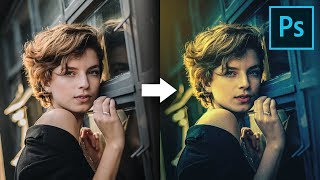
Simple Ways to Color Grade Like a Pro in Photoshop
Discover simple techniques for professional color grading in Photoshop using Adobe Camera RAW, curves, and gradients. Learn to create dramatic, moody looks and enhance lighting effects in your images.

The Best Tool for Black & White Conversions in Photoshop
Unlock the potential of black and white photography in Photoshop with the Infinite Black and White Panel. Learn techniques for depth, drama, and stunning film looks through non-destructive editing.