
Complete Intro to Motion Design - Full After Effects Course
Comprehensive introduction to motion design using Adobe After Effects, covering text animation, shape layers, 3D effects, and advanced techniques for creating dynamic visual content.

Learn Adobe After Effects
Master Adobe After Effects: Create stunning animations, motion graphics, and visual effects. Learn essential tools and techniques to bring your creative visions to life in this comprehensive beginner's guide.
Create an Animated Particle Slideshow in After Effects
Learn to create stunning particle slideshow transitions in After Effects using templates or from scratch. Master customization, animation, and advanced techniques for impactful presentations.
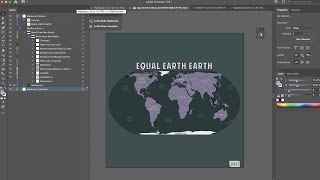
ArcGIS Maps for Adobe Creative Cloud
ArcGIS Maps for Adobe® Creative Cloud is ideal for design and communications professionals. These videos will demonstrate how to access data-driven maps inside Adobe® Illustrator and Photoshop and show you how to play with colors and styles to make the e…
Fast & Easy Music Video Transitions - Adobe Premiere & After Effects
Learn 5 quick and easy music video transitions using Adobe Premiere and After Effects. Master masking, scaling, and rotoscoping techniques to create dynamic, professional-looking effects for your videos.

After Effects for Beginners
Comprehensive guide to mastering After Effects, covering interface, tools, keyframing, composition, effects, and practical projects. Ideal for beginners seeking to create professional-quality animations and visual effects.
Rigging a Character with Duik Bassel in After Effects
Master character rigging in After Effects using Duik Bassel. Learn to create structures, set up limbs, and animate efficiently with this powerful tool for 2D character animation.

After Effects Expression Language
Learn to create complex animations using After Effects Expression Language, covering tools, graphs, looping, dynamic text, timers, math functions, and more for aspiring video artists.

Handy Tips in After Effects for Beginners - Adobe After Effects for Beginners
Essential tips for Adobe After Effects beginners, covering workflow, interface, creative techniques, timeline management, and exporting, to prepare for full project creation.
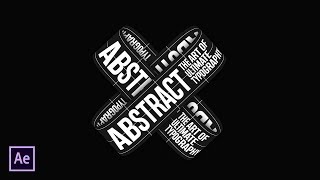
AE - Kinetic Typography
Explore creative typography animation techniques in After Effects, from kinetic effects to liquid text, 3D displacement, and seamless transitions. Enhance your motion graphics skills.

Learn After Effects - Beginners Tutorial
Master After Effects 2022 in 60 minutes: Learn VFX and motion graphics through a fun, project-based approach. Create stunning visuals and take your videos to the next level with expert guidance.
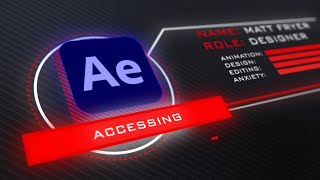
How to Make a Heads Up Display - After Effects Tutorial
Learn to create a stylish 3D Heads Up Display UI in After Effects using shape layers and null objects. Master beginner-friendly techniques for motion graphics and enhance your UI design skills.
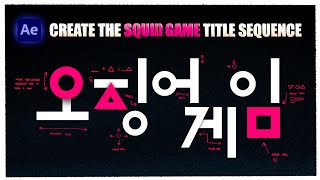
How to Create the Squid Game Title Sequence in After Effects - Tutorial
Learn to recreate Squid Game's iconic title sequence using After Effects. Master shape animation, transitions, trim paths, and screen effects to achieve the show's distinctive visual style.
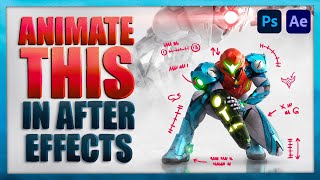
How to Animate a Still Image with After Effects and Photoshop - Tutorial ft. METROID DREAD
Learn to animate still images using Photoshop and After Effects. Master techniques like layer separation, keyframe animation, and particle effects to bring artwork to life with professional motion graphics.
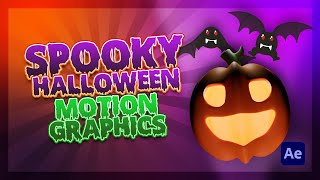
How to Make Spooky Pumpkin Motion Graphics for Halloween
Create spooky pumpkin motion graphics using CC Particle World, image sequences, and various effects. Learn techniques for animating, adding textures, and creating a Halloween-themed visual masterpiece.
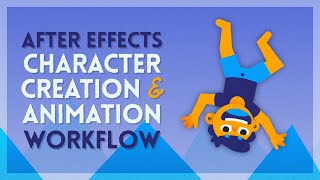
After Effects Character Animation Workflow
Comprehensive After Effects tutorial covering character creation, rigging, and animation techniques. Learn to use native tools, set mattes, nested comps, and apply primary/secondary animation for efficient workflows.
Create Smooth Music Video Transitions - Adobe Premiere & AE Tutorial
Learn to create seamless VFX transitions in Adobe Premiere and After Effects, inspired by Kodak Black's "Purple Stamp" music video. Master techniques like mask zoom, clone swivel, and frame swing for smooth, professional-looking edits.
Smooth Mask Motion VFX Tutorial - Adobe After Effects
Learn advanced masking and motion effects in Adobe After Effects to create high-energy visuals. Master techniques like logo reveals, split-open effects, silhouette clones, and complex movement masking for dynamic video editing.
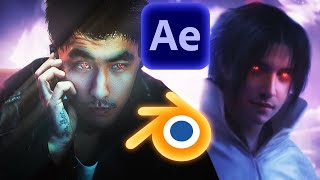
How to Turn Yourself Into an Epic Anime / Video Game Style Character Like Jalex Rosa - Blender & AE
Learn to create epic anime-style characters using Blender and After Effects. Master 3D hair simulation, compositing, tracking, and AI-assisted face alteration for stunning visual effects in your videos.
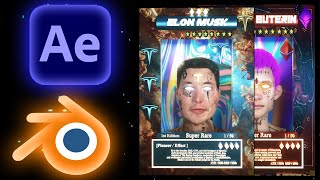
How to Create Rare 3D Digital Collectible Cards - Adobe Ae / Blender Tutorial
Learn to create stunning 3D digital collectible cards using Adobe After Effects and Blender. Master modeling, texturing, animation, and rendering techniques to bring your card designs to life.
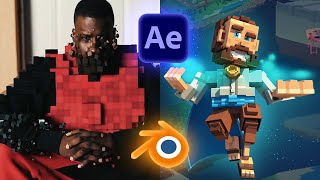
Create and Generate 3D Voxel Style Characters + Composite in IRL Footage - Adobe Ae, Blender
Learn to create, animate, and composite 3D voxel characters into real footage using Blender and After Effects. Explore two methods: building from scratch with MagicaVoxel and converting 3D meshes to voxels in Blender.