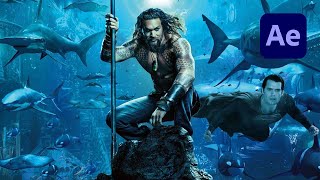
Aquaman Underwater Atmosphere Effect in After Effects
Create an underwater Aquaman-inspired atmosphere in After Effects using lighting, particles, and color grading techniques for stunning visual effects.

Impulse Teleport Effect in Adobe After Effects Tutorial
Learn to create an impressive impulse teleport effect in Adobe After Effects, covering techniques like roto brush, precomposing, motion blur, and camera shake for dynamic visual impact.
Halloween Title Animation Tips & Tricks in After Effects
Learn spooky Halloween title animation techniques in After Effects, including text and blood effects, to create eye-catching intros for your videos.
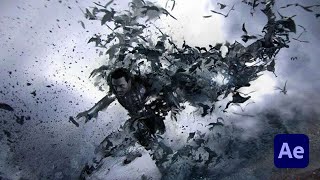
Dracula Vampire Bat Transformation Effect in Adobe After Effects
Learn to create a vampire bat transformation effect in Adobe After Effects, inspired by Dracula movies. Master techniques like RSMB, masking, particle systems, and color grading.
Simple & Advanced Object Removal Tutorial for Video in After Effects and Mocha
Learn advanced object removal techniques in After Effects and Mocha, including motion tracking, clone stamping, and mask removal. Enhance your video editing skills with practical examples and step-by-step guidance.
How to Create an Amazing Cinematic Photo Slideshow in After Effects
Learn to create a cinematic photo slideshow with parallax effects in After Effects. Master techniques for professional-looking presentations that showcase your photos or videos effectively.
How to Create an Epic Force Shield for Film in Adobe After Effects - VFX Tutorial
Learn to create an epic force shield VFX in After Effects without plugins. Master techniques for spheres, displacement maps, flares, particles, and smoke to enhance your film projects.

Electric Neon Logo Animation in After Effects Tutorial
Learn to create stunning electric neon logo animations in After Effects. Master techniques for time-saving, efficient workflows, and achieve professional-looking results in this comprehensive tutorial.

Photoshop Animation Basics
Learn to create looping GIFs using Photoshop's animation tools. Install AnimDessin extension, set up workspace, and master frame-by-frame animation techniques for engaging visual content.
Animating Follow-Through in After Effects
Learn to enhance animations with follow-through techniques in After Effects, adding realism and polish to your motion graphics through practical examples and step-by-step guidance.
Create Better Glows in After Effects
Learn advanced techniques for creating stunning, customizable glows in After Effects, offering greater flexibility and control than the built-in effect for more professional-looking results.
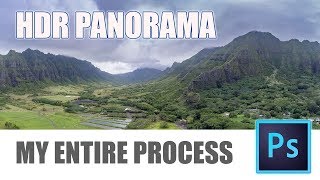
How to Make HDR Panorama Photos - Full Workflow from Shoot to Photoshop
Comprehensive guide to creating stunning HDR panoramas using Photoshop ACR or Lightroom Classic, covering shooting techniques with any camera or drone and the full editing workflow.
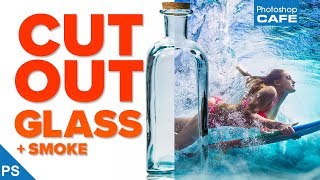
Extract Glass and Smoke - Transparent Selections in Photoshop
Learn to select and mask semi-transparent objects like glass and smoke in Photoshop, creating clean, see-through results with step-by-step guidance on selection techniques and masking.
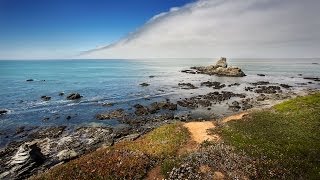
Processing a Landscape HDR Photo with Adobe Camera Raw
Master realistic HDR processing in Adobe Camera Raw or Lightroom with this landscape photo tutorial, enhancing your skills in creating stunning, high-dynamic-range images.
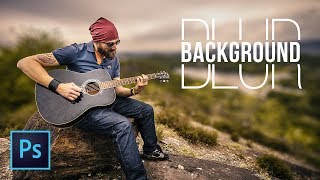
Simple Steps to Blur Background in Photoshop
Learn to create realistic background blur in Photoshop using depth maps, selections, and lens blur. Master techniques to mimic shallow depth of field without expensive lenses.

Remove and Fix Flyaway Hair or Stray Hair in Photoshop
Learn a 3-step process to efficiently remove and fix flyaway hair in Photoshop, with an additional hidden technique for challenging cases. Master this essential retouching skill for polished portraits.
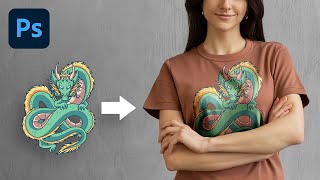
The Most Realistic Way to Place Design on T-Shirt - Photoshop Tutorial
Learn advanced Photoshop techniques to realistically place designs on t-shirts using luminosity masks and channels. Master natural-looking results, color adjustments, and depth creation for professional-quality graphics.

How to Flawlessly Iron Clothes in Photoshop
Master Photoshop's frequency separation technique to flawlessly remove wrinkles from fabric, preserving texture for natural-looking results. Learn quick and professional methods for crisp, smooth clothing edits.
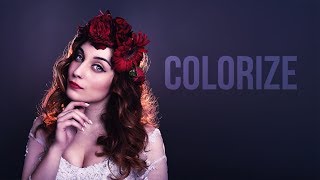
Adding Delicious Color Casts and Tints in Photoshop
Discover techniques for enhancing images with vibrant color casts and tints using adjustment layers, blending modes, and masks in Photoshop to create stunning visual effects.

Photoshop CS6 vs 2021 - Reasons to Upgrade
Comprehensive comparison of Photoshop CS6 and 2021, highlighting 28 key differences in features, offerings, compatibility, and performance to help users decide on upgrading.
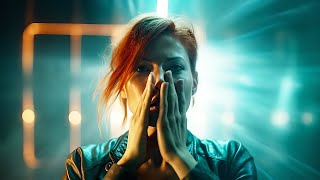
Create Masterpieces With Stable Diffusion in Photoshop
Learn to create AI-generated masterpieces using Stable Diffusion plugins in Photoshop. Explore text-to-image, outpainting, inpainting, and ControlNet techniques to enhance your digital art skills.