Photoshop and Topaz Studio 2 Tutorial - Creating Cascading Water Photo Art
Transform drab images into vibrant photo art using Photoshop and Topaz plugins. Learn techniques to enhance flat lighting and add creative, artistic effects to breathe new life into your photographs.
Photoshop Waterfall Editing Tutorial - Full Workflow with Multiple Software
Comprehensive waterfall photo editing tutorial using multiple software tools, covering advanced techniques for enhancing landscape images and improving overall workflow.
Photoshop Tutorial - Full Flower Edit Using Topaz Plugins and TK7 Rapid Mask Panel
Comprehensive flower editing tutorial using Topaz plugins, TK7 Rapid Mask Panel, and Photoshop techniques for artistic expression and non-destructive adjustments.
Photoshop, Lightroom, Topaz Studio 2, and Luminar 4 - Full Image Editing Tutorial
Comprehensive photo editing workflow using Lightroom, Photoshop, Topaz Studio 2, and Luminar 4. Learn advanced techniques to enhance images from raw format to polished final product.
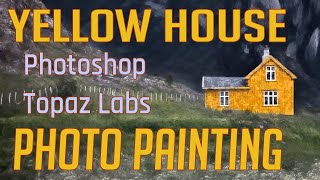
Photo Painting Tutorial: Yellow House with Photoshop and Topaz Labs Plugins
Transform a photo into a stunning painting using Photoshop and Topaz Labs plugins. Learn techniques like dodging, burning, and applying artistic filters to create a unique masterpiece from a simple image.

Photoshop Tutorial - Adding Creative Blur to Flower Images
Learn to enhance flower photos with ethereal blurs using Photoshop's Blur Gallery and NIK Vignette Filter, creating a dreamy and artistic effect in your images.

Luminar AI - Working with Lightroom
Seamlessly integrate Luminar AI with Lightroom for enhanced RAW image editing, combining powerful asset management with advanced AI-driven tools to elevate your photo editing workflow.
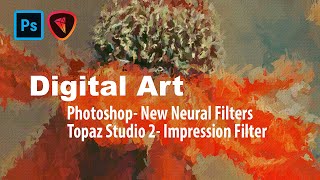
Digital Art: Photoshop Neural Filters and Topaz Studio 2 Impression Filter Tutorial
Learn to create digital art using Photoshop's new Neural Filters and Topaz Studio 2's Impression Filter. Transform photos into stunning digital paintings with step-by-step guidance on advanced editing techniques.

Photoshop 2021 Sky Replacement Tutorial - 4 Examples
Explore Photoshop 2021's new Sky Replacement feature through four practical examples, demonstrating how to enhance and transform your images with realistic sky swaps.
Photoshop Tutorial: Enhancing Skies with Luminosity Masks
Learn to enhance sky colors in photos using Photoshop's luminosity masking technique. Discover how to create, apply, and adjust masks for stunning results in landscape photography.
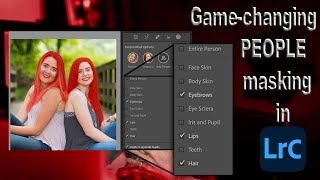
Lightroom 12 and ACR Update - One-Click Beauty Retouching with New Selection Tools
Discover new masking tools in Lightroom Classic and Adobe Camera Raw for effortless one-click beauty retouching, enhancing portraits with precision selections for hair, eyes, skin, and lips.

Select Anything with One Click in Lightroom and Adobe Camera RAW
Discover the new Select Objects tool in Lightroom and Adobe Camera RAW, enabling one-click selection of any item. Learn how this powerful feature simplifies photo editing workflows.

How to Add and Retouch Hair in Photoshop
Learn advanced techniques for adding, retouching, and manipulating hair in Photoshop, including custom brushes and unique workflow tips to enhance your photo editing skills.

Editing Premium YouTube Thumbnail Templates in Photoshop
Learn to edit professional YouTube thumbnail templates in Photoshop. Master text editing, image insertion, background removal, and advanced techniques to create eye-catching thumbnails that boost engagement.
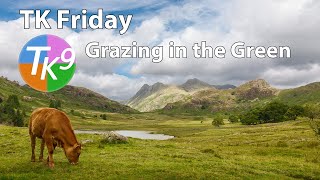
Full Edit Tutorial: Grazing in the Green - TK Friday
Comprehensive Photoshop editing tutorial using TK9 plugin, demonstrating advanced techniques on a landscape image. Includes downloadable resources for hands-on practice.

TK Friday: Full Edit of Elegance in Flight - Great Blue Heron
Detailed Photoshop editing tutorial for enhancing a Great Blue Heron image using TK9 plugin, covering advanced techniques to improve color, contrast, and overall visual impact.
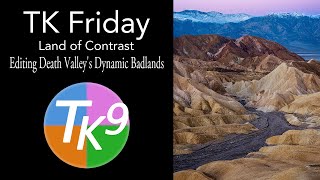
Land of Contrast: Editing Death Valley's Dynamic Badlands - TK Friday
Explore advanced photo editing techniques for Death Valley's Badlands using TK9 Plugin. Learn to enhance contrast, detail, and atmosphere in landscape photography.

TK Friday: Exploring New Possibilities for Balance and Contrast in Photoshop
Explore advanced techniques for enhancing image balance and contrast using TK9 PLUGIN FOR PHOTOSHOP, including Blend If features and new Combo and CX Panel Mask calculators.
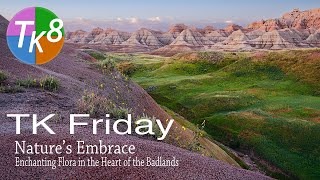
Nature's Embrace: Enchanting Flora in the Badlands - Full Edit Tutorial
Enhance your photo editing skills with Photoshop and TK8 Plugin. Learn techniques for sky, foreground, color grading, and more in this comprehensive tutorial.

Trunkful of Cuteness - Full Image Edit Tutorial Using TK8 Plugin for Photoshop
Comprehensive Photoshop editing tutorial using TK8 plugin, demonstrating techniques to enhance a wildlife image. Includes downloadable resources and step-by-step guidance for recreating the edit.

Photoshop Beta: Photo to Art Workflow and New Action - Part 2
Discover a new workflow for transforming photos into art using Photoshop Beta, featuring a free action to streamline the process. Learn techniques for generating vector and layered paper art.