Setting Up a Windows PC for Web Development - WSL, Git, Node.js, Docker, Oh My Zsh, & MySQL
Comprehensive guide to setting up a Windows PC for web development using WSL, covering essential tools like Git, Node.js, Docker, and MySQL, with VS Code integration and terminal customization.

WordPress Plugin Development - Gutenberg Blocks, React & More
Learn to develop WordPress plugins with Gutenberg blocks and React. Master settings pages, localization, JavaScript, and custom post types in this comprehensive tutorial.

OSED Review - Offensive Security Exploit Developer
Comprehensive review of Offensive Security Exploit Developer certification, covering course content, exam preparation, and practical tips. Includes Q&A addressing common concerns for aspiring exploit developers.
Using Snyk to Find & Fix Vulnerabilities
Learn to use Snyk for finding and fixing vulnerabilities in web applications, including hands-on practice with a vulnerable app and a CTF challenge involving prototype pollution and RCE.
A Peek Inside the Developer's Toolkit - Common Tools for Writing and Sharing Code
Explore essential developer tools, including GitHub and Visual Studio Code. Learn to create repositories, fork projects, use extensions, and understand GitHub Actions for efficient coding and collaboration.

Choosing the Right Programming Language - Expert Panel Discussion
Expert panel discusses popular programming languages, their uses, and considerations for choosing the right one for your projects. Gain insights on language learning, mastery, and emerging trends in software development.
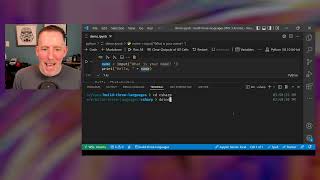
Hello World in 3 Programming Languages - Python, C#, and JavaScript
Explore "Hello World!" in Python, C#, and JavaScript. Compare syntax, features, and use cases. Ideal introduction for coding beginners, with expert insights and Q&A session.
Contributors Assemble - Unleashing the Power of Community
Discover the power of community contribution, overcome obstacles, and unleash your tech superpowers. Learn various ways to engage, share knowledge, and grow professionally in the Microsoft ecosystem.

Microsoft Build 2022 Opening Keynote - Creating New Opportunities for Developers
Explore Microsoft's vision for developers: cloud-native apps, unified data, AI, low-code solutions, collaborative tools, and the metaverse. Gain insights into future tech opportunities.
PowerShell 7
Explore PowerShell 7's cross-platform capabilities, new features, and developer benefits. Learn tips for automating operations tasks and discover upcoming enhancements in this comprehensive overview.
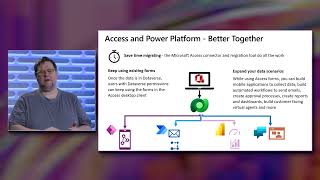
Access Connector for Dataverse and Power Platform GA Launch
Explore the integration of Microsoft Access with Power Platform, enabling hybrid solutions and mobile scenarios through Dataverse connectivity. Learn about migration, data export, and creating mobile apps.
Codespaces - Managed Cloud Environments for Developers with Admin Controls
Explore GitHub Codespaces: Simplify development with cloud environments, prebuilds, and admin controls. Learn about new features, multi-repo development, and policies for secure, efficient cloud-based coding.

Edge DevTools - Reinventing Browser Tools for Future Web Development
Discover upcoming features and improvements in Edge DevTools, designed to enhance web development workflows. Learn about user-inspired tools, IDE integrations, and efforts to make browser tools more approachable and user-friendly.

Azure Developer CLI - From Code to Cloud Fast
Discover Azure Developer CLI: Accelerate code-to-cloud journey with templates, smart defaults, and VS Code integration for rapid Azure deployment and development.

Future Possibilities for .NET Core and WASI - WebAssembly on the Server
Explore WebAssembly's potential beyond browsers, focusing on running .NET in WASI environments. Learn about compiling .NET code to WASI modules and the opportunities this presents for cloud-native architecture.

Deep Dive Into Microsoft Teams JS SDK V2 for Extending Teams Apps to Outlook & Office.com
Explore Microsoft Teams JS SDK v2 for extending apps to Outlook & Office.com. Learn about capability models, contextual experiences, and cross-platform compatibility. Includes demo and developer insights.

Visual Studio 2022 and Beyond - New Features and Improvements
Explore new features in Visual Studio 2022, including 64-bit architecture, UI enhancements, improved productivity tools, collaboration features, and debugging capabilities for a superior development experience.
GitHub + Azure - Better Together
Explore GitHub and Azure integration for enhanced DevOps, focusing on secure development, automated delivery, and cloud deployment using GitHub Actions and Azure services.
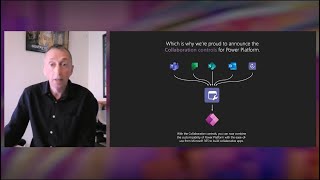
Building Collaborative Apps with Microsoft 365 and Teams Collaboration Controls
Learn to integrate Microsoft 365 and Teams collaboration features into Power Apps, enabling seamless contextual collaboration within business processes and custom experiences surfaced in Teams and other platforms.

Developer Tools for Accessibility and Inclusive Design
Explore Microsoft's initiatives in accessible coding, inclusive gaming, and storytelling. Learn about tools, guidelines, and collaborations promoting digital inclusivity and empowering all developers.
Implement Azure Functions
Explore Azure Functions: creation, deployment, hosting options, bindings, triggers, and scaling. Hands-on exercise included for practical implementation using Visual Studio Code.