
Ranking and Review of New Features in Photoshop Beta 25.9
Comprehensive review and rating of seven new features in Photoshop Beta 25.9, including generative fill, enhance detail, and adjustment brush, with practical demonstrations.

13 Common Photoshop Mistakes for Beginners and How to Fix Them
Uncover 13 common Photoshop mistakes beginners make and learn practical solutions to enhance your editing skills, from proper layer management to efficient retouching techniques.
Beat Photoshop's Broken Photo Restoration Filter - Three Solutions
Discover three solutions to overcome Photoshop's Photo Restoration filter issues, including face detection problems and workarounds for enhancing old images effectively.

Smart Object Masking - Creating a Beetlejuice Poster in Photoshop
Learn to create a Beetlejuice character poster using advanced Photoshop techniques like smart objects, masking, blending modes, and selections. Enhance your design skills with this practical tutorial.
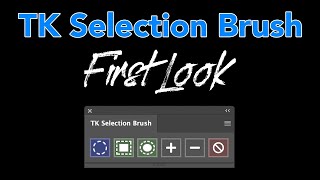
TK Selection Brush - First Look and Tips for Precise Object Selection
Explore the innovative TK Selection Brush with expert tips for precise object selections in photo editing. Learn to maximize its potential and transform your workflow with this free tool.
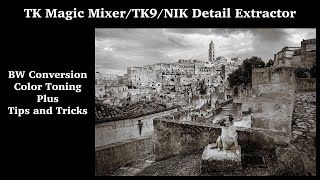
TK Magic Mixer, TK9, and NIK Detail Extractor - Black and White Conversion and Color Toning Techniques
Learn advanced techniques for black and white conversion, color toning, and detail extraction using TK Magic Mixer, TK9 Plugin, and NIK Detail Extractor. Enhance your photo editing skills with expert tips and tricks.

How to Remove Glare from Glasses Using Photoshop
Learn techniques to remove glare from glasses in Photoshop, from beginner to advanced levels. Master tools like Remove Tool, Generative Fill, and Curves to enhance your photo retouching skills.

How to Create a Xerox Poster Effect in Photoshop
Learn to recreate a vintage xerox copy effect for character posters using Photoshop's Hard Mix blend mode and Knockout feature. Master smart-object based masks for unique, professional designs.

AI vs. Human Retouching Comparison - Photoshop Techniques and AI Apps
Compares AI and manual retouching techniques for various photo editing tasks, exploring their effectiveness, efficiency, and artistic value in professional image enhancement.

10 Photoshop Features to Avoid and Their Better Alternatives
Discover 10 outdated Photoshop features to avoid and learn superior alternatives for enhancing your image editing skills, improving workflow efficiency, and achieving better results.

Photo Manipulation Basics in Adobe Photoshop
Master essential photo manipulation techniques in Adobe Photoshop, from image extraction and blending to color matching and advanced compositing. Learn to create professional-quality manipulations with expert guidance.

Master the Painterly Effect and Add Wings in Photoshop
Create stunning painterly portraits with angel wings using Photoshop techniques. Master compositing, shadows, lighting, textures, and color adjustments for a dramatic, ethereal effect.

ChatGPT vs. Photoshop - Controlling Edits in AI-Guided Photo Manipulation
Explore AI-guided Photoshop edits: ChatGPT vs. manual techniques. Compare step-by-step instructions, retouching fixes, and photo-to-painting transformations. Discover the balance between AI assistance and creative control.

Easy Shadow Removal Technique in Photoshop
Discover a simple Photoshop technique to remove complex shadows, even out skin, and fix color in shadow areas using Blend If, Curves, and filters for professional-looking results.

5 Hidden Photoshop Tools for Advanced Editing
Discover 5 hidden Photoshop tools: unblur faces, advanced crop, asset generator, scripted pattern, and contrast mask. Enhance your workflow with these powerful, lesser-known features.

10 Photoshop Tricks for Optimizing Social Media Photos
Master Photoshop techniques to enhance social media photos: resizing, color management, framing, sharpening, and optimal export settings for stunning visuals across platforms.

Removing Complex Objects in Photoshop - Advanced Techniques
Master advanced Photoshop techniques to remove complex objects like fences, combining Content-Aware Fill, Generative Fill, and Remove Tool for high-quality results in photo editing.

12 Essential Photoshop Settings to Optimize Your Workflow
Optimize Photoshop settings for privacy, performance, and workflow efficiency. Learn crucial configurations to prevent data loss, enhance productivity, and customize your editing experience.

Ultimate Guide to Selection Brush and Quick Mask in Photoshop
Mastering Photoshop's Selection Brush and Quick Mask: Learn when and how to use each tool effectively for precise selections and image editing techniques.

Photoshop 2024 July Update - New Features and Tools
Explore Photoshop's July update: new Selection Brush, enhanced Adjustment Brush, improved Task Bar, and AI-powered features for efficient and creative image editing workflows.

Affinity Photo Crash Course for Web Designers - Photoshop Alternative
Learn Affinity Photo 2, a Photoshop alternative for web designers. Master UI, retouching, color editing, background removal, grading, and layout integration in this concise tutorial.