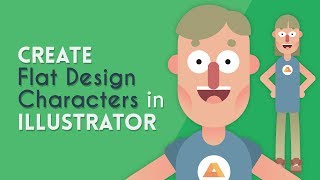
Create a Flat Design Character - Illustrator Tutorial
Learn to design a simple flat character in Illustrator, covering basic shapes, facial features, body parts, and logo creation in this step-by-step tutorial.
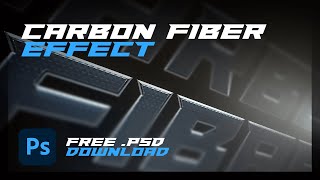
Carbon Fibre Effect on Anything - Adobe Photoshop Tutorial
Learn to create realistic carbon fiber effects in Photoshop using layer styles and custom pattern brushes. Apply this versatile technique to text, shapes, and more for stunning designs.
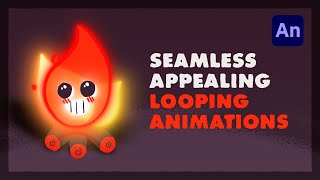
Create Looping Animations Easily - Adobe Animate Tutorial
Learn to create seamless looping animations using offsetting techniques in Adobe Animate. Master flame effects, face animation, and FX for more appealing and professional-looking animations.
Adobe Animate 2021 - Shape Morphing - Beginners Tutorial
Learn shape morphing techniques in Adobe Animate 2021, including frame-by-frame animation and shape tweening with shape hints, to create smooth transitions between different shapes.

Adobe Animate 2021 - The Absolute Basics - Beginners Tutorial
Learn Adobe Animate 2021 basics: interface, tools, timeline, and create your first animation. Perfect for beginners starting their journey in digital animation and motion graphics.
How to Manage a Client Animation - Project Breakdown - Adobe Animate 2021
Comprehensive breakdown of managing client animation projects using Adobe Animate, covering communication, storyboarding, animatics, project structure, and finishing touches.
Create a Realistic Polaroid - Photoshop Tutorial
Learn to create a realistic Polaroid photograph in Photoshop with step-by-step guidance on image manipulation, texturing, and finishing touches for an authentic vintage look.
Clipping Masks, Gradients & More - Photoshop Elements Tutorial 2022
Learn to create dynamic designs in Photoshop Elements with techniques like image cutting, drop shadows, bevels, strokes, text effects, filters, and clipping masks in this step-by-step tutorial.
Cartoon Workflow Tips - Adobe Character Animator and After Effects Tutorial
Discover advanced techniques for creating cartoons using Adobe Character Animator and After Effects, covering environment interactions, automation, performance optimization, and effective storytelling methods.

Adobe Fresco + Character Animator Workflow
Learn to create animation-ready characters using Adobe Fresco for drawing, Photoshop for organizing, and Character Animator for rigging. Master this efficient workflow to bring your digital characters to life.

Cameras - Adobe Character Animator Tutorial
Learn to set up and animate cameras in Adobe Character Animator, including stationary shots, zooms, pans, and live-triggered camera changes. Enhance your scenes with professional camera techniques.

Walking in Adobe Character Animator - ARCHIVED
Learn to create realistic walking animations in Adobe Character Animator. Master character rigging, customize walk styles, and bring your characters to life with step-by-step guidance on artwork setup and behavior adjustments.
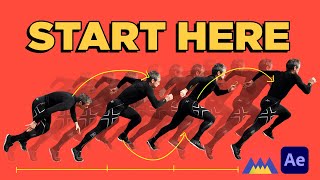
Animation in After Effects - The Power of Animation Principles
Explore animation principles and After Effects basics, including interface navigation, shape creation, keyframing, and spacing techniques for impactful animations.
Create Eye-Popping Visuals in Photoshop with Boris FX Optics
Learn to create stunning visuals in Photoshop using Boris FX Optics plugin. Explore powerful tools for image enhancement, creative ideation, and element building to elevate your artwork.
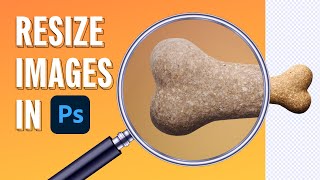
How to Resize Images in Photoshop
Learn six effective methods for resizing images in Photoshop, including AI-powered techniques. Discover which approaches work best for various design and animation scenarios to optimize your workflow.
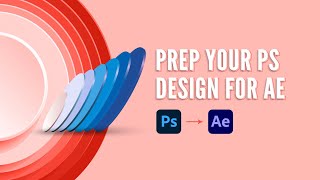
How to Prep Photoshop Files for After Effects
Learn essential techniques for preparing Photoshop files for After Effects animation, including file structure, layer management, and preserving editability, to streamline your workflow and enhance your motion design projects.
Tricks for Creating a Hand-Drawn Look in After Effects
Learn techniques to create hand-drawn animations in After Effects, including roughen edges, noise shadows, shading, and textures, for organic and visually appealing results.
Beyond the Basics of After Effects - Intermediate Skills - Adobe MAX 2020 Presentation
Discover advanced After Effects techniques for motion design, including pre-production, cross-app workflows, and efficiency tips to elevate your projects and streamline your creative process.

Advanced Shape Layer Techniques in After Effects - With Alex Deaton
Learn advanced shape layer techniques in After Effects to streamline your workflow, reduce clutter, and create more efficient animations using groups, merge paths, and simple path expressions.
Basic Lessons on Digital Painting in Photoshop
Learn essential Photoshop techniques for digital painting, including quick masks, selections, layers, groups, and brush settings for pencil-like drawing and painterly effects.
How to Draw Yourself As a Super Hero - Adobe Photoshop - Tutorial
Learn to transform yourself into a comic book superhero using Adobe Photoshop, exploring techniques for foreshortening and perspective with photo references in this narrated tutorial.