
Setting Up Your Workspace in Photoshop CC 2020
Learn to customize Photoshop CC 2020's workspace for efficient compositing and retouching, covering interface elements, essential shortcuts, and personal setup tips.

Add Color to Preset Brushes in Photoshop - Compositing and Enhancement Techniques
Learn to add color to preset brushes in Photoshop, along with techniques for compositing, background replacement, color matching, and vignette creation. Enhance your photo editing skills with practical effects.

Dispersion Effect Tutorial in Photoshop
Learn to create a stunning dispersion effect in Photoshop, transforming images into particle clouds. Master techniques for background removal, liquify filters, custom brushes, and color grading to enhance your digital art skills.

How to Blend Two Images Creatively in Photoshop - Water in Pavement Effect
Learn creative image blending techniques in Photoshop, including the popular "water in pavement" effect. Master photo manipulation and compositing skills to create dramatic and eye-catching visuals.

Gone Girl Movie Poster Recreation - Photoshop Tutorial
Learn to recreate the Gone Girl movie poster using Photoshop techniques like file setup, guide layouts, gradient backgrounds, layer blending, masking, and custom brushes in this comprehensive design tutorial.

She's Gotta Have It Poster Tutorial - Photo to Faux Oil Painting in Photoshop
Learn to transform a photo into a faux oil painting using Photoshop techniques like selection, quick masks, color manipulation, compositing, and digital painting. Ideal for intermediate users seeking advanced skills.
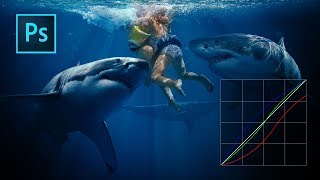
Color Grading with Curves in Photoshop
Master artistic color grading in Photoshop using curves. Learn to edit RGB curves separately, creating three distinct color grades with a single adjustment layer in this hands-on tutorial.

Moonlight Movie Poster Photoshop Tutorial
Learn to recreate the Moonlight movie poster using advanced Photoshop techniques like gradient maps, liquify tool, and blur gallery. Master compositing skills applicable to various design projects.
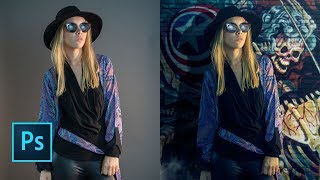
How to Replace a Background in Photoshop 2019
Learn to quickly replace backgrounds in Photoshop using the "Select Subject" tool, and integrate subjects seamlessly with new backgrounds through effective layering techniques.

Topaz Photo AI - New RAW Support via Lightroom Classic (Version 0.9.0)
Explore TOPAZ PHOTO AI's new RAW support via Lightroom Classic, enabling efficient batch processing of RAW files with enhanced image quality and streamlined workflow.
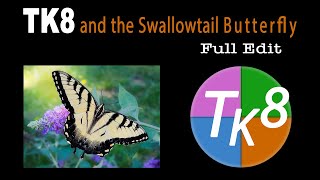
TK8 and Swallowtail Butterfly Photo Editing Tutorial
Learn advanced photo editing techniques for a Swallowtail Butterfly image using the TK8 plugin for Photoshop. Enhance your skills with step-by-step guidance and downloadable resources.
Topaz Photo AI - Batch Processing RAW Files in Lightroom Classic
Discover efficient batch processing of RAW files using Topaz Photo AI in Lightroom Classic, enhancing image quality with advanced AI-powered tools for sharper, cleaner results.
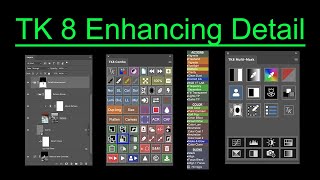
TK8 Enhancing Detail - New Technique for Photoshop
Aprenda uma nova técnica para realçar detalhes em fotografias usando o plugin TK8 para Photoshop. Inclui exemplos práticos e dicas para melhorar a clareza e o impacto visual das suas imagens.
Creating and Installing NIK COLLECTION 5 Actions in TK8 - My Actions Panel Tutorial
Learn to create and install NIK COLLECTION 5 actions in TK8's MY ACTIONS PANEL. This tutorial offers step-by-step guidance, including a free downloadable action set, to enhance your photo editing workflow.
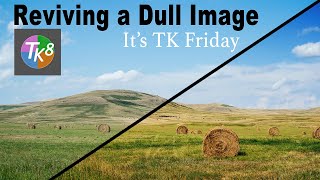
Reviving a Dull Image Using TK8 Plugin for Photoshop - With Practice Image and Notes
Aprenda a revitalizar imagens sem vida usando o plugin TK8 para Photoshop. Técnicas práticas e dicas profissionais para melhorar suas fotos de forma eficaz.
NIK Collection 5 - Color Efex Pro 5 and TK8 Plugin for Photoshop Workflow Tutorial
Discover advanced photo editing techniques combining NIK Collection 5's Color Efex Pro and TK8 Plugin for Photoshop. Learn a powerful workflow to enhance your images with professional-grade tools and filters.

Discovering Good Light with TK8 Plugin - TK Friday Tutorial
Discover and enhance good light in images using the TK8 Plugin for Photoshop. Hands-on tutorial with downloadable practice image for step-by-step guidance.

Lightroom Classic: Quick and Easy Edits Using Linear and Radial Gradient Adjustments
Master quick and effective image editing using Linear and Radial Gradient Adjustments in Lightroom Classic. Learn to enhance photos with precision and create stunning visual effects in just 21 minutes.

Acquiring and Managing Free Adobe Stock Images
Learn to acquire, organize, and utilize free Adobe Stock images effectively, enhancing your creative projects with high-quality visuals.
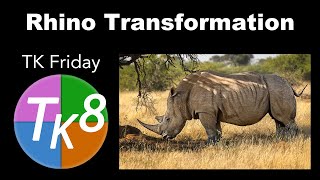
TK Friday - Rhino Transformation Image Editing Tutorial
Learn advanced photo editing techniques using TK8 plugin for Photoshop to transform a rhino image. Gain insights on enhancing wildlife photography through practical demonstration and step-by-step guidance.
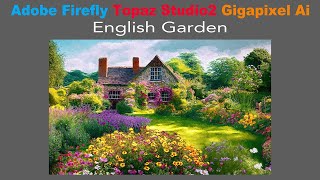
Creating a Painterly Image with Adobe Firefly, Topaz Studio 2, and Topaz Gigapixel AI
Transform AI-generated English Garden photo into a painterly masterpiece using Topaz Studio 2, then upscale with Gigapixel AI for a unique artistic result that transcends typical digital art.