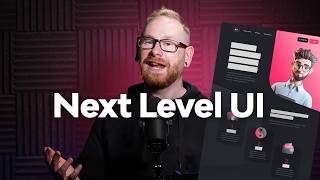
How I Design for Impact With Figma
Learn to create high-impact website designs in Figma with expert tips on grids, color balance, typography, layout rhythm, and advanced animation techniques for stunning, user-friendly interfaces.
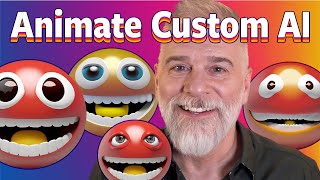
Animate Your Own Custom A.I. Emoji
Learn to create and animate custom AI-generated emojis using Adobe Firefly and Photoshop's Timeline panel. Master techniques for smooth looping, masking, and enhancing with generative AI tools.

Tips & Tricks All InDesign Users Should Know
Discover 15 essential InDesign tips to enhance your skills, from generating QR codes and creating interactive popups to mastering data merging and designing fillable forms.

Blend If in Photoshop - Masking, Effects, and Retouching Techniques - Lesson 8
Unlock Photoshop's "Blend If" feature to create stunning effects, from adding shine to masking and retouching. Learn real-world applications for enhancing your digital art and photo editing skills.
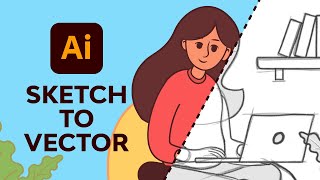
Adobe Illustrator Illustration for Beginners
Learn to create vector illustrations using essential Adobe Illustrator tools. Transform sketches into clean digital designs with expert guidance on pen, brush, shape, and color tools.

Editing - Effect Ideas for Adobe Premiere and How to Make Them
Discover 10 essential editing techniques for Adobe Premiere, from creating flow and transitions to advanced effects like edge glow and motion tiling. Enhance your video editing skills with practical tips.
Adobe Photoshop CC for Beginners
Comprehensive Photoshop training covering workspace, tools, layers, selections, and advanced techniques. Learn to create, edit, and enhance images with practical exercises and downloadable files.

Ultimate Guide to Collage and Paper Rip Editing - Adobe After Effects
Learn to create dynamic collage and paper effects in After Effects, including asset sourcing, composition animation, and advanced techniques for rips, shreds, and folds.
Ways Firefly Is Better than Midjourney
Discover 10 advantages of Adobe Firefly over Midjourney, including its free access, ethical approach, faster generation, and unique features like generative fill and vector compatibility.

Master Filters - Photoshop for Beginners
Explore essential Photoshop filters, from simple blurs to complex effects. Learn practical applications, overcome common issues, and discover powerful third-party plugins to enhance your editing skills.
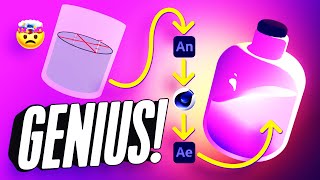
How to Add 2D Frame-by-Frame Animation to Your 3D Renders
Learn to combine 2D frame-by-frame animation with 3D renders using Adobe Animate, Cinema 4D, and After Effects to create a mesmerizing looping animation of a magical bottle.
Turning Your Rendered Frames into a Video with Adobe After Effects
Learn to transform rendered frames into polished videos using Adobe After Effects. Master techniques for seamless frame sequencing, timing adjustments, and professional output.
Non-Destructive Image Editing and the Power of Photoshop - Software Showcase
Explore non-destructive image editing in Photoshop, from finding free stock photos to using AI-driven tools and adjustment layers for powerful, flexible image manipulation.
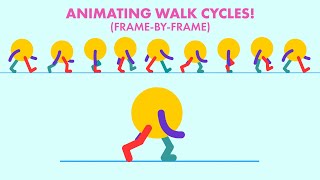
Animating a Traditional Styled Walk Cycle with Adobe Animate
Learn to create a basic walk cycle animation using Adobe Animate, covering essential poses and techniques for effective character movement.
Lightroom Mobile Tutorial for Beginners
Master Lightroom Mobile: shoot RAW, edit on-the-go, create presets, and share high-quality images directly from your phone or tablet. Learn essential techniques for professional mobile photography.
iClone 7 Tutorial - Using the B2M Substance Super Tool
Learn to create enhanced Substance materials in iClone 7 using the B2M tool. Explore applying textures, tweaking values, adding depth with tessellation, and baking Substance textures for improved visual results.
CrazyTalk Animator 3.2 Pipeline Tutorial - Changing G3 Color Style in Photoshop
Learn to customize G3 character colors in Photoshop for CrazyTalk Animator 3.2. Covers launching characters, adjusting skin and facial features, and updating changes in the animation software.
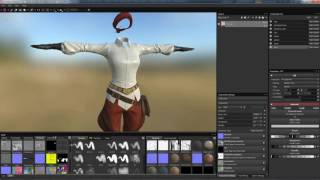
Pirate Character Creation - Texturing Clothes in Substance Painter
Learn to texture pirate clothing in Substance Painter, including normal map baking, mesh preparation, and PBR to specular map conversion for use in Character Creator and iClone.
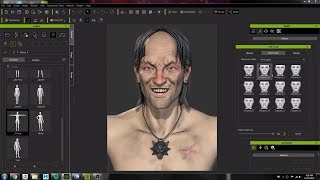
Character Creator 3 Workflow: Modeling and Animating a Witcher Character Concept
Crystal Bretz demonstrates modeling and animating a character from The Witcher series using Character Creator 3, ZBrush, and Substance Painter, showcasing the software's capabilities for 3D character creation.
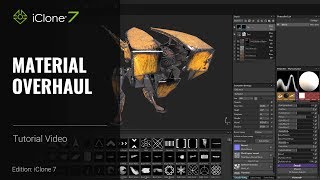
iClone 7 and Substance Painter Tutorial - Material Overhaul
Learn to modify textures and materials in iClone using Substance Painter. This beginner-friendly tutorial covers painting techniques, creating decals, emissive materials, and exporting textures for enhanced 3D visuals.

Design in After Effects - Animate a Retro Poster
Learn to design and animate a retro poster in After Effects with professional designer Jess Riley. Master text layouts, gradients, cylinder effects, and motion design techniques for stunning visual creations.