Enhancing Images with TK7 GO Panel - Recovering Light and Saturation
Enhance images using TK7 Go Panel to recover light and saturation with luminosity and zone masks. Learn techniques for improving photo quality and visual appeal.
Creating the Perfect Mask with TK7 Go Panel - Tutorial
Mastering TK7 GO PANEL for perfect masks: Learn color masking, infinity color, overlay blending, painting techniques, and zone masking to enhance your photo editing skills.
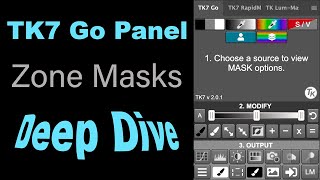
TK7 GO Panel - Zone Masks Deep Dive - Luminosity Masks Unmasked Episode 4
Explore the power of Zone Masks in TK7 GO PANEL for precise photo editing. Learn advanced masking techniques to enhance image details and control tonal values effectively.
Flower Photography Editing: Enhancing Depth of Field with Topaz Mask AI and Photoshop
Learn to enhance flower photography with advanced editing techniques, isolating subjects and creating stunning shallow depth of field effects beyond camera capabilities.

Grand Canyon Photo Editing Tutorial - Topaz, Luminar 4, and Photoshop
Learn advanced photo editing techniques for stunning Grand Canyon images using Topaz, Luminar 4, and Photoshop. Enhance colors, remove distractions, and create breathtaking landscapes with expert guidance.
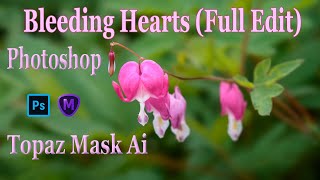
TOPAZ MASK AI and Photoshop: Bleeding Hearts Full Edit Tutorial
Enhance bleeding heart photos using Topaz Mask AI and Photoshop techniques. Learn sharpening, masking, compositing, and painting for stunning floral edits.
Photoshop Plug-ins Workflow Tutorial - Luminar 4 and Topaz Studio 2
Enhance your photo editing skills with Luminar 4 and Topaz Studio 2 plug-ins for Photoshop. Learn advanced techniques for light removal, texturing, and AI-powered enhancements in this comprehensive tutorial.
Photoshop Tutorial - Color Range Selection Tool
Explore the powerful Color Range Selection Tool in Photoshop to enhance image editing skills, remove color tones, adjust contrast, and create precise masks for professional-looking results.
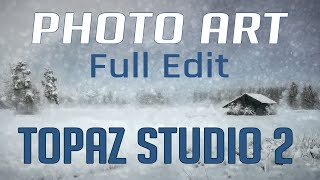
Topaz Studio 2 and Photoshop Tutorial - Creating a Winter Cabin Digital Painting
Transform a winter cabin photo using Topaz Studio 2 and Photoshop. Learn color correction, filters, vignettes, and digital painting techniques to create a stunning winter scene.
Photoshop Photo Art Tutorial - Using Topaz Plugins
Transform photos into stunning digital paintings using Topaz plugins in Photoshop. Learn sky replacement, masking, and artistic effects to create unique composite images from ordinary photographs.
Flower Photography Workflow Tutorial - Lightroom, Photoshop, and Topaz Studio 2
Learn to enhance flower photos with a dreamy, ethereal look using Lightroom, Photoshop, and Topaz Studio 2. Master techniques for soft backgrounds, noise reduction, and sharpening in macro photography.

How to Make a Faceless Minimal Vector Portrait with Adobe Illustrator
Learn to create minimal vector portraits in Adobe Illustrator. Master a marketable skill for freelancing on platforms like Etsy and Fiverr. Step-by-step guide for beginners, including finding free photos and portfolio tips.

Secret Tips for Generative Fill in Photoshop
Discover advanced techniques for Photoshop's Generative Fill tool, including layer blending, context enhancement, depth of field creation, intensity adjustment, and seamless pattern generation.

How to Animate in Photoshop CS6 & CC - Tutorial for Beginners
Learn to create animated GIFs and frame-by-frame animations in Photoshop CS6 & CC. Covers basics, advanced techniques, and practical tips for beginners to enhance their digital art skills.

How to Design Call-to-Action Graphics with Adobe Express - Creative Live Branding
Learn to create impactful call-to-action graphics using Adobe Express. Explore features like font pairing, animated GIFs, and QR codes to enhance your brand identity and engage your audience effectively.

How to Design Lower Thirds in Adobe Express - Creative Live Branding
Learn to design professional lower thirds using Adobe Express in this hands-on workshop. Explore templates, branding tools, and quick actions to create custom overlays and enhance your visual content efficiently.

Art Direction for Developers - Learn With Jason
Learn art direction techniques for developers with Tatiana Mac. Discover how to create visually appealing, readable, and uncrowded web pages while incorporating essential elements and maintaining aesthetic appeal.
Remove Tool - Photoshop for Beginners
Master Photoshop's Remove Tool: Learn setup, applications, and best practices for efficient retouching and image manipulation in this comprehensive tutorial.

Effect Ideas for Adobe After Effects - And How to Make Them
Explore 10 creative effects in Adobe After Effects, from match cuts to VHS glitches. Learn step-by-step techniques to enhance your video editing skills and create stunning visual content.
Reasons Why Generative Fill Will Not Replace You - Photoshop
Explores limitations of Photoshop's Generative Fill, discussing resolution, precision, inconsistency, legal issues, and edge quality. Emphasizes continued relevance of traditional editing techniques for creative professionals.
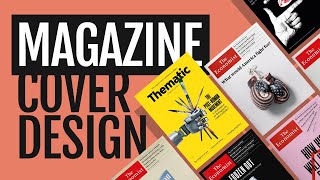
Magazine Cover Design With Matt - Cover Designer at The Economist
Explore magazine cover design with The Economist's designer. Learn ideation, artwork creation in Illustrator and Photoshop, and cover layout in InDesign. Gain insights into professional techniques and creative processes.