
Convert Raster to Vector in Illustrator
Learn to convert raster graphics to vector in Adobe Illustrator using Image Trace. Explore techniques for filled color images and sketches, understand vector advantages, and master file format considerations.
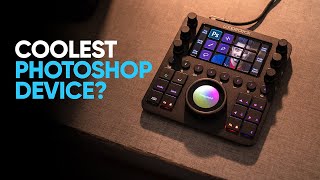
Edit in Photoshop Faster - Is Loupedeck CT Any Good?
Explore Loupedeck CT's features for faster Photoshop editing, including easy tool access, customization options, workspaces, navigation wheel, and custom actions to enhance productivity and workflow efficiency.
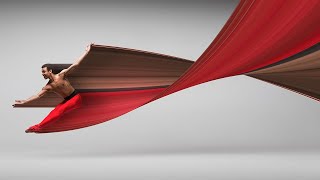
Pixel Stretch Effect With 3 Simple Steps in Photoshop
Learn to create the popular pixel stretch effect in Photoshop with three fundamental steps and bonus tips for enhancing realism. Includes downloadable actions for faster workflow.
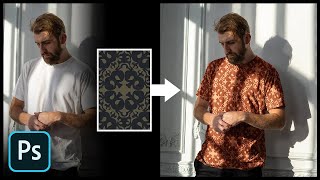
Add Any Pattern to Clothes in Photoshop
Learn to seamlessly add and blend patterns onto clothing in Photoshop using layer styles, blend modes, and warping techniques. Master creating realistic textures and enhancing contrast for professional-looking results.

How to Use Photoshop Layers for Beginners
Learn Photoshop layers basics: adding, stacking, hiding, adjusting opacity, and merging. Master essential techniques for effective image editing and manipulation in this beginner-friendly tutorial.

Editing Photos in Lightroom Like a Boss - Sliders + Order Explained in Plain English
Master Lightroom photo editing: Learn slider adjustments, optimal order, and techniques to enhance your images effectively. Understand key tools for impactful results.
Keying and Tracking in After Effects - Part 2
Learn advanced keying and compositing techniques in After Effects to seamlessly integrate green screen footage into background plates, using masks, color correction, and other professional tricks.
Keying and Tracking in After Effects - Part 1
Learn advanced compositing techniques in After Effects, including tracking, keying, and color correction. Master essential skills for integrating green screen footage with background plates to create seamless visual effects.
Roll and Rig a Cube in After Effects
Learn to create a realistic rolling cube animation in After Effects using expressions and rigging techniques. Master precise keyframing and curve manipulation for dynamic, physics-based motion.
Kinetic Typography in After Effects
Learn advanced kinetic typography techniques in After Effects, including creating dynamic fireballs, finishing touches, and finessing visual elements for a polished final animation.
Take Your Photoshop Compositing Skills to the Next Level with Jesús Ramirez
Enhance Photoshop compositing skills with expert Jesús Ramirez. Learn to combine stock images realistically, master advanced techniques, and create stunning visual scenes in this comprehensive tutorial.
Responsive Design in Adobe XD
Master responsive design in Adobe XD: Learn efficient techniques for creating adaptable layouts, using responsive resize, handling breakpoints, and optimizing for various devices and screen sizes.
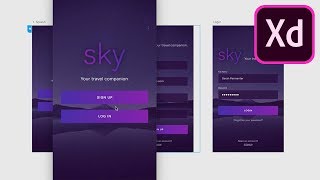
Exploring Adobe XD October 2018 Update - Add-ons, Linked Symbols, Auto Animate, and Voice Prototyping
Discover key Adobe XD updates: add-ons, linked symbols, auto animate, and voice prototyping. Learn to enhance your design workflow with these powerful new features in action.
How to Color Correct Video With Adobe Premiere
Learn the fundamentals of video color correction using Adobe Premiere, including exposure adjustment, white balance fixing, and color cast correction to achieve a uniform look across all shots.
Creating Low Poly Backgrounds
Learn to create trendy low poly abstract backgrounds using Cinema 4D and Photoshop. Master 3D modeling, rendering, lighting, and coloring techniques to enhance your design skills.
Sketch vs Adobe XD - Comparing Design Tools for UI/UX
Compare Sketch and Adobe XD's features, history, and capabilities for UI/UX design. Gain insights on their strengths and weaknesses to choose the best tool for your projects.
10 Tips to Master Adobe Photoshop Brushes
Comprehensive guide to mastering Photoshop brushes, covering basics, application techniques, custom brush creation, and efficient use of brush presets for designers and illustrators.
How to Customize a Logo Sting in Adobe After Effects
Master Adobe After Effects to create stunning logo animations. Learn layer management, logo replacement, color adjustments, and music integration for impressive visual effects.
10 Essential Design Tips for Adobe Illustrator
Elevate your Illustrator skills with essential design tips covering icon creation, 3D tools, typography enhancement, and more. Learn to craft unique visuals and improve your digital artwork.
Creating 80s-Inspired Movie Titles in After Effects - Tutorial
Create '80s-inspired movie titles in After Effects using free plugins and assets. Learn techniques for realistic titles, sabre effects, animations, and more, inspired by Stranger Things.
How to Make Grain & Noise Textures in Illustrator
Learn to create stunning grain and noise textures in Illustrator, including a sand text effect. Master blending techniques, dissolve gradients, and stylize text using opacity masks and the Appearance panel.