Image Enlargement - Professional Upsampling Techniques in Photoshop
Learn professional techniques for enlarging images in Photoshop, including AI-enabled filters, upsampling enhancement, and artifact removal. Master the art of transforming low-resolution images into high-quality, enlarged versions.

Perfect Skin Tones in Photoshop - Color Palette Technique
Master the art of achieving perfect skin tones in Photoshop using color palettes, sampling, and Curves. Learn techniques for evening out skin tones and preparing images for retouching.
Exploring Orton Effects in TK9 - Techniques and Tips
Explore three Orton Effects in TK9 plugin for Photoshop. Learn to fine-tune these effects for the perfect dreamy look. Gain practical tips and techniques for enhancing your photo editing skills.

Exploring Generative AI with Adobe Firefly
Discover Adobe Firefly's unique AI capabilities for creative workflows. Learn to generate content with text prompts and integrate Firefly across design software like Photoshop and Illustrator.
10 Essential Photoshop Settings to Turn Off for Improved Workflow
Discover 10 essential Photoshop settings to disable for a streamlined workflow, enhancing productivity and reducing visual clutter in your interface.

Introduction to Camera Raw in Photoshop - Lesson 11
Comprehensive guide to Camera Raw in Photoshop, covering essential tools, techniques, and best practices for processing photos. Learn to enhance images with professional-grade editing capabilities.
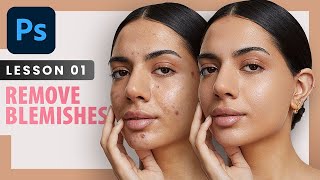
Remove Blemishes - Professional Photoshop Retouching Techniques - Lesson 1
Learn professional techniques for high-end skin retouching in Photoshop, including spot healing, healing brush, patch tool, and dodge and burn. Discover when to remove blemishes and how to achieve natural-looking results.

Creative Hand Lettering - Adobe Fresco Tutorial
Learn hand lettering with pro illustrator Chris Piascik using Adobe Fresco. Master sketching, refining, coloring, and texturing techniques to create stunning lettering designs on your iPad or preferred setup.

Advanced Photoshop Techniques
Elevate your Photoshop skills with advanced techniques for photo manipulation, visual effects, and professional artwork. Master underwater scenes, color grading, texture blending, and creative LUTs to produce stunning visuals.

Create Easy Drag and Drop Mockup in Photoshop
Master easy drag & drop mockup creation in Photoshop. Learn to design realistic templates for t-shirts, mugs, and more using smart objects, blend modes, advanced masking, and layer styles.

Hands On with Adobe’s New Groundbreaking AI
Explore Adobe Firefly's Text to Image module: Generate custom images, adjust lighting, composition, and style. Learn to create unique visuals with this groundbreaking AI tool for creative professionals.

Hands On with Adobe’s New Groundbreaking AI, Part 2
Explore Adobe Firefly's prompt parameters to enhance AI-generated images. Learn about iterations, style, guidance, avoidance, and face-fixing tags for improved results in this hands-on tutorial.
Hands On with Adobe’s New Groundbreaking AI
Explore Adobe Firefly's groundbreaking AI image generator, featuring unique type effects and custom text-to-image capabilities. Learn to create vivid, one-of-a-kind designs using presets and custom prompts.
What Is Adobe Firefly and How to Use It for Web Designs
Explore Adobe Firefly's AI-powered design capabilities for web and graphic design, including text generation, image creation, and customization options. Compare its features to other AI art tools.

Ways to Add Depth to Your Composite in Photoshop
Learn three effective techniques to add depth to your Photoshop composites, including color matching, lighting adjustments, and depth-of-field effects for natural-looking blends.
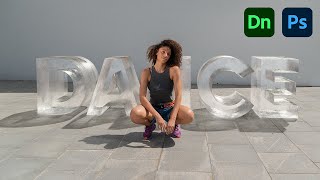
Create 3D Ice Text With Dimension and Photoshop
Learn to create realistic 3D ice text using Adobe Dimension and Photoshop. Master techniques for matching perspectives, adding materials, and enhancing the final image for a stunning visual effect.

Quick Ways to Reduce Photoshop File Size
Discover 10 practical techniques to significantly reduce Photoshop file sizes while maintaining quality. Learn to optimize your PSD documents for improved workflow and storage efficiency.
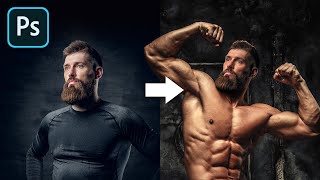
The Most Realistic Way to Swap Head in Photoshop
Learn realistic head-swapping techniques in Photoshop, covering essential criteria, proper placement, light and shadow matching, and skin tone blending for seamless and natural-looking results.

Erase Extreme Tattoos Effortlessly in Photoshop
Master Photoshop techniques to remove tattoos, from simple healing tools to advanced frequency separation and skin reconstruction, creating realistic results for various tattoo complexities.

Select Transparent Stuff with Blend Modes - Photoshop Tutorial
Learn to mask transparent objects, create realistic reflections, and match backgrounds in Photoshop using blend modes and Blend-If. Master techniques for natural composites with glass objects.
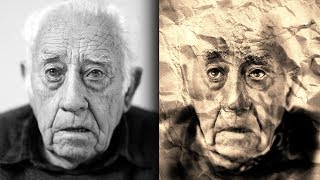
Sketch and Ink Effect Using Difference Blend Mode in Photoshop
Learn to create stunning sketch and ink effects in Photoshop using the Difference blend mode. Master techniques for adding shading, dimension, and realistic paper textures to elevate your digital artwork.