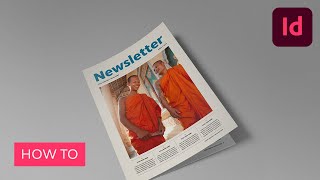
Create a Monthly Newsletter Template in Adobe InDesign
Learn to design a professional, easily editable monthly newsletter template in Adobe InDesign using grids, master pages, layers, color swatches, and paragraph styles for consistent, clean layouts.
Create a Cinematic Text Animation in Adobe After Effects
Learn to create atmospheric text animations for movie trailers and video effects using Adobe After Effects. Master lighting, shadows, particles, and smoke effects to enhance your motion graphics skills.

Flyer Design in Photoshop - Create Music Festival and Art Deco Party Invitations
Learn to create stunning party flyers using Photoshop tools, stock items, and 3D assets. Master flyer sizes, organization, and design two eye-catching examples: a music festival flyer and an Art Deco invitation.
MIDI Controlled Animation in After Effects
Learn to use MIDI data to drive animations in After Effects, exploring innovative techniques for syncing motion to music and enhancing creative workflows.
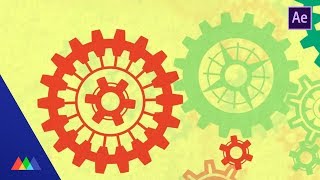
Build a Gear Rig with Expressions in After Effects
Learn to create realistic, interlocking gear animations using expressions in After Effects. Master advanced techniques for precise gear movement and rotation, enhancing your motion design skills.
Using Polar Coordinates in After Effects
Master the Polar Coordinates effect to create stunning sci-fi space tunnels and transform linear animations into radial motion. Learn techniques inspired by top motion designers.

Convert Adobe XD to Responsive HTML and CSS Website
Learn to transform Adobe XD designs into responsive HTML and CSS websites, with practical implementation of UI/UX concepts, animations, and WordPress integration for a complete web development experience.
Adobe XD to HTML CSS
Learn to convert Adobe XD designs into HTML and CSS, following proper markup standards and coding processes for effective web design implementation.

Blend Modes - Photoshop for Beginners
Explore essential Photoshop blend modes with practical examples. Learn to enhance images using Normal, Multiply, Screen, Overlay, Soft Light, and Color modes for retouching, compositing, and special effects.
How to Design a Vintage Travel Poster in Adobe Illustrator and Photoshop
Learn to create a vintage "Visit Ireland" travel poster using Illustrator for crisp illustrations and Photoshop for authentic textures. Master gradient backgrounds, typography, and digital drawing techniques.
AEM Hacker - Approaching Adobe Experience Manager Webapps in Bug Bounty Programs
Explore techniques for hacking Adobe Experience Manager webapps, including misconfigurations, vulnerabilities, and automation tools. Learn methodologies for bug bounty programs targeting AEM deployments.
Adobe Photoshop's New Generative Fill AI Feature - Tutorial and Demonstration
Explore Photoshop's revolutionary Generative Fill feature, an AI-powered tool that enhances image editing capabilities beyond traditional Content-Aware Fill, transforming your workflow and creative possibilities.
How to Add Lens Flares in Photoshop
Learn to enhance photos with realistic lens flares in Photoshop, adding depth and atmosphere to your images. Master techniques for creating stunning visual effects in digital photography.
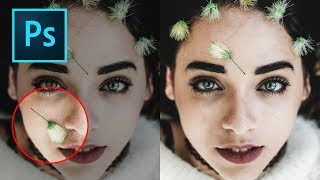
How to Remove Objects in Photoshop Using Content-Aware Fill
Master the updated Content-Aware Fill tool in Photoshop 2019 to seamlessly remove unwanted elements from images. Learn comprehensive settings, toggles, and buttons for optimal results.
Photoshop Shortcuts - The 30 Most Useful Ones to Get You Started
Learn 30 essential Photoshop shortcuts for efficient workflow, including tool selection, layer manipulation, color filling, and canvas navigation. Master these time-saving techniques to enhance your design skills.
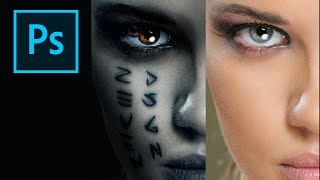
How to Create the Mummy Poster in Photoshop
Learn to recreate the iconic Mummy movie poster using Photoshop techniques. Master digital art skills and enhance your graphic design abilities in this step-by-step tutorial.
Master the Art of Dodge and Burn in Photoshop - Brush Opacity and Flow Techniques
Enhance your photo editing skills with advanced Dodge and Burn techniques in Photoshop, focusing on brush opacity and flow for precise image adjustments and professional results.
TK8 Dodge and Burn Workshop - Photoshop Techniques with Downloadable PDF Notes
Comprehensive workshop on dodging and burning techniques using TK8 plugin for Photoshop, with downloadable PDF notes for reference. Explores various methods to enhance image quality and contrast.
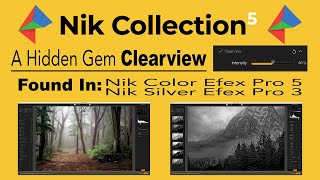
Nik Collection 5 - CLEARVIEW Filter Deep Dive and Comparison
Explore CLEARVIEW filter in Nik Collection 5, comparing it with Photoshop's DEHAZE. Learn how to enhance image clarity and contrast across various photographs using advanced editing techniques.
The Art of Color Grading - TK Friday Tutorial
Explore color grading techniques for enhancing images using TK8 plugin. Practice on provided stock photos to develop your artistic eye and create stunning visual effects.
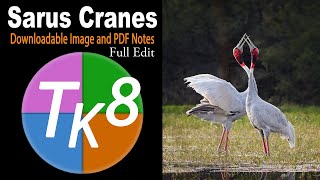
Full Edit of Sarus Cranes Image - TK Friday
Step-by-step tutorial on advanced photo editing techniques for enhancing wildlife photography, focusing on Sarus Cranes image using TK8 plugin and various software tools.