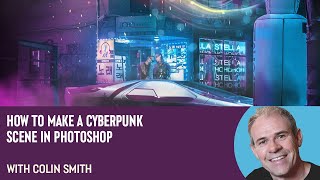
How to Make a Cyberpunk Scene in Photoshop with Colin Smith
Learn to create a stunning cyberpunk scene in Photoshop with expert Colin Smith. Master techniques for backgrounds, neon effects, lighting, and atmosphere in this comprehensive tutorial.
How to Speed Up Your Workflow in Illustrator With Lisa Glanz
Illustrator expert Lisa Glanz shares time-saving techniques, including shortcuts, workspace optimization, toolbar customization, and efficient use of layers, actions, image trace, and clipping masks.
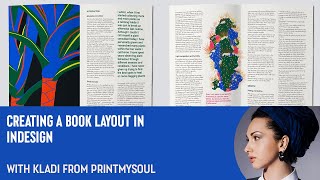
How to Create a Book Layout in InDesign
Learn to create professional book layouts in InDesign with expert guidance. Master document setup, grids, styles, and content placement for polished, print-ready designs.
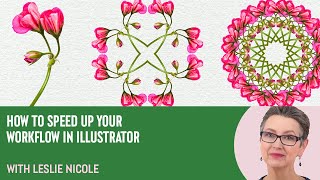
How to Create a 4 Way Mandala in Photoshop With Leslie Nicole
Learn to create a captivating 4-way mandala design in Photoshop. This tutorial covers image selection, canvas preparation, pattern creation, and mandala assembly, offering a unique blend of creativity and therapeutic design.
Capture One - Session Culling & Photo Rating Tutorial
Explore efficient photo management in Capture One, covering culling, sorting, and rating techniques. Learn about sessions vs catalogs and effective hard drive organization for streamlined workflow.
Capture One - Color Correction Tools and Tutorial
Explore powerful color correction tools in Capture One, including curves, luminosity, white balance, and advanced color editing. Learn best practices and tips for enhancing your photo editing workflow.
Capture One - Portrait Retouching Tutorial - Color Grading + Finishing Touches No Photoshop
Learn advanced portrait retouching techniques in Capture One, including color grading, exposure adjustments, and finishing touches. Master layering, masking, and color balance for polished, professional results without Photoshop.
Couch to Photoshop - Luminosity Masking for Landscape Drama
Learn advanced luminosity masking techniques to enhance landscape photos, adding drama and intensity to specific areas like clouds, using targeted curve adjustments for stunning results.
Tutorial on How to Add Texture to a Background
Learn to enhance photo backgrounds with textures in Photoshop. Master selection tools, blending modes, and perspective adjustments to create stunning, painterly effects for your images.
Couch to Photoshop - Curves, Levels, and Color Grading Tutorial
Master Photoshop's Curves and Levels tools for enhancing contrast and color grading. Learn essential techniques to elevate your image editing skills in this comprehensive tutorial.

Capture One - Dodge & Burn Skin Retouching Technique
Unique dodge and burn technique for skin retouching in Capture One, enhancing problem areas visibility before Photoshop editing.
Couch to Photoshop - Learn the Photoshop Interface in This Beginner Tutorial
Learn Photoshop's interface, workspaces, and layers in this beginner-friendly tutorial tailored for photographers. Quickly grasp essential tools and start editing your own photos.
Capture One - Catalog or Session?
Explore the differences between Capture One catalogs and sessions, focusing on stability, backup strategies, and organizational approaches for efficient image management.
Character Animator Beginner Lessons
Tutorials about Adobe Character Animator, the app that lets you animate characters with your voice and a webcam. This is essentially a CH101 online class!
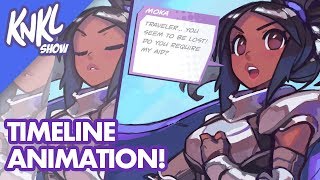
Mobile Game Animation Tutorial - Using Timeline in Photoshop to Bring Your Characters to Life
Learn to animate game characters using Photoshop's timeline feature, covering techniques for eye blinks, mouth movements, and visual effects to bring your designs to life.
Adobe XD to Editor X Tutorial
Learn to convert an Adobe XD design to Editor X, covering layout, assets import, and responsive design techniques. Gain practical insights into no-code web development and site creation.
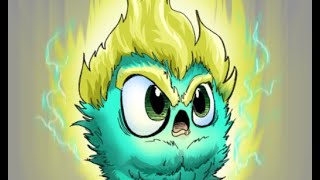
Basic Comic Coloring Process
Learn essential comic coloring techniques in Photoshop, including layer management, brush settings, edge control, and a specialized COLOR FLATS workflow for efficient and professional results.
Game Programming - Floor and Wall Sprites in After Effects
Learn to create floor and wall sprites for game programming using After Effects, covering techniques for realistic textures, lighting, and blending.

Color Grading for Beginners - Premiere Pro Tutorial
Comprehensive tutorial on color correction and grading in Adobe Premiere Pro, covering workspace setup, scopes, LUTs, and techniques for achieving professional-looking results.
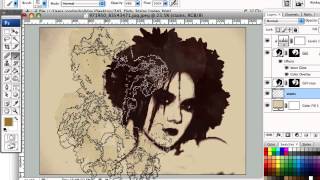
Creating Dirty Stains Design in Photoshop - Grunge Effects Tutorial
Learn to create eye-catching grunge designs using stain-based techniques in Photoshop. Transform photos with filters, brushes, and textures for unique monochromatic effects in this hands-on tutorial.
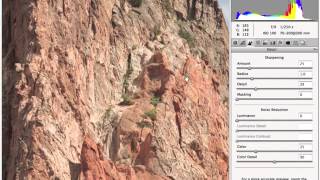
Professional Sharpening Techniques in Photoshop
Master professional image sharpening techniques in Photoshop, from capture to output, enhancing your post-production skills for print and online media.