
Mastering Adobe Fresco Watercolor Brushes - Techniques and Controls
Master Adobe Fresco's watercolor brushes, blending techniques, and advanced features to create stunning digital illustrations with realistic textures and effects.
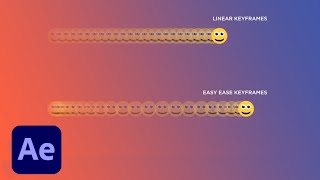
The Basics of Motion Design - Adding Movement to Your Adobe Designs
Explore motion design basics with Joey Korenman: learn animation principles, incorporate After Effects into your workflow, and discover cutting-edge tools to make your designs move and captivate audiences.

Credit Card Payment Screen Design with 3D Transforms and Auto-Animate - XD Daily Creative Challenge
Design and prototype a web-based payment screen with 3D Transforms and Auto-Animate in Adobe XD. Learn techniques for creating interactive credit card forms and enhancing user experience.

Adobe After Effects Intermediate Skills - Mixed-Media Promo Creation
Learn advanced After Effects techniques for mixed-media promos, including multi-app workflows, compositing, animation, and efficiency tips from motion designer Kyle Hamrick.
Designing Your Online Portfolio - Part 1
Learn to design a strategic online portfolio with UX expert Elizé Todd. From research and competitive analysis to wireframing and prototyping in Adobe XD, gain practical skills to create a standout website showcasing your work.
Designing a Digital Planner in Photoshop and InDesign - Part 1
Learn to create a digital planner using Photoshop and InDesign with expert tips on Adobe Stock, asset preparation, and design techniques for both print and digital formats.
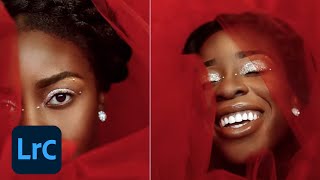
Self Portraits and Visual Storytelling - Editing Techniques in Lightroom and Photoshop - Part 1
Learn advanced self-portrait techniques and visual storytelling with photographer Idara Ekpoh. Master Lightroom Classic and Photoshop for stunning edits, including skin retouching, color grading, and creative effects.
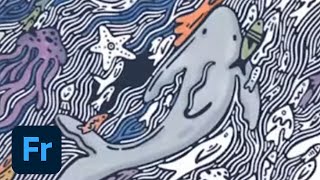
Drawing for CreateWaves in Adobe Fresco - Part 2
Watch Kelly Malka's drawing process for #CreateWaves using Adobe Fresco. Learn color selection, brush techniques, and gain insights into Kelly's inspiration and artistic journey.
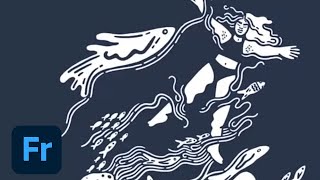
Drawing for #CreateWaves in Adobe Fresco - Part 1
Join Kelly Malka as she demonstrates digital drawing techniques in Adobe Fresco, sharing insights on her creative process, color selection, and professional journey while creating artwork for the #CreateWaves ocean awareness campaign.
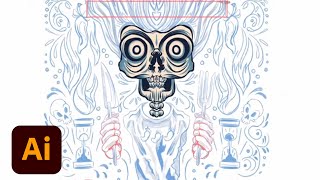
Packaging Design Pro Tips - Part 1
Learn branding and packaging design techniques for a hot sauce company using Adobe Illustrator. Gain insights on font selection, color palettes, client management, and professional tips for creating and exporting designs.

Creating a Click-Worthy Newsletter with Adobe Illustrator - Daily Creative Challenge
Design eye-catching newsletters using Illustrator's type tool and clipping masks. Learn layout techniques, text editing, image framing, and how to create visually appealing content for effective communication.
Photoshop Daily Creative Challenge - Poster Design Using Shapes and Shadows
Design a promotional poster using shapes, shadows, and negative space in Photoshop. Learn techniques like creating waves, fish shapes, color overlays, clipping masks, and applying gradients.

Adobe XD Masterclass: Designing an NFT Marketplace Interface - Episode 61
Learn essential Adobe XD tips and tricks to enhance your design skills and workflow efficiency. Explore logo creation, UI elements, and NFT project design in this comprehensive tutorial.
Creating Brand Identity for a Plant-Based Kitchen - Part 2
Graphic designer Anika Aggarwal demonstrates creating brand identity for a plant-based kitchen, focusing on logo design, typography, color selection, and brand collateral mockups using Adobe Illustrator and Photoshop.
Creating the Brand Identity for a Plant-Based Kitchen - Part 1
Graphic designer Anika Aggarwal creates a brand identity for a plant-based kitchen, focusing on logo design, typography, and color selection using Adobe Illustrator in this live tutorial session.
Video Editing for YouTube with Adobe Premiere Pro and Fresco - Part 2
Learn advanced YouTube video editing techniques with illustrator Fabiola Lara, covering project organization, color correction, graphics creation in Fresco, audio editing, and multilingual captioning for engaging content.
Lettering for a Summer Festival - Part 2: Mockups and Branding Elements
Graphic designer Courtney Sonner demonstrates lettering techniques for a summer festival, covering typeface customization, 3D effects, color selection, and mock-ups in Illustrator and Photoshop.
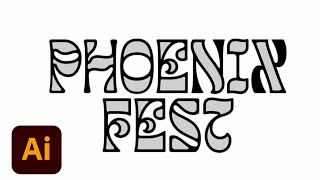
Lettering Design for a Summer Festival - Part 1
Graphic designer Courtney Sonner demonstrates lettering techniques for a summer festival, covering typeface customization, logo design, and branding elements using Adobe Illustrator and Photoshop.
13+ Design Tips and Tricks to Improve Workflow in Adobe XD
Discover 13+ professional design tips to enhance your Adobe XD workflow, from creating stream overlays to mastering animations and combating burnout.
Adobe XD Masterclass - Tips and Tricks for Improved Design Workflows
Learn essential Adobe XD tips and tricks to enhance your design skills and workflow efficiency. Explore layout techniques, component creation, icon design, and effective use of typography and color in UI/UX projects.
Premiere Pro Basics: Your First Edit Masterclass - Part 1
Learn Premiere Pro basics: importing, assembling sequences, using timeline tools, and exporting. Perfect for beginners starting their editing journey with step-by-step guidance on essential features and techniques.