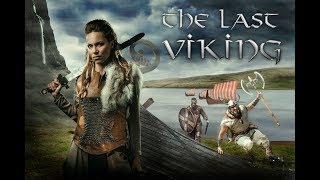
Vikings Poster with Photoshop - Combining Stock Photos to Make a Cool Composite
Create a Vikings-inspired composite using stock photos in Photoshop CC. Learn techniques for blending images, adding visual interest, and enhancing atmosphere through color toning and shadows.
Painterly Photography and Retouching in Photoshop
Learn techniques for creating painterly photographs, from setting up photo shoots to retouching in Photoshop. Master cropping, smoothing, masking, and color correction to achieve a unique artistic style.
Painterly Retouching in Photoshop with Deep Colors
Learn advanced Photoshop techniques for creating deep-colored painterly images, including retouching, masking, oil painting effects, and color correction. Enhance your digital art skills with professional tips.
Texturing World Machine Generated Maps in Substance Painter
Learn to create PBR textures in Substance Painter for terrain maps generated in World Machine, part of a comprehensive workflow for game engines and 3D rendering software.
Painterly Retouching and Compositing in Photoshop - Create Painterly Effect
Learn to create stunning painterly effects in Photoshop through step-by-step retouching and compositing techniques. Master tools like healing brush, masking, and color correction to achieve a Renaissance-style look.
Retouching Black and White Portrait in Photoshop
Learn advanced techniques for creating and retouching stunning black and white portraits in Photoshop, from initial processing to final touches, enhancing your photo editing skills.
Creating Texture from Photo in Photoshop to Use in Vue
Learn to transform photos into textures for Vue using Photoshop. Master techniques for enhancing, editing, and adding randomness to create realistic and visually appealing 3D renders.
Changing Photos from Day to Night - Making a Dark City Street in Adobe Photoshop CC
Learn to transform daytime street photos into captivating nighttime scenes using Adobe Photoshop CC. Master techniques for adding focal points, adjusting lighting, and creating atmospheric effects to enhance urban photography.
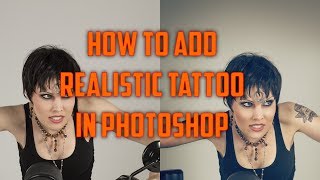
How to Add Realistic Tattoo in Photoshop CC
Learn to create realistic tattoos in Photoshop CC, including displacement effects and color toning. Master techniques for enhancing photos with authentic-looking body art.
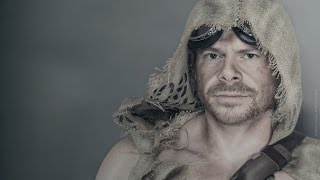
Portrait Color Stylizing with Photoshop - Desert, Post Apocalypse Style
Enhance portraits with post-apocalyptic desert style using Photoshop techniques. Learn sharpening, grunge effects, and color curve adjustments for striking results.
How to Do Character Turnaround in After Effects - Workflow Part 1
Learn to create character turnarounds in After Effects with step-by-step guidance on shapes, keyframes, controllers, and expressions for efficient 2D animation workflows.

An Ultimate Guide to After Effects Character Rigging
Comprehensive comparison of After Effects character rigging tools, exploring pros and cons of Puppet Pin, DUIK Bassel, Rubberhose, Limber, Character Tool, and Puppet Tool for informed decision-making.
Retouching Photos and GIFs for Social Media - Part 1
Learn photo and GIF retouching techniques for social media with Weekend Creative. Master Lightroom and Photoshop editing, create cohesive looks, and gain insights on running a creative business.
Turn Your Artwork into Prints - Illustration to Print Process Part 1
Illustrator Ana Duje demonstrates transforming sketches into vibrant prints, covering time-saving techniques, color application, and texture addition in Adobe Illustrator. Learn essential skills for creating professional-quality illustrations and prepari…
Crash Course in Packaging Design - Part 1
Explore packaging design with Christina Jackson as she creates quirky branding for an organic snack pack, covering mood boards, logo design, illustrations, and mockups while incorporating live audience feedback.
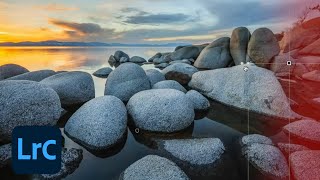
Earth Day 2022 Landscape Photography and Editing Tips with Francisco Siller
Comprehensive landscape photography tutorial covering shooting techniques, HDR editing in Lightroom, and advanced Photoshop enhancements. Learn composition, exposure, masking, and post-processing from Adobe expert Francisco Siller.
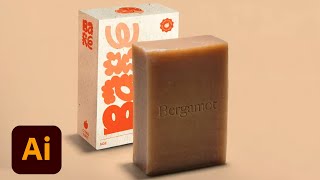
Branding and Packaging Design for Sustainable Vegan Soap - Part 2
Watch Sara Laninga create mockups and collateral for a sustainable vegan soap brand, covering design techniques, industry insights, and practical advice for aspiring designers in this Adobe Live session.

Branding and Packaging Design for Sustainable Vegan Soap - Part 1
Explore branding and packaging design for a sustainable vegan soap line with Sara Laninga. Learn about font selection, illustration integration, color combinations, and creating dieline templates in Adobe Illustrator.
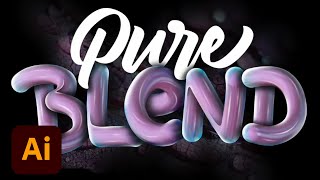
Creating 3D Lettering Effects in Photoshop - Part 1
Learn to create stunning 3D lettering effects in Photoshop with expert Angelo Konofaos. Master techniques for sketching, vectoring, shading, and adding depth to your typography designs.
Introduction to 3D Design with Adobe Substance - Part 1
Digital artist Jasmyn Johnson demonstrates 3D design using Adobe Substance Stager and Sampler, covering model selection, shape creation, material application, lighting, and rendering techniques for custom 3D compositions.
Adobe Fresco Advanced Tools and Techniques - Part 2
Explore advanced Adobe Fresco tools with Kyle T. Webster, including motion tools, perspective guides, paint bucket, multicolor swatches, vector shapes, masks, and animation features.